SQL AVG Function: Syntax, Examples and Grouped Averages
By Dr. Zubair Khalid, DVM, MS, PhD ·
The SQL average function, AVG(), returns the mean of a set of numeric values. It divides the sum of those values by the count of non-null values, so rows containing NULL are skipped entirely [1]. You can use the average function SQL provides in a plain SELECT for one overall number, or pair it with GROUP BY to get one average per category.
Quick Answer
AVG(expr)computes the sum of the values divided by the count of non-null values [1].AVG(DISTINCT expr)removes duplicate values before averaging [1].- With
GROUP BY, each aggregate produces a single value per group instead of one value for the whole table [1]. - NULLs are ignored by
AVG. If a group is empty or contains only NULLs, the result is NULL [2]. WHEREfilters rows before aggregation.HAVINGfilters groups after aggregation [3].
Syntax
AVG ( [ ALL | DISTINCT ] expression )| Argument | Required? | Meaning |
|---|---|---|
ALL | No | Applies the average to every value, including duplicates. This is the default. |
DISTINCT | No | Averages only unique values, so repeated values count once [1]. |
expression | Yes | A numeric column or expression. In Databricks SQL it can also be an interval [2]. |
Some engines extend the basic form. Databricks SQL accepts a FILTER (WHERE cond) clause that limits which rows feed the aggregate, and AVG can also run as a window function with an OVER clause [2]. SQLite accepts a FILTER clause on aggregates as well [4].
How It Works
AVG is an aggregate function. An aggregate function takes many input rows and returns a single value [3]. Internally the calculation is simple:
$$\text{AVG} = \frac{\sum x_i}{n}$$
where the numerator is the sum of the values and $n$ is the count of non-null values, not the count of rows [1]. That distinction drives most of the surprises people hit with AVG.
If you have ten rows and three of them have NULL in the measured column, the denominator is 7, not 10. The NULL rows contribute nothing to the sum and nothing to the count. This is standard behavior across engines: aggregate functions other than COUNT(*) ignore NULL values [5].
SQLite documents the same rule and adds a detail worth knowing. The result of avg() is always a floating point value whenever there is at least one non-null input, even if every input is an integer [4]. So averaging the integers 1, 2, and 3 gives 2.0, not 2.
The order of operations matters when you filter. WHERE selects input rows before groups and aggregates are computed, so it controls which rows enter the calculation. HAVING selects group rows after groups and aggregates are computed [3]. That is why you cannot put an aggregate in WHERE and why HAVING is where you filter on an average.
Worked Example
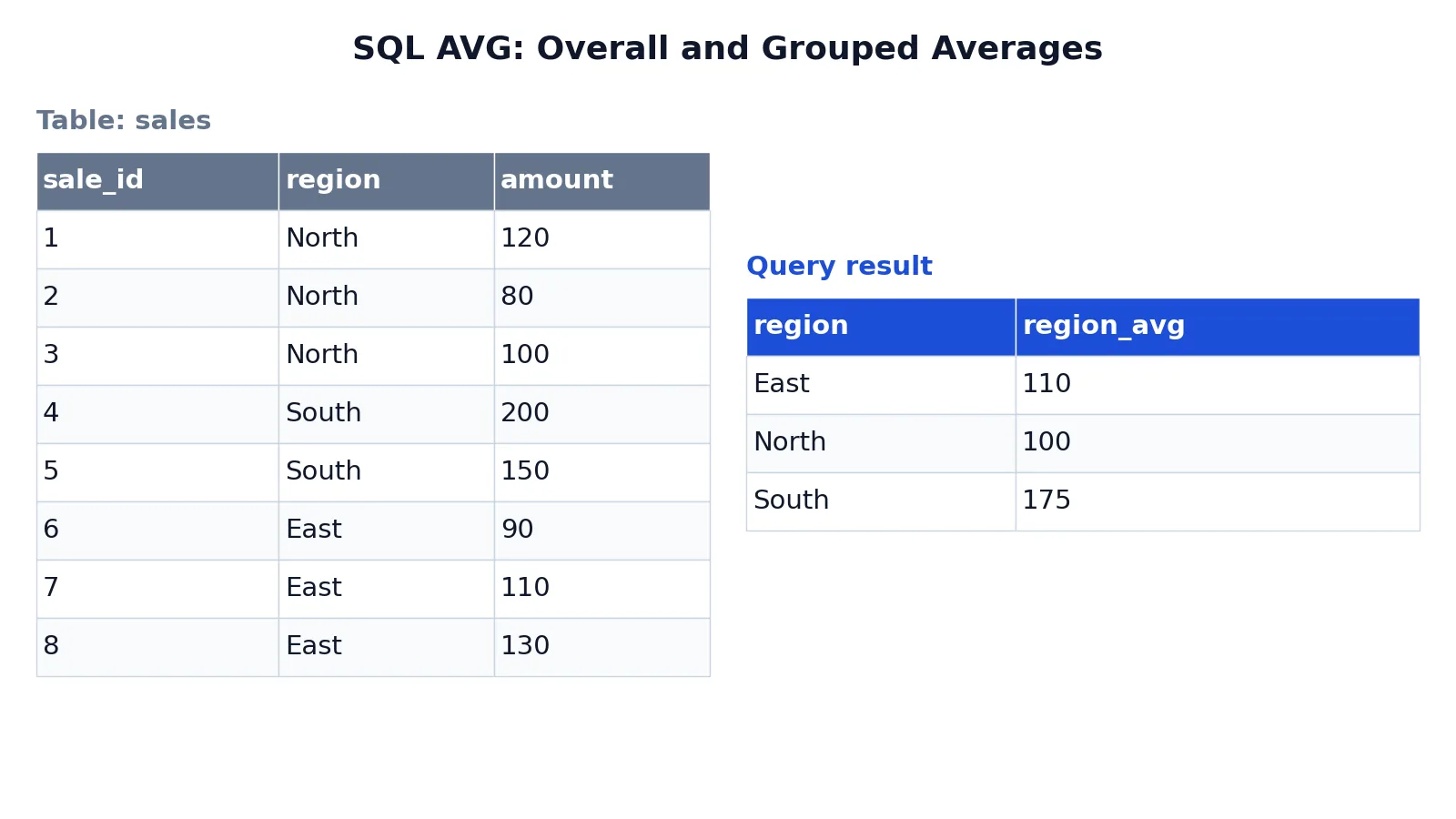
The dataset is a small sales table with eight rows across three regions, created and queried in SQLite.
| sale_id | region | amount |
|---|---|---|
| 1 | North | 120 |
| 2 | North | 80 |
| 3 | North | 100 |
| 4 | South | 200 |
| 5 | South | 150 |
| 6 | East | 90 |
| 7 | East | 110 |
| 8 | East | 130 |
The query computes one overall average and one average per region.
SELECT AVG(amount) AS overall_avg FROM sales;

SELECT region, AVG(amount) AS region_avg
FROM sales
GROUP BY region
ORDER BY region;
The overall average is $(120 + 80 + 100 + 200 + 150 + 90 + 110 + 130) / 8 = 122.5$. The grouped query returns:
| region | region_avg |
|---|---|
| East | 110 |
| North | 100 |
| South | 175 |
The result was checked with an equivalent SQLite query. GROUP BY region splits the eight rows into three groups before AVG runs, so North averages its three amounts to 100, South averages two amounts to 175, and East averages three amounts to 110. ORDER BY region sorts the output alphabetically.
If amount were NULL for one row, that row would drop out of both the sum and the denominator. A region whose rows were all NULL would return NULL for its average, not zero [2].
More Examples
Average with a filter on input rows. WHERE runs before aggregation, so this restricts which rows are averaged:
SELECT AVG(amount) AS avg_large_sales
FROM sales
WHERE amount >= 100; -- averages 120, 100, 200, 150, 110, 130
Average per group with a HAVING filter. HAVING runs after aggregation, so it filters on the computed average:
SELECT region, AVG(amount) AS region_avg
FROM sales
GROUP BY region
HAVING AVG(amount) > 105; -- keeps only groups whose average exceeds 105
Average of distinct values. DISTINCT removes duplicates before the average is computed [1]:
SELECT AVG(DISTINCT amount) AS avg_distinct
FROM sales; -- duplicate amounts count once
Average alongside other aggregates. Aggregates combine freely in one grouped query, which is how you build a summary table per category [1]:
SELECT region,
       AVG(amount) AS region_avg,
       COUNT(*)    AS row_count
FROM sales
GROUP BY region;
When you need to check an average by hand, a mean, median and mode calculator is a quick way to confirm the number before you trust the query.
Errors and How to Fix Them
Column not in GROUP BY and not aggregated. Selecting a bare column alongside an aggregate without grouping it raises an error in strict engines. Fix it by adding the column to GROUP BY or wrapping it in an aggregate.
Aggregate in WHERE. WHERE AVG(amount) > 100 fails because WHERE runs before aggregates exist [3]. Move the condition to HAVING.
Overflow on the sum. If the sum exceeds the maximum value for the return data type, AVG returns an error [1]. Databricks raises an ARITHMETIC_OVERFLOW error in the same situation and offers try_avg to return NULL instead [2]. Cast to a wider type or aggregate in smaller batches.
Non-numeric input. SQLite notes that string and BLOB values that do not look like numbers are treated as zero [4]. If a text column sneaks into AVG, you get a silently wrong number. Cast the column or filter the rows.
Unexpected NULL result. An empty group or a group of all NULLs returns NULL [2]. If you need zero instead, wrap the call in COALESCE.
Common Mistakes
- Assuming NULL counts as zero. It does not. NULL rows are excluded from both the sum and the denominator, so the average of 10, 20, and NULL is 15, not 10. Decide whether NULL means "missing" or "zero" and handle it explicitly.
- Dividing by the row count instead of the non-null count.
SUM(amount) / COUNT(*)is not the same asAVG(amount)when NULLs exist. UseAVGor divide byCOUNT(amount). - Filtering groups in WHERE. Conditions on an aggregate belong in
HAVING[3]. Putting them inWHEREeither errors or silently changes which rows are averaged. - Forgetting that DISTINCT changes the denominator.
AVG(DISTINCT amount)averages unique values only, so repeated amounts collapse into one [1]. Use it deliberately. - Mixing grouped and ungrouped aggregates in one query. If you select
regionandAVG(amount), every non-aggregated column must appear inGROUP BY. - Expecting an integer result. SQLite returns a floating point value whenever there is at least one non-null input, even for integer columns [4]. Round explicitly if you want a whole number.
Limitations
AVG describes a center point, and a center point can hide a lot. A region with amounts of 1 and 199 has the same average as a region with 100 and 100, but the two are nothing alike. Pair AVG with a spread measure or a distribution check before you draw conclusions from it.
NULL handling is the other trap. Because NULLs vanish from the calculation, an average can be computed over a much smaller set than you expect. If 90 percent of a column is NULL, the average reflects only the remaining 10 percent, and it will look perfectly reasonable while being unrepresentative. Always check the non-null count alongside the average. Engines also differ in return types and overflow behavior, so a query that runs cleanly in one database may error or return a different type in another [1][2].
Frequently Asked Questions
Does AVG ignore NULL values?
Yes. AVG computes the sum of values divided by the count of non-null values, so NULL rows are excluded from both parts of the calculation [1]. Databricks documents the same rule and adds that a group which is empty or contains only NULLs returns NULL [2]. If you want NULLs treated as zeros, replace them with COALESCE(column, 0) before averaging.
What is the difference between AVG and AVG(DISTINCT)?
AVG includes every value, so duplicates count multiple times. AVG(DISTINCT) removes duplicate values before averaging, so each unique value counts once [1]. On the values 1, 1, and 2, plain AVG returns 1.333 and AVG(DISTINCT) returns 1.5.
Can I use AVG in a WHERE clause?
No. WHERE selects input rows before groups and aggregates are computed, so it cannot contain an aggregate function [3]. Use HAVING instead, which filters group rows after the aggregates are computed. The same condition placed in WHERE would be evaluated at the wrong stage.
How do I get an average per group?
Add GROUP BY with the column you want to group on. Each aggregate then produces a single value per group instead of one value for the whole table [1]. For example, SELECT region, AVG(amount) FROM sales GROUP BY region returns one average per region.
Why does AVG return a decimal when my column holds integers?
SQLite returns a floating point value whenever there is at least one non-null input, even if all inputs are integers [4]. Other engines follow their own type rules. Databricks, for instance, widens a DECIMAL(p, s) result to DECIMAL(p + 4, s + 4) and returns a DOUBLE in all other cases [2]. Round the result if you need a whole number.
If you want to see how AVG compares with counting and ranking in the same grouped query, the SQL COUNT function guide covers the counting side, and the SQL RANK function guide shows how to order rows within each group. For row-by-row comparisons after you have your averages, the SQL LAG function and the SQL LEAD function let you reach backward and forward across rows.
References
- AVG (Transact-SQL) - SQL Server | Microsoft Learn
- avg aggregate function - Azure Databricks - Databricks SQL | Microsoft Learn
- PostgreSQL: Documentation: 18: 2.7. Aggregate Functions
- Built-in Aggregate Functions
- Aggregate Functions (Transact-SQL) - SQL Server | Microsoft Learn
Further Reading
- Avg (MDX) - SQL Server | Microsoft Learn
- Codd EF (1970). A relational model of data for large shared data banks. Communications of the ACM
- PostgreSQL Documentation: SELECT
- SQLite: SQL As Understood By SQLite
- Wilson G, Bryan J, Cranston K et al. (2017). Good enough practices in scientific computing. PLOS Computational Biology