SQL DECODE Function: Syntax and Examples
By Dr. Zubair Khalid, DVM, MS, PhD ·
The SQL DECODE function compares one expression against a list of search values and returns the result paired with the first match. If nothing matches, it returns a default value, or NULL when no default is given [1]. It is most common in Oracle Database, and you can reproduce the same logic with a CASE expression in SQLite, PostgreSQL, MySQL, SQL Server and other systems that do not ship a DECODE function.
Quick Answer
- DECODE(expr, search1, result1, search2, result2, ..., default) compares
exprto each search value in order. - The first search that equals
exprwins, and its paired result is returned [1]. - If no search matches, DECODE returns the default. If you omit the default, it returns NULL [1].
- Oracle treats two NULLs as equal inside DECODE, so a NULL
exprcan match a NULL search value [1]. - In databases without DECODE, a searched CASE expression gives you the same value mapping.
Syntax
The general form is:
DECODE(expr, search1, result1, search2, result2, ..., default)| Argument | Required? | Meaning |
|---|---|---|
expr | Yes | The value being tested, such as a column or an expression. |
search1, search2, ... | Yes, at least one | Values compared against expr, evaluated in the order written. |
result1, result2, ... | Yes, one per search | The value returned when the matching search equals expr. |
default | No | Returned when no search matches. Omitted means NULL. |
Oracle allows up to 255 components in total, counting expr, all search values, all results and the default [1]. Arguments can be any numeric type (NUMBER, BINARY_FLOAT, BINARY_DOUBLE) or a character type [1].
How It Works
DECODE walks the search values one at a time. It compares expr to search1. If they are equal, it returns result1 and stops. If not, it moves to search2, then search3, and so on. When it runs out of search values without a match, it returns the default [1].
Oracle uses short-circuit evaluation here. It evaluates each search value only right before comparing it to expr, so once a match is found, later search values are never evaluated [1]. That matters when a search value comes from a function call with side effects or a cost.
Two behaviors surprise people coming from other databases. First, DECODE considers two NULLs equal, so if expr is NULL and a search value is NULL, that pair matches and its result is returned [1]. Second, Oracle converts expr and each search value to the data type of the first search value before comparing them, and converts the return value to the data type of the first result [1]. If the first result is CHAR or NULL, the return value becomes VARCHAR2 [1]. Those implicit conversions can change how values compare, so keep the types consistent across the search and result lists.
The closest standard equivalents are the CASE expression and COALESCE, which Oracle documents alongside DECODE as providing similar functionality [1].
Worked Example
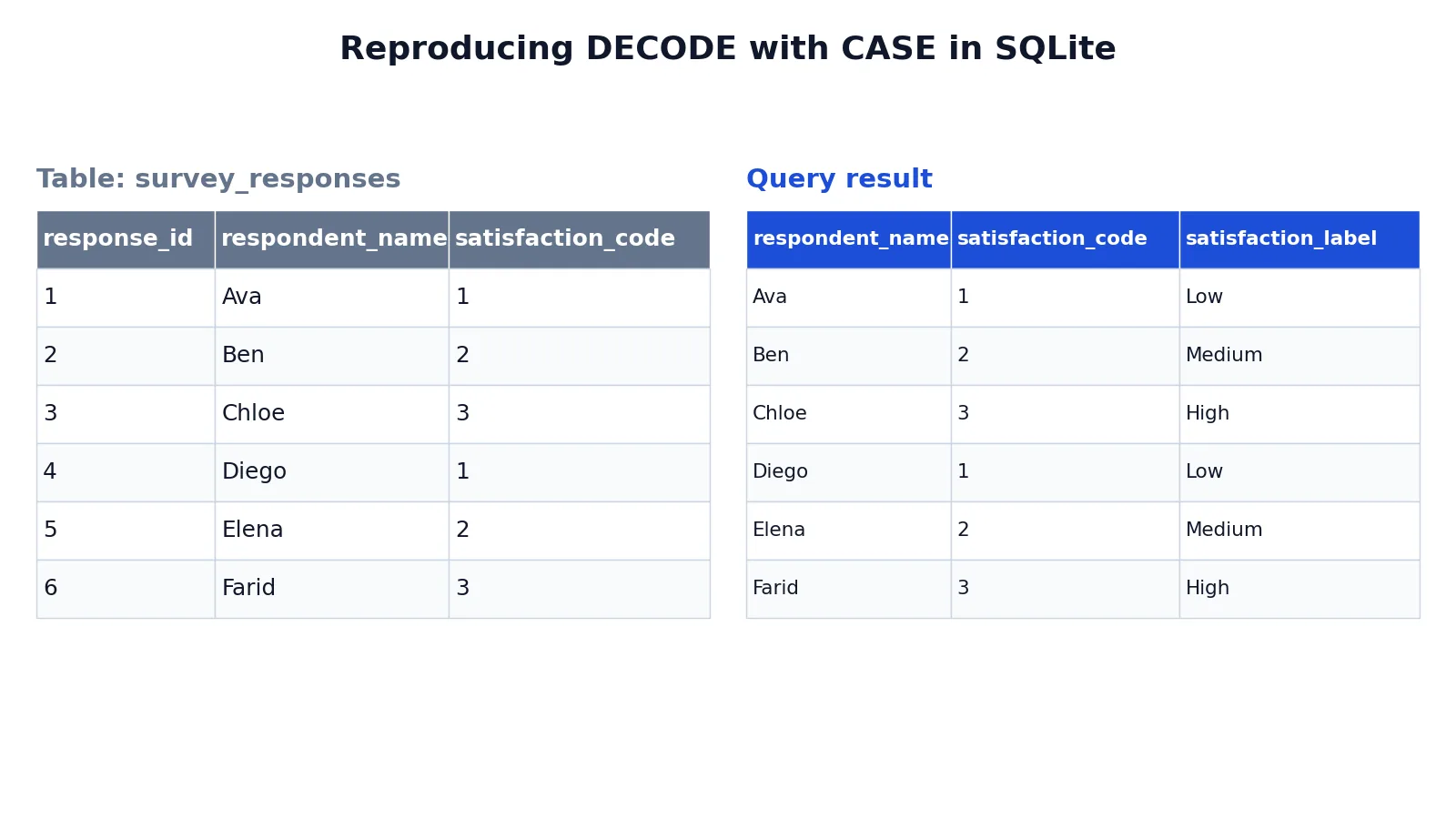
Suppose you run a survey and store a numeric satisfaction code for each respondent. You want readable labels instead of raw numbers. The table below holds the input data.
| response_id | respondent_name | satisfaction_code |
|---|---|---|
| 1 | Ava | 1 |
| 2 | Ben | 2 |
| 3 | Chloe | 3 |
| 4 | Diego | 1 |
| 5 | Elena | 2 |
| 6 | Farid | 3 |
In Oracle you would write DECODE(satisfaction_code, 1, 'Low', 2, 'Medium', 3, 'High', 'Unknown'). The query below does the same job with CASE, which runs in databases that lack DECODE.
SELECT respondent_name, satisfaction_code, CASE satisfaction_code WHEN 1 THEN 'Low' WHEN 2 THEN 'Medium' WHEN 3 THEN 'High' ELSE 'Unknown' END AS satisfaction_label FROM survey_responses ORDER BY response_id;The result was checked with an equivalent SQLite query.
| respondent_name | satisfaction_code | satisfaction_label |
|---|---|---|
| Ava | 1 | Low |
| Ben | 2 | Medium |
| Chloe | 3 | High |
| Diego | 1 | Low |
| Elena | 2 | Medium |
| Farid | 3 | High |
Each piece lines up with a DECODE argument. CASE satisfaction_code is the expression being tested, the same role as DECODE's first argument. WHEN 1 THEN 'Low' is the first search and result pair. WHEN 2 THEN 'Medium' and WHEN 3 THEN 'High' are the remaining pairs. ELSE 'Unknown' is the default, and END closes the expression. The AS satisfaction_label clause names the derived column, and ORDER BY response_id keeps the rows in a stable order.
More Examples
Map a status code to a description. This is the classic use, and it reads the same in DECODE and CASE.
SELECT order_id, DECODE(status_code, 1, 'Pending', 2, 'Shipped', 3, 'Delivered', 'Other') AS status_text FROM orders;The CASE version replaces the function name and adds WHEN and THEN keywords:
SELECT order_id, CASE status_code WHEN 1 THEN 'Pending' WHEN 2 THEN 'Shipped' WHEN 3 THEN 'Delivered' ELSE 'Other' END AS status_text FROM orders;Handle NULL explicitly. Because DECODE treats NULLs as equal, you can map missing values directly.
SELECT customer_id, DECODE(region, 'NA', 'North America', 'EU', 'Europe', NULL, 'Unassigned', 'Other') AS region_name FROM customers;A searched CASE expression does the same thing with an explicit test:
SELECT customer_id, CASE WHEN region = 'NA' THEN 'North America' WHEN region = 'EU' THEN 'Europe' WHEN region IS NULL THEN 'Unassigned' ELSE 'Other' END AS region_name FROM customers;Group values into buckets. DECODE only tests equality, so to bucket values you first turn each value into a bucket key, for example with an expression on the column, and then map those keys with DECODE. If you are classifying text, functions like SQL LENGTH and SQL REPLACE can build the expression you feed into DECODE. When the mapping logic grows long, a common table expression keeps the query readable, and a subquery can supply the lookup values.
Errors and How to Fix Them
ORA-00939: too many arguments for function. DECODE accepts at most 255 components, counting expr, every search, every result and the default [1]. If you exceed that, split the mapping across two expressions or move the lookup into a join against a mapping table.
Unexpected type conversion results. Oracle converts expr and each search value to the data type of the first search value before comparing, and converts the return value to the data type of the first result [1]. If your first search is a number and a later search is a string, the comparison may not behave as you expect. Keep all search values in one type and all results in one type.
Wrong branch returned. DECODE returns the first match, so if the same search value appears twice, or two values become equal after Oracle converts them to the first search value's type, only the first result is ever returned. Remove duplicate search values and keep the types consistent.
Function does not exist. DECODE is not part of standard SQL and is not available in every database. Rewrite it as a CASE expression, which is portable.
Common Mistakes
- Assuming NULL never matches. In Oracle, DECODE treats two NULLs as equal, so a NULL expression can match a NULL search value [1]. If you want NULL to fall through to the default, do not list NULL as a search value.
- Forgetting the default. When you omit the default, DECODE returns NULL for unmatched values [1]. Add an explicit default so unmatched rows are visible instead of silently blank.
- Mixing data types in the search list. Implicit conversion to the first search value's type can change comparisons [1]. Use one consistent type per list.
- Listing a search value twice. Because evaluation stops at the first match, a repeated search value never reaches its second result.
- Using DECODE in a database that lacks it. PostgreSQL, MySQL, SQL Server and SQLite do not provide DECODE. Use CASE instead of assuming a syntax error means you typed it wrong.
- Nesting DECODE deeply. Long nested calls are hard to read and easy to mis-edit. A CASE expression or a lookup table is clearer.
Limitations
DECODE only performs equality matching. It cannot express ranges, pattern matches or comparisons like greater than, so anything beyond exact value mapping needs CASE or a join. It also returns a single scalar value per row, so it cannot reshape rows or aggregate data on its own.
Portability is the other limit. DECODE is an Oracle feature, and the implicit type conversions and NULL-equals-NULL rule are Oracle-specific [1]. Code that relies on those behaviors may not translate cleanly to another database, so treat DECODE as a convenience for Oracle work and reach for CASE when the query needs to run elsewhere.
Frequently Asked Questions
What does the SQL DECODE function do?
DECODE compares one expression against a list of search values and returns the result paired with the first match. If no search matches, it returns the default, or NULL when the default is omitted [1]. It is a compact way to map codes to labels inside a query.
Is DECODE available in MySQL, PostgreSQL or SQL Server?
No. DECODE is an Oracle function, and those databases do not provide it. Use a CASE expression instead, which produces the same value mapping and runs across all of them.
How do I rewrite DECODE as CASE?
Turn DECODE(expr, s1, r1, s2, r2, d) into CASE expr WHEN s1 THEN r1 WHEN s2 THEN r2 ELSE d END. The expression stays the same, each search and result pair becomes a WHEN ... THEN clause, and the default becomes the ELSE clause.
Does DECODE treat NULL as equal to NULL?
Yes, in Oracle. DECODE considers two NULLs equal, so if the expression is NULL and a search value is NULL, that pair matches and its result is returned [1]. This differs from the normal = comparison, where NULL = NULL is unknown.
How many arguments can DECODE take?
Oracle allows up to 255 components in a single DECODE call, counting the expression, all search values, all results and the default [1]. If your mapping needs more, split it across multiple expressions or use a lookup table.
References
Further Reading
- Codd EF (1970). A relational model of data for large shared data banks. Communications of the ACM
- PostgreSQL Documentation: SELECT
- SQLite: SQL As Understood By SQLite
- Wilson G, Bryan J, Cranston K et al. (2017). Good enough practices in scientific computing. PLOS Computational Biology
- PostgreSQL Tutorial: The SQL Language