SQL TRUNCATE TABLE: Syntax, Examples and When to Use It
By Dr. Zubair Khalid, DVM, MS, PhD ·
SQL TRUNCATE removes all rows from a table while leaving the table itself, its columns, and its constraints in place. It is a fast way to empty a table because it does not scan and log every row the way DELETE does. This article covers the syntax, a worked example, and the practical differences between TRUNCATE and DELETE.
Quick Answer
TRUNCATE TABLE table_name;removes every row from a table and keeps the table definition.- It is usually much faster than
DELETE FROM table_name;because it does not log individual row deletions [1]. - In PostgreSQL it reclaims disk space immediately instead of waiting for a later VACUUM [2].
- Behavior varies by database. Oracle cannot roll back a TRUNCATE, while PostgreSQL and SQL Server can roll it back inside a transaction [3][2][1].
- SQLite has no
TRUNCATE TABLEstatement, so you useDELETE FROMthere instead.
Before You Start
TRUNCATE is a destructive operation. Once the rows are gone, you need a backup or a transaction rollback to get them back. Before you run it, confirm three things.
First, confirm you are pointed at the right database and schema. A TRUNCATE TABLE sales; on a production server is not the same as the same statement on your local copy.
Second, check whether the table is referenced by a foreign key. In many databases, truncating a parent table fails if child tables reference it, unless you also truncate the children or use a cascading option. PostgreSQL offers CASCADE and RESTRICT for exactly this [2].
Third, check whether the table is part of replication. SQL Server, for example, does not allow TRUNCATE on tables published by transactional or merge replication, and you must use DELETE instead [1].
You also need the right permission. In SQL Server the minimum permission is ALTER on the table, and the right defaults to the table owner and members of the sysadmin, db_owner, and db_ddladmin roles [1].
Step by Step
- Identify the table. Write down the schema-qualified name, such as
HumanResources.JobCandidateorsales. Qualifying the name avoids truncating the wrong table when two schemas share a table name.
- Check for dependent objects. Look for foreign keys, triggers, and replication. TRUNCATE does not fire
ON DELETEtriggers in PostgreSQL, though it does fireON TRUNCATEtriggers if you defined them [2].
- Decide on identity and sequence behavior. PostgreSQL lets you choose
RESTART IDENTITYto reset sequences orCONTINUE IDENTITYto leave them alone [2]. SQL Server resets the identity counter when you truncate a table that has anIDENTITYcolumn [1].
- Run the statement. The core syntax is
TRUNCATE TABLE table_name;. PostgreSQL also acceptsTRUNCATE [ TABLE ] [ ONLY ] name [, ...]with the optional keywords [2].
- Verify the result. Run a count query such as
SELECT COUNT(*) FROM table_name;to confirm the table is empty.
- Commit or roll back. In PostgreSQL and SQL Server you can wrap the statement in a transaction and roll it back if something looks wrong [2][1]. In Oracle you cannot roll back a TRUNCATE [3].
Worked Example
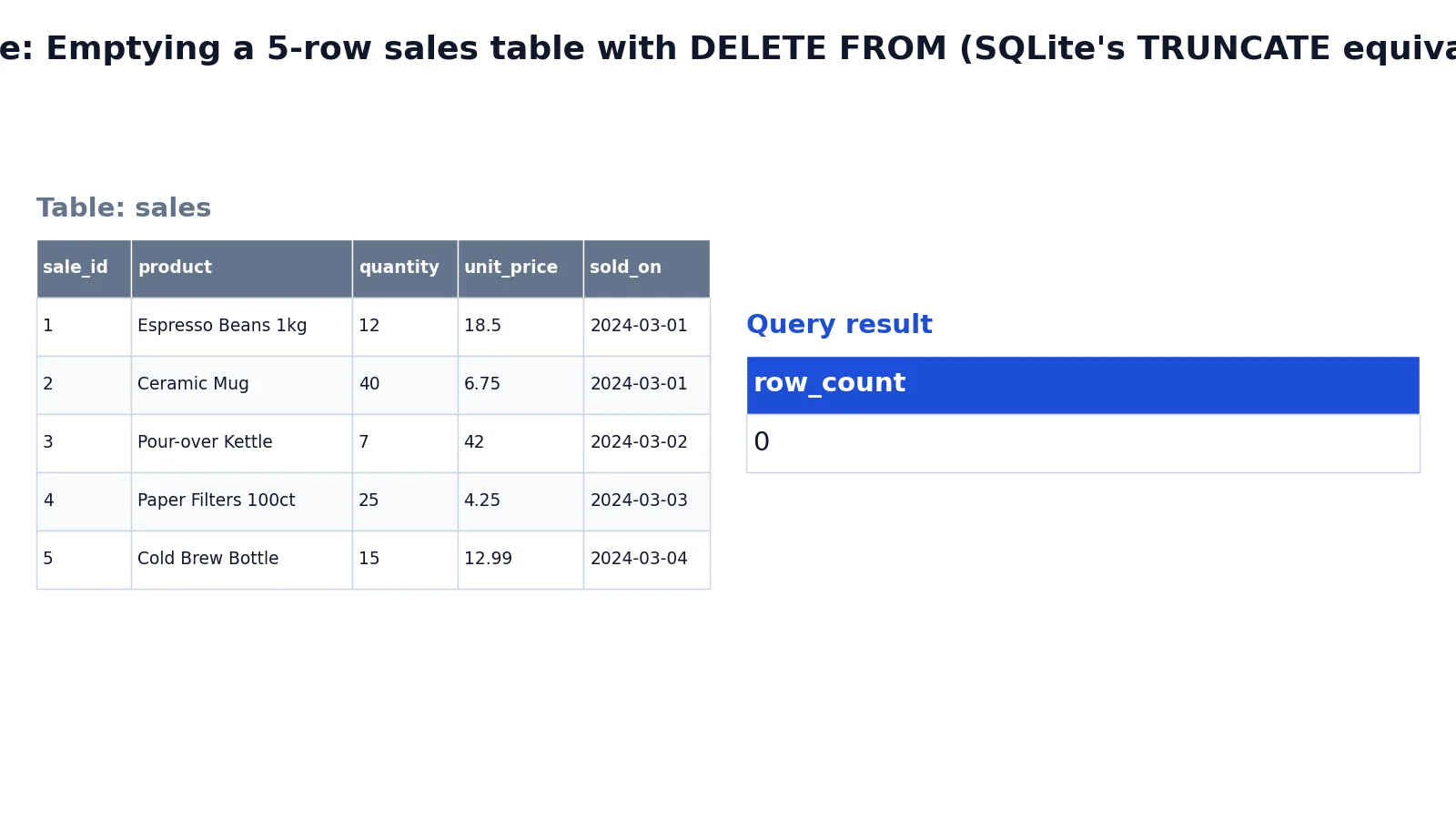
The dataset is a small sales table with five rows of coffee-shop products. The table has columns for sale_id, product, quantity, unit_price, and sold_on.
Here is the starting data:
| sale_id | product | quantity | unit_price | sold_on |
|---|---|---|---|---|
| 1 | Espresso Beans 1kg | 12 | 18.5 | 2024-03-01 |
| 2 | Ceramic Mug | 40 | 6.75 | 2024-03-01 |
| 3 | Pour-over Kettle | 7 | 42.0 | 2024-03-02 |
| 4 | Paper Filters 100ct | 25 | 4.25 | 2024-03-03 |
| 5 | Cold Brew Bottle | 15 | 12.99 | 2024-03-04 |
The query below empties the table. SQLite does not support TRUNCATE TABLE, so the equivalent operation is DELETE FROM.
DELETE FROM sales;
-- SQLite has no TRUNCATE TABLE statement, so DELETE FROM is the
-- equivalent operation: it removes every row while keeping the table.
-- In PostgreSQL/MySQL/SQL Server the same result is written as:
-- TRUNCATE TABLE sales;
The result was checked with an equivalent SQLite query. Running SELECT COUNT(*) AS row_count FROM sales; returns:
| row_count |
|---|
| 0 |
The table structure and columns remain intact. Only the rows are gone. In PostgreSQL, MySQL, or SQL Server you would write TRUNCATE TABLE sales; and get the same empty table.
Other Ways to Do It
DELETE FROM. DELETE FROM sales; removes all rows and keeps the table. It logs each row deletion, so it is slower on large tables, and it fires ON DELETE triggers [2]. It also lets you filter with a WHERE clause, which TRUNCATE does not.
DROP TABLE. If you want to remove the table and its structure entirely, use DROP TABLE. That is a different operation with a different result, and you can read about it in How to Drop a Table in SQL.
Partition truncation. SQL Server supports truncating specific partitions with WITH (PARTITIONS (2, 4, 6 TO 8)), which truncates partitions 2, 4, 6, 7, and 8 [1]. This is useful for large partitioned tables where you only want to clear part of the data.
Truncating multiple tables. PostgreSQL accepts a comma-separated list, so TRUNCATE TABLE orders, order_items; empties both in one statement [2].
Troubleshooting
The statement fails with a foreign key error. A child table references the parent you are truncating. Truncate the child tables first, or use the cascading option where your database supports it.
The statement fails on a replicated table. SQL Server blocks TRUNCATE on tables published by transactional or merge replication. Use DELETE instead [1].
The identity column did not reset. Behavior differs by database. In PostgreSQL, add RESTART IDENTITY to reset sequences [2]. In SQL Server, truncating a table with an IDENTITY column resets the counter [1].
You cannot roll back. Oracle does not allow rollback of a TRUNCATE, and you cannot flash back to the pre-truncate state [3]. If you need reversibility, use DELETE inside a transaction instead.
The table looks empty to some sessions but not others. PostgreSQL notes that TRUNCATE is not MVCC-safe. A concurrent transaction using a snapshot taken before the truncation may still see the old rows [2].
Common Mistakes
- Assuming TRUNCATE and DELETE are interchangeable. They are not. DELETE can filter rows with
WHERE, firesON DELETEtriggers, and is logged row by row. TRUNCATE removes everything and does not fire those triggers [2]. Pick based on whether you need filtering or trigger behavior. - Expecting triggers to fire. In SQL Server, TRUNCATE cannot activate a trigger because it does not log individual row deletions [1]. If your audit logic depends on a delete trigger, use DELETE.
- Forgetting that SQLite has no TRUNCATE. Running
TRUNCATE TABLE sales;in SQLite returns a syntax error. UseDELETE FROM sales;instead. - Running TRUNCATE without a transaction when you might need to undo it. In PostgreSQL and SQL Server you can roll back a TRUNCATE inside a transaction [2][1]. Wrap it when the data matters.
- Truncating a parent table with active foreign keys. The statement fails, in SQL Server even when the child table is empty. Check dependencies first.
- Assuming disk space is freed everywhere. PostgreSQL reclaims space immediately [2], but other databases may not behave the same way.
Limitations
TRUNCATE cannot remove some rows and keep others. There is no WHERE clause. If you need conditional deletion, use DELETE. TRUNCATE also cannot fire row-level delete triggers, which means audit trails and cascade logic tied to those triggers will not run [1][2].
Rollback support is inconsistent across databases. Oracle does not allow rollback of a TRUNCATE and does not support flashback to the pre-truncate state [3]. PostgreSQL and SQL Server do allow rollback inside a transaction [2][1]. If your workflow depends on being able to undo the operation, check your specific database before relying on it.
TRUNCATE also interacts with indexes and materialized views. In Oracle, truncating a table removes all data in the table's indexes and any materialized view direct-path INSERT information, which can cause an incremental refresh of the materialized view to lose data [3]. That is a subtle side effect worth checking if you maintain materialized views.
Frequently Asked Questions
What does SQL TRUNCATE do?
SQL TRUNCATE removes all rows from a table in a single operation while keeping the table structure, columns, and constraints. It is faster than DELETE on large tables because it does not scan and log each row [1][2]. The table remains usable immediately after.
Is TRUNCATE faster than DELETE?
Yes, in most databases. PostgreSQL states that TRUNCATE has the same effect as an unqualified DELETE but is faster because it does not scan the tables, and it reclaims disk space immediately instead of requiring a later VACUUM [2]. The speed difference grows with table size.
Can I roll back a TRUNCATE?
It depends on the database. PostgreSQL allows rollback if the surrounding transaction does not commit [2]. SQL Server also supports rolling back a TRUNCATE inside a transaction [1]. Oracle does not allow rollback of a TRUNCATE at all [3].
Does TRUNCATE reset the identity column?
In SQL Server, truncating a table with an IDENTITY column resets the identity counter [1]. In PostgreSQL you control this with RESTART IDENTITY or CONTINUE IDENTITY [2]. Check your database's documentation because defaults vary.
Why does TRUNCATE fail on my table?
Common causes include foreign key references from child tables, replication publication in SQL Server [1], and insufficient permissions. In SQL Server the minimum permission is ALTER on the table [1]. Resolve the dependency or switch to DELETE.
Does TRUNCATE work in SQLite?
No. SQLite has no TRUNCATE TABLE statement. Use DELETE FROM table_name; to remove all rows while keeping the table. The result is the same empty table, though the performance characteristics differ from databases that support TRUNCATE.
References
- TRUNCATE TABLE (Transact-SQL) - SQL Server | Microsoft Learn
- PostgreSQL: Documentation: 18: TRUNCATE
- TRUNCATE TABLE
Further Reading
- MySQL :: MySQL Replication :: 4.1.37 Replication and TRUNCATE TABLE
- Codd EF (1970). A relational model of data for large shared data banks. Communications of the ACM
- PostgreSQL Documentation: SELECT
- SQLite: SQL As Understood By SQLite
- Wilson G, Bryan J, Cranston K et al. (2017). Good enough practices in scientific computing. PLOS Computational Biology