SQL CONCAT Function: Syntax and Examples
By Dr. Zubair Khalid, DVM, MS, PhD ·
Concatenation joins two or more string values into one. In SQL you do this with the CONCAT function or the || operator, and the two behave differently when a NULL value appears. This article covers the syntax, the NULL rules, and worked examples you can run yourself.
Quick Answer
CONCAT(string1, string2, ...)joins its arguments into a single string. SQL Server requires at least two arguments and allows up to 254 [1].- The
||operator does the same job in Oracle, PostgreSQL, and SQLite. Oracle states thatCONCATis equivalent to the concatenation operator||[2]. - In SQL Server,
CONCATconverts NULL arguments to empty strings, so a NULL never wipes out the result [1]. - With
||, a NULL argument usually makes the whole result NULL. UseCOALESCEorISNULLto substitute a value. - To add a separator between many values, use
CONCAT_WSin SQL Server, which takes a separator as its first argument [1].
Syntax
The function form takes a variable number of arguments.
CONCAT(argument1, argument2 [, argumentN] ...)| Argument | Required? | Meaning |
|---|---|---|
argument1 | Yes | First string value to join |
argument2 | Yes | Second string value to join |
argumentN | No | Any further string values, up to the limit of your database |
SQL Server accepts expressions of any string value and requires at least two arguments, with a maximum of 254 [1]. Oracle accepts CHAR, VARCHAR2, NCHAR, NVARCHAR2, CLOB, or NCLOB, and converts other data types to VARCHAR2 before concatenation [2].
The operator form is shorter.
string1 || string2Both forms return a string whose length and type depend on the inputs. Oracle returns the data type that gives a lossless conversion, so if one argument is a LOB the result is a LOB, and if one argument is a national data type the result is a national data type [2].
How It Works
Concatenation reads left to right and appends each value to the growing result. There is no separator unless you supply one as an argument. If you want a space between a first name and a last name, you must include ' ' as its own argument.
The important difference between the two forms is NULL handling.
In SQL Server, CONCAT implicitly converts all arguments to string types and converts NULL values to empty strings [1]. If every argument is NULL, CONCAT returns an empty string of type varchar(1) [1]. That behavior makes CONCAT convenient when columns are optional.
The || operator follows standard NULL logic in most databases. Any NULL operand makes the entire expression NULL. A row with a missing middle name would produce a NULL full name instead of a partial one. Wrap the risky column in COALESCE(column, '') to keep the rest of the string.
You can think of the difference as:
$$ \text{CONCAT}(a, \text{NULL}) = a \qquad a \mathbin{||} \text{NULL} = \text{NULL} $$
That single rule explains most of the surprises people hit when they switch between databases.
Worked Example
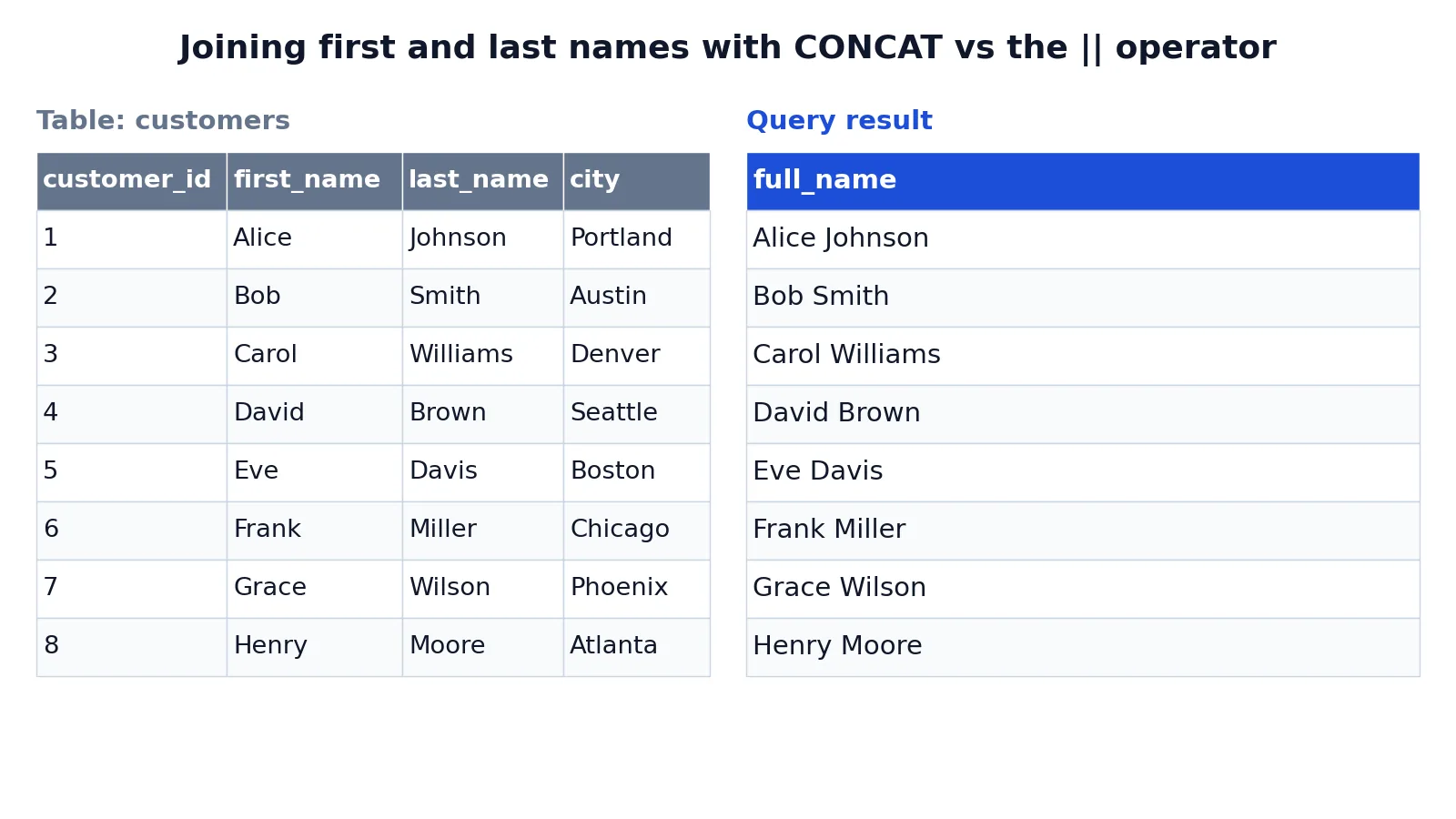
The customers table holds eight rows with a first name, last name, and city.
| customer_id | first_name | last_name | city |
|---|---|---|---|
| 1 | Alice | Johnson | Portland |
| 2 | Bob | Smith | Austin |
| 3 | Carol | Williams | Denver |
| 4 | David | Brown | Seattle |
| 5 | Eve | Davis | Boston |
| 6 | Frank | Miller | Chicago |
| 7 | Grace | Wilson | Phoenix |
| 8 | Henry | Moore | Atlanta |
The goal is a single full_name column built from the first and last names, with a space between them.
SELECT CONCAT(first_name, ' ', last_name) AS full_name FROM customers;The result was checked with an equivalent SQLite query using ||, since SQLite only added a CONCAT function in version 3.44.0 and the test ran on an older build. The output is identical.
| full_name |
|---|
| Alice Johnson |
| Bob Smith |
| Carol Williams |
| David Brown |
| Eve Davis |
| Frank Miller |
| Grace Wilson |
| Henry Moore |
The SELECT clause chooses what to return, CONCAT joins the three pieces into one string, AS full_name names the output column, and FROM customers supplies the rows. Naming the result with an alias keeps the output readable, and the same technique applies to any computed column you build.
More Examples
Join a city and a label. Add a literal string to each row.
SELECT CONCAT(city, ', USA') AS location FROM customers;Build a mailing label with three parts. Each argument is joined in order.
SELECT CONCAT(first_name, ' ', last_name, ' - ', city) AS label FROM customers;Use the operator form. This works in Oracle, PostgreSQL, and SQLite.
SELECT first_name || ' ' || last_name AS full_name FROM customers;Protect against NULL with COALESCE. This keeps the result intact when a column is missing.
SELECT CONCAT(COALESCE(first_name, ''), ' ', COALESCE(last_name, '')) AS full_name
FROM customers;
Add a separator automatically. CONCAT_WS takes the separator first and skips NULL values in SQL Server [1].
SELECT CONCAT_WS(' ', first_name, last_name) AS full_name FROM customers;Concatenate numbers and dates. SQL Server converts non-string arguments implicitly, so you can mix types [1].
SELECT CONCAT('Customer #', customer_id) AS customer_label FROM customers;When you build these expressions, a column alias makes the output easier to read, and you can combine concatenation with conditional logic to shape labels per row.
Errors and How to Fix Them
Too few arguments. Calling CONCAT with a single argument raises an error in SQL Server, which requires a minimum of two input values [1]. Pass at least two values, even if one is an empty string.
Too many arguments. SQL Server caps CONCAT at 254 arguments [1]. If you exceed that, split the work into nested calls or build the string in stages.
Unexpected NULL results. If you use || and one column is NULL, the whole result disappears. Switch to CONCAT where it skips NULLs, as in SQL Server and PostgreSQL, or wrap each column in COALESCE. In MySQL, CONCAT itself returns NULL if any argument is NULL.
Type conversion surprises. CONCAT converts arguments to strings using the existing data type conversion rules [1]. A date or number may not look the way you expect, so cast it explicitly with CAST or CONVERT when the format matters.
Wrong operator for the database. SQLite and Oracle use ||. SQL Server uses + or CONCAT. MySQL treats || as a logical OR unless the SQL mode is changed, so use CONCAT there.
Common Mistakes
- Forgetting the separator.
CONCAT(first_name, last_name)producesAliceJohnson. Add' 'as its own argument. - Assuming NULL behaves the same everywhere.
CONCATturns NULL into an empty string in SQL Server, while||propagates NULL [1]. Test with a NULL row before trusting the output. - Using
+in SQL Server with a NULL column. The+operator returns NULL when any operand is NULL, unlikeCONCAT. UseCONCATorISNULLinstead. - Concatenating without casting numbers. Implicit conversion may drop leading zeros or change decimal formatting. Cast the number to a string first.
- Ignoring trailing spaces.
CHARcolumns are blank padded in Oracle, so a fixed-width column can add invisible spaces to your result [2]. Trim it withTRIMbefore joining. - Building long strings in a loop. Row-by-row concatenation is slow on large tables. Use a single expression in the
SELECTlist.
Limitations
Concatenation works on string values, so anything you join must first become a string. That conversion is implicit in CONCAT, which means you give up control over formatting unless you cast explicitly [1]. Numbers, dates, and timestamps can come out in a default format that does not match your report.
The NULL rules are the biggest source of confusion because they differ by database and by operator. Code that produces a clean result in SQL Server can silently return NULL rows in PostgreSQL or SQLite when it uses ||, or in MySQL when it uses CONCAT. There is no single portable expression that handles NULL the same way everywhere, so you must know which engine you are targeting.
There is also a length ceiling. Every database has a maximum string size, and concatenating many long values can truncate the result or raise an error. Check the maximum length of your target type before joining large text columns.
Frequently Asked Questions
What is the difference between CONCAT and the || operator?
Both join strings, but they handle NULL differently. SQL Server's CONCAT converts NULL arguments to empty strings and returns an empty string when all arguments are NULL [1]. In PostgreSQL and SQLite, the || operator returns NULL if any operand is NULL. Oracle treats CONCAT and || as equivalent and treats NULL as an empty string in both [2].
How do I concatenate strings in SQL Server?
Use CONCAT(argument1, argument2, ...), which requires at least two arguments and accepts up to 254 [1]. You can also use the + operator, but it returns NULL when any operand is NULL, so CONCAT is usually safer.
How do I concatenate strings in Oracle?
Use the || operator or the CONCAT function, which Oracle documents as equivalent [2]. CONCAT accepts two or more arguments of character types and implicitly converts other data types to VARCHAR2 [2].
How do I add a space or comma between concatenated values?
Include the separator as its own argument, such as CONCAT(first_name, ' ', last_name). In SQL Server you can use CONCAT_WS(' ', first_name, last_name), which takes the separator first and skips NULL values [1].
Why does my concatenated column return NULL?
You are almost certainly using the || operator or + with a NULL operand. Both propagate NULL. Wrap each column in COALESCE(column, '') or switch to CONCAT, which converts NULL to an empty string in SQL Server [1].
References
Further Reading
- Codd EF (1970). A relational model of data for large shared data banks. Communications of the ACM
- PostgreSQL Documentation: SELECT
- SQLite: SQL As Understood By SQLite
- Wilson G, Bryan J, Cranston K et al. (2017). Good enough practices in scientific computing. PLOS Computational Biology