Common Table Expression SQL: Syntax and Examples
By Dr. Zubair Khalid, DVM, MS, PhD ·
A common table expression SQL query is a named temporary result set that exists for one statement. You define it with a WITH clause, then reference it by name in the main query. This lets you split a long query into readable steps instead of nesting subqueries inside each other.
Quick Answer
- A CTE is written as
WITH name AS (SELECT ...)and used like a table in the statement that follows [1]. - You can define several CTEs in one
WITHclause, separated by commas, and later CTEs can read earlier ones [1]. - The CTE name is only visible to that one statement. It is not stored and disappears when the query finishes [1].
- Column names can be listed after the CTE name, as in
WITH totals(month, amount) AS (...), to rename the output columns [2]. - Add
RECURSIVEafterWITHwhen a CTE needs to reference itself, which is common for hierarchies and trees [1].
Before You Start
You need a working SQL client and a table to query. The examples below use SQLite, but the WITH syntax is standard across PostgreSQL, SQL Server, MySQL and Oracle, with small differences in date functions and recursion keywords.
Two terms come up constantly. The CTE definition is the query inside the parentheses. The outer query is the main SELECT, INSERT, UPDATE, DELETE or MERGE that uses the CTE [2]. In PostgreSQL, the WITH clause attaches to a primary statement that can be any of those same commands [1].
If you are still getting comfortable with basic retrieval, review the SQL SELECT statement syntax and clauses first. CTEs build directly on SELECT, GROUP BY and WHERE.
Step by Step
- Write the inner query first. Build the piece of logic you want to isolate and test it on its own. For example, group sales by month and sum the amounts.
- Wrap it in a named CTE. Put
WITHin front, give the result a name, and place the query in parentheses. The name becomes a temporary table you can query.
- Reference the CTE in the outer query. Treat the name exactly like a table name. You can filter it, join it, or aggregate it again.
- Add more CTEs if the logic has more stages. Separate each definition with a comma. A later CTE can read from an earlier one, which is how you build a pipeline of steps [1].
- Name the output columns when it helps. If the inner query produces expressions, list column names after the CTE name so the outer query reads cleanly [2].
- Run the whole statement and check the row count. If the result looks wrong, test each CTE separately by selecting from it alone.
The general shape is:
WITH cte_name AS (
  SELECT ...
)
SELECT ...
FROM cte_name;
Worked Example
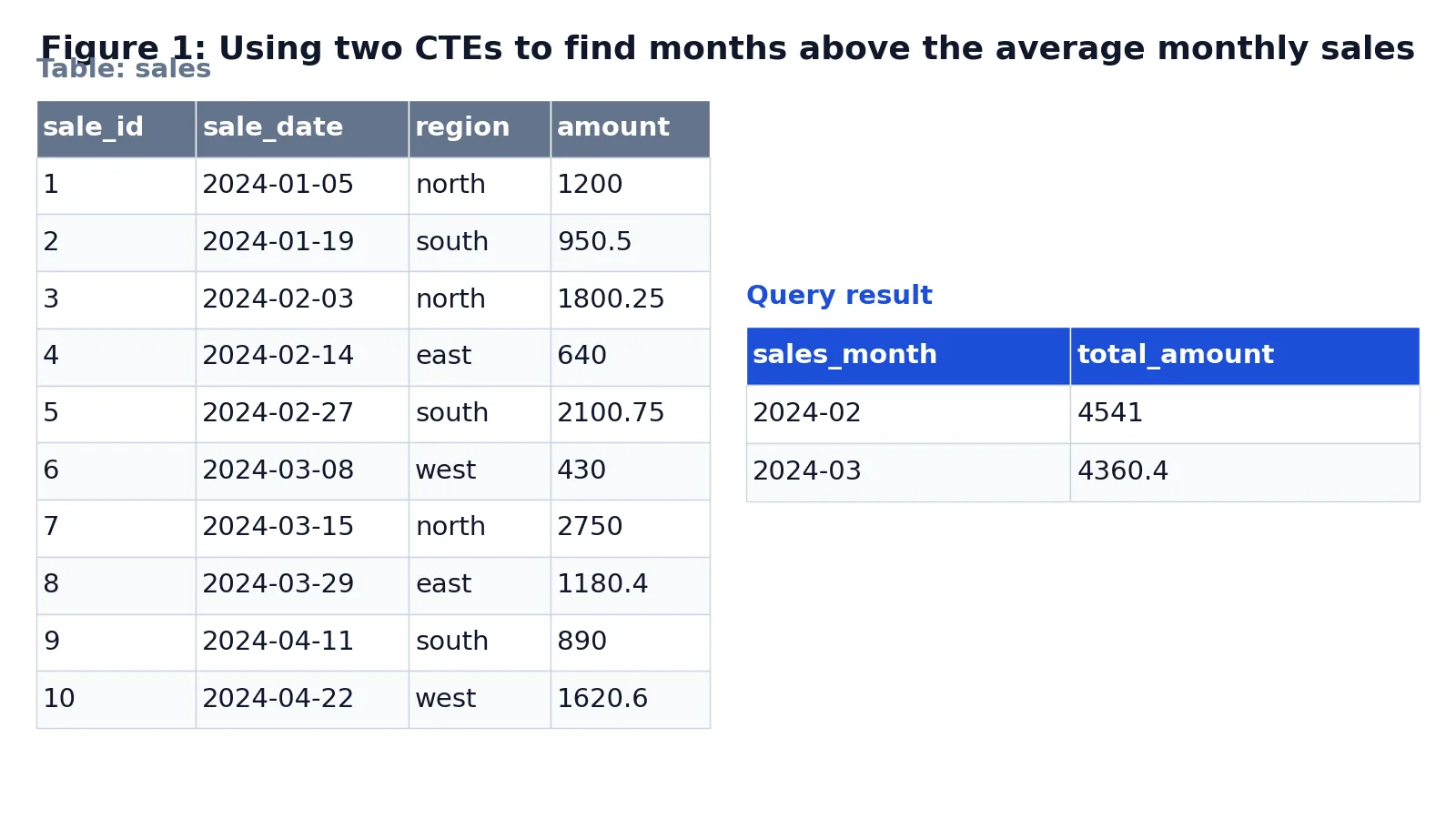
The table below holds ten sales rows across four regions and four months. The goal is to find which months sold more than the average month.
| sale_id | sale_date | region | amount |
|---|---|---|---|
| 1 | 2024-01-05 | north | 1200.00 |
| 2 | 2024-01-19 | south | 950.50 |
| 3 | 2024-02-03 | north | 1800.25 |
| 4 | 2024-02-14 | east | 640.00 |
| 5 | 2024-02-27 | south | 2100.75 |
| 6 | 2024-03-08 | west | 430.00 |
| 7 | 2024-03-15 | north | 2750.00 |
| 8 | 2024-03-29 | east | 1180.40 |
| 9 | 2024-04-11 | south | 890.00 |
| 10 | 2024-04-22 | west | 1620.60 |
The query uses two CTEs. The first computes monthly totals, the second averages those totals, and the outer query keeps only the months above that average.
WITH monthly_totals AS (
  SELECT
    strftime('%Y-%m', sale_date) AS sales_month,
    SUM(amount) AS total_amount
  FROM sales
  GROUP BY strftime('%Y-%m', sale_date)
),
average_total AS (
  SELECT AVG(total_amount) AS avg_monthly_amount
  FROM monthly_totals
)
SELECT
  m.sales_month,
  m.total_amount
FROM monthly_totals AS m
CROSS JOIN average_total AS a
WHERE m.total_amount > a.avg_monthly_amount
ORDER BY m.total_amount DESC;
The result was checked with an equivalent SQLite query (sqlite3 3.37.2).
| sales_month | total_amount |
|---|---|
| 2024-02 | 4541 |
| 2024-03 | 4360.4 |
Here is what happens at each stage:
monthly_totalsgroups the rows by month withstrftime('%Y-%m', sale_date)and sumsamount, producing one row per month.average_totalreads from the first CTE and computes the average of all monthly totals, giving a single-row, single-column result.- The outer
SELECTjoinsmonthly_totalstoaverage_totalwithCROSS JOIN, so every month row is paired with the single average value. - The
WHEREclause keeps only months whosetotal_amountexceedsavg_monthly_amount. ORDER BY total_amount DESCsorts the surviving months from highest to lowest.
The average monthly total works out to:
$$\frac{2150.50 + 4541.00 + 4360.40 + 2510.60}{4} = 3390.625$$
February and March both clear that bar. January and April do not.
Other Ways to Do It
A CTE is not the only way to break up a query. Each option has trade-offs.
| Approach | Readability | Reuse in same query | Notes |
|---|---|---|---|
CTE (WITH) | High | Yes, multiple times | Named steps, easy to debug [1] |
| Subquery | Medium | No | Nested, harder to read as depth grows |
| Derived table | Medium | No | Subquery in the FROM clause |
| Temporary table | High | Yes, across statements | Persists until dropped, needs write access |
| View | High | Yes, across queries | Stored in the database schema |
Subqueries and derived tables are covered in subqueries in SQL: types, syntax and examples. Reach for a CTE when the same intermediate result is needed more than once, or when the logic has clear stages. Reach for a temporary table when you need the result to survive across several statements.
For recursion, the syntax changes slightly. You write WITH RECURSIVE and the CTE references itself. PostgreSQL evaluates these iteratively even though they are written recursively [1]. A typical use is walking a parts table to find all direct and indirect sub-parts of a product [1].
Troubleshooting
"No such table" or "invalid object name" for the CTE. The CTE name is only visible to the statement it is attached to. If you run the outer query on its own, the name does not exist. Run the whole WITH ... SELECT block together.
Column count mismatch. If you list column names after the CTE name, the number of names must match the number of columns the inner query returns [2]. Count both sides.
Duplicate column names. Within a single CTE definition, duplicate output names are not allowed [2]. Alias the expressions in the inner query.
The CTE name clashes with a real table. This is allowed, and the CTE wins. Any reference to that name in the query uses the CTE, not the base table [2]. Pick distinct names to avoid confusion.
Recursion never stops. A recursive CTE needs a termination condition. Without one, it keeps producing rows. Check the WHERE clause in the recursive part.
Common Mistakes
- Forgetting the comma between CTEs. Each definition after the first needs a leading comma. Missing it produces a syntax error at the second
AS. - Trying to reuse a CTE in a later statement. A CTE lives for one statement only [1]. If you need it twice, use a temporary table or a view.
- Assuming the CTE is always materialized. Whether the database computes it once or inlines it depends on the engine and version. Do not rely on a CTE for performance tuning without checking the query plan.
- Naming a CTE the same as a base table by accident. The CTE silently shadows the table [2], so you may query the wrong data without an error.
- Putting the outer query inside the
WITHclause. TheWITHclause comes first, then the main statement. The CTE definitions do not include the finalSELECT. - Using a CTE where a simple join would do. A one-line filter does not need a named step. Save CTEs for logic that genuinely benefits from being separated.
Limitations
A CTE is a readability tool, not a storage mechanism. It cannot be indexed, it does not persist, and it cannot be referenced outside its statement [1]. If you need the intermediate result later, you need a temporary table or a view.
Performance is the other trap. Some engines materialize a CTE as a separate step, which can be slower than an equivalent subquery or join. Others inline it. The behavior varies by database and version, so measure with your own data before assuming a CTE is faster or slower. Recursive CTEs also carry risk: a missing termination condition can generate rows until the query is killed.
Frequently Asked Questions
What is a common table expression in SQL?
A common table expression is a named temporary result set defined with a WITH clause and used within a single statement [1]. It behaves like a temporary table that exists only for that query. You reference it by name in the main statement, just as you would a real table.
Can I use more than one CTE in a single query?
Yes. Separate each definition with a comma inside one WITH clause [1]. Later CTEs can read from earlier ones, which lets you build a chain of steps. Each name must be unique within that clause [2].
What is the difference between a CTE and a subquery?
Both produce an intermediate result. A subquery is nested inside another query and cannot be referenced by name elsewhere. A CTE is named and can be referenced multiple times in the same statement, which usually makes complex logic easier to read and debug.
How do I write a recursive CTE?
Write WITH RECURSIVE, then define a CTE that references itself. The definition has a base case and a recursive part joined by UNION or UNION ALL. The database evaluates it iteratively until the recursive part returns no rows [1]. Always include a condition that stops the recursion.
Does a CTE make my query faster?
Not automatically. A CTE is mainly a readability feature. Depending on the database and version, it may be materialized or inlined, which affects speed in different directions. Check the execution plan and test with real data before treating a CTE as an optimization.
References
- PostgreSQL: Documentation: 18: 7.8. WITH Queries (Common Table Expressions)
- WITH common_table_expression (Transact-SQL) - SQL Server | Microsoft Learn
Further Reading
- Codd EF (1970). A relational model of data for large shared data banks. Communications of the ACM
- PostgreSQL Documentation: SELECT
- SQLite: SQL As Understood By SQLite
- Wilson G, Bryan J, Cranston K et al. (2017). Good enough practices in scientific computing. PLOS Computational Biology