SQL ALTER TABLE ADD COLUMN: Syntax and Examples
By Dr. Zubair Khalid, DVM, MS, PhD ·
The ALTER TABLE ... ADD COLUMN statement adds a new column to a table that already exists. In SQL Server, the syntax is ALTER TABLE table_name ADD column_name data_type; and the new column is appended to the end of the table [1]. Existing rows are not deleted or rewritten with values, so the new column starts out empty (NULL) unless you supply a default.
Quick Answer
- The core syntax is
ALTER TABLE table_name ADD column_name data_type;[1]. - In SQL Server you write
ADDonly (ADD COLUMNis a syntax error there, though PostgreSQL, MySQL and SQLite accept it), and the new column is always placed at the end of the table [1]. - Existing rows get NULL in the new column unless you define a
DEFAULTor backfill values later. - You can add several columns in one statement by separating definitions with commas.
- To inspect the current columns first, query the
sys.columnscatalog view [1].
Before You Start
Adding a column changes the table's structure, so you need the ALTER permission on the table. On a production database, plan the change around any application code that reads the table, because a new column shifts nothing for existing queries but does change what SELECT * returns.
Check what already exists before you alter anything. In SQL Server you can list the current columns with the sys.columns object catalog view [1]. That avoids a duplicate-column error and tells you the exact names and data types in use.
Decide the data type and nullability up front. A column that allows NULL is the simplest case. A NOT NULL column needs a default value or a backfill plan, because SQL Server has to give existing rows something. If you want to review how tables are defined from scratch, see Create Table in SQL with a Primary Key.
Step by Step
- Identify the table you want to change. Confirm its name and schema, for example
dbo.lab_samples. - Choose the new column name and data type. Names must be unique within the table.
- Decide whether the column allows NULL. If not, plan a
DEFAULTconstraint or an update step. - Run the
ALTER TABLEstatement. In SQL Server:ALTER TABLE dbo.lab_samples ADD batch VARCHAR(50);[1]. - Verify the change by querying the table or the
sys.columnsview [1]. - Backfill values if the column should not stay NULL, using an
UPDATEstatement. The SQL UPDATE Statement guide covers that pattern.
The order of steps matters. Add the column first, then populate it. Trying to set values before the column exists fails.
Worked Example
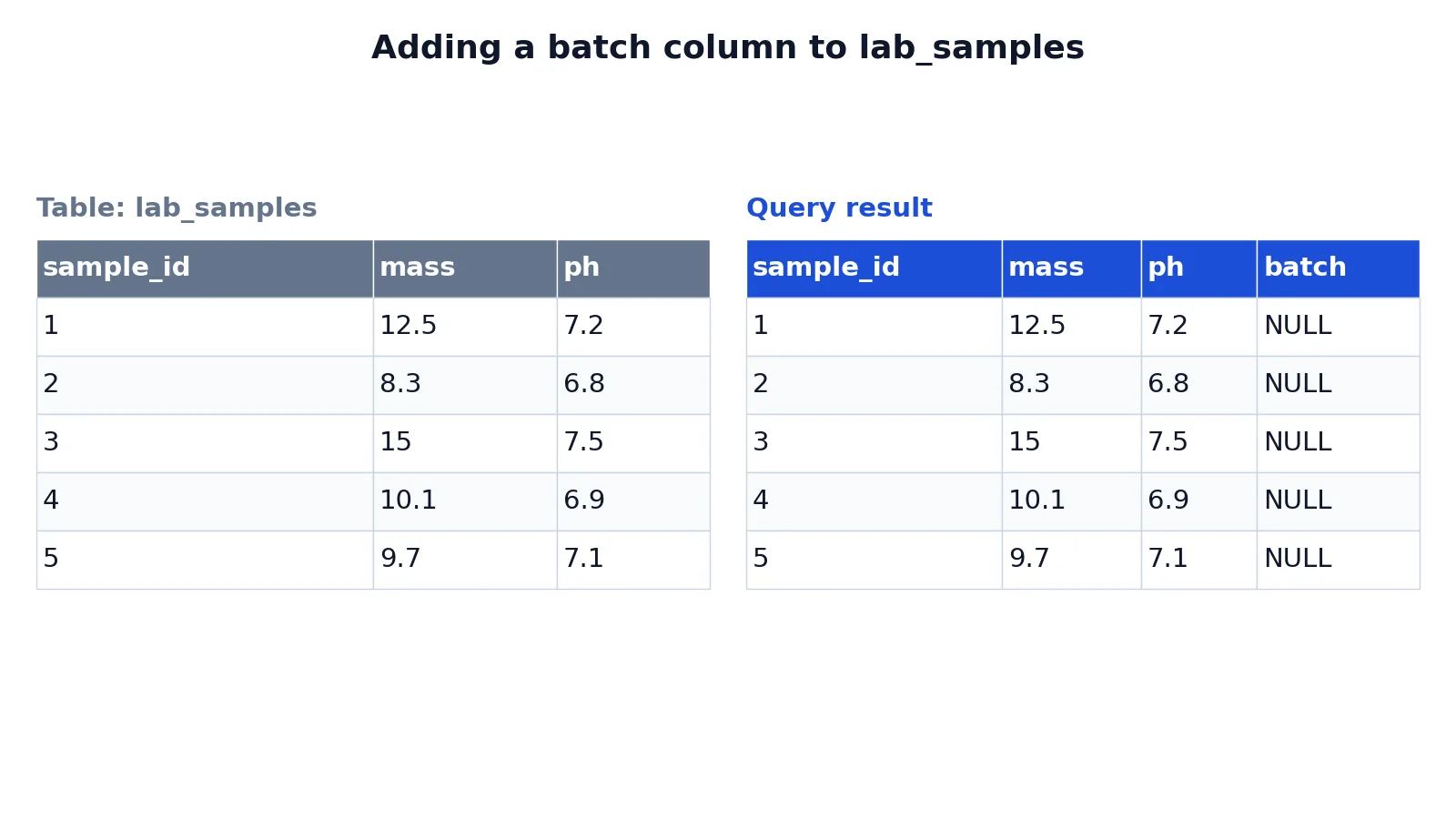
This example uses a small lab samples table with five measurements, tracking sample ID, mass, and pH. The starting table looks like this:
| sample_id | mass | ph |
|---|---|---|
| 1 | 12.5 | 7.2 |
| 2 | 8.3 | 6.8 |
| 3 | 15.0 | 7.5 |
| 4 | 10.1 | 6.9 |
| 5 | 9.7 | 7.1 |
The goal is to add a text column named batch to record which batch each sample belongs to. The statement is:
ALTER TABLE lab_samples ADD COLUMN batch TEXT;Here is what each part does:
ALTER TABLE lab_samplesselects the existing table to modify.ADD COLUMN batchadds a new column namedbatch.TEXTsets the new column's data type to text.- Existing rows get NULL for
batchuntil updated.
After running the statement, a SELECT * returns the original columns plus the new one:
| sample_id | mass | ph | batch |
|---|---|---|---|
| 1 | 12.5 | 7.2 | NULL |
| 2 | 8.3 | 6.8 | NULL |
| 3 | 15.0 | 7.5 | NULL |
| 4 | 10.1 | 6.9 | NULL |
| 5 | 9.7 | 7.1 | NULL |
The result was checked in SQLite. SQL Server does not accept the COLUMN keyword, so there you would write ALTER TABLE lab_samples ADD batch VARCHAR(50);, and the behavior is the same: the column is appended and existing rows hold NULL [1]. If you want to fill those NULLs with a fallback value in later queries, the SQL COALESCE Function is the usual tool.
Other Ways to Do It
You are not limited to one column per statement. SQL Server accepts multiple column definitions separated by commas in a single ALTER TABLE statement [1]. That is faster than running several statements and keeps the change atomic.
You can also add a column with a default value so existing rows are populated immediately. In SQL Server the DEFAULT clause fills existing rows only when the column is NOT NULL or you add WITH VALUES, as in ALTER TABLE dbo.lab_samples ADD batch VARCHAR(50) DEFAULT 'B1' WITH VALUES;. Otherwise existing rows stay NULL and the default applies to future inserts that omit the column.
In SQL Server Management Studio, you can add columns through Table Designer. Right-click the table in Object Explorer, choose Design, type the column name in the first blank cell, then set the data type in the next cell [1]. Both the column name and data type are required values [1]. This route is useful when you also want to control column order, since the ALTER TABLE statement always appends columns to the end [1].
If you later need to remove a column, the process is different. See How to Drop a Column in SQL for that syntax.
Troubleshooting
If you get an error saying the column already exists, check sys.columns before rerunning [1]. The fix is to pick a different name or drop the existing column first.
If the statement fails because the column cannot be NULL, add a DEFAULT value or allow NULL. A NOT NULL column with no default has nothing to assign to existing rows.
If you cannot find the new column in a query, confirm you are connected to the right database and schema. A column added to dbo.lab_samples will not appear in a table with the same name in another schema.
If a long-running alter blocks other sessions, check for locks on the table. Adding a column is a schema change, and on a busy table it can wait behind open transactions.
Common Mistakes
- Forgetting the data type. Every added column needs one, and SQL Server requires it in the
ALTER TABLEstatement [1]. Fix: always writecolumn_name data_type. - Assuming existing rows get a value. They get NULL unless you add a
DEFAULT. Fix: add the default in the same statement or run anUPDATEafterward. - Expecting the column to appear in a chosen position.
ALTER TABLEappends new columns to the end [1]. Fix: use Table Designer if order matters, though reordering is not recommended [1]. - Running the statement twice. The second run fails with a duplicate-column error. Fix: check
sys.columnsfirst [1]. - Adding a
NOT NULLcolumn with no default on a populated table. The statement fails. Fix: supply a default or allow NULL. - Using the wrong data type for the values you plan to store. Fix: match the type to the data, such as
VARCHARfor text andDECIMALfor precise numbers.
Limitations
ALTER TABLE ... ADD COLUMN only adds columns. It cannot rename them, change their data type, or remove them, and it cannot reorder columns within the table [1]. Those operations need separate statements or a different tool.
The statement also does not populate data. Every existing row receives NULL or the default you specify, so any real values require a follow-up UPDATE. On very large tables, adding a column with a default can take time and hold locks, so test the change on a copy first. SQL Server Management Studio does not support every data definition language option in Azure Synapse, so use T-SQL scripts there instead of the graphical designer [1].
Frequently Asked Questions
What is the basic syntax to add a column in SQL Server?
The statement is ALTER TABLE table_name ADD column_name data_type; [1]. You can add multiple columns by separating definitions with commas. The new column is appended to the end of the table [1].
Do existing rows get a value when I add a column?
No. Existing rows receive NULL unless you include a DEFAULT clause or run an UPDATE afterward. This is why a NOT NULL column with no default fails on a populated table.
Can I add a column in a specific position?
Not with ALTER TABLE. New columns are always added to the end of the table [1]. SQL Server Management Studio's Table Designer lets you control order, but reordering columns is not recommended [1].
How do I check which columns a table already has?
Query the sys.columns object catalog view [1]. That returns the current column names and types so you can avoid duplicates and confirm the change landed.
Can I add several columns at once?
Yes. Put each column definition in the same ALTER TABLE statement, separated by commas [1]. This is one schema change instead of several, which is easier to manage and verify.
References
Further Reading
- ALTER TABLE (Transact-SQL) - SQL Server | Microsoft Learn
- PostgreSQL: Documentation: 18: ALTER TABLE
- Codd EF (1970). A relational model of data for large shared data banks. Communications of the ACM
- PostgreSQL Documentation: SELECT
- SQLite: SQL As Understood By SQLite
- Wilson G, Bryan J, Cranston K et al. (2017). Good enough practices in scientific computing. PLOS Computational Biology