How to List Tables in SQL: PostgreSQL, MySQL and SQLite
By Dr. Zubair Khalid, DVM, MS, PhD ·
If you want to know how to run postgres show tables, the answer is SELECT tablename FROM pg_tables WHERE schemaname = 'public';. MySQL uses SHOW TABLES; and SQLite queries sqlite_master. Each database keeps its own catalog of tables, so the command differs even though the goal is the same.
Quick Answer
- PostgreSQL:
SELECT tablename FROM pg_tables WHERE schemaname = 'public';lists user tables in the public schema. - MySQL:
SHOW TABLES;lists every table in the currently selected database. - SQLite:
SELECT name FROM sqlite_master WHERE type = 'table' ORDER BY name;lists all tables. - All three commands return a single column of table names, so you can read the output at a glance.
- If a command returns nothing, you are usually connected to the wrong database or schema.
Before You Start
You need a working connection to your database and permission to read its catalog. In PostgreSQL and MySQL you also need to be pointed at the right database or schema, because both systems can hold many of them inside one server.
The three systems organize metadata differently, and that difference explains why the commands look nothing alike.
PostgreSQL stores table metadata in system catalogs such as pg_tables and information_schema.tables. A single database can contain multiple schemas, and public is the default schema where your tables usually land.
MySQL exposes SHOW TABLES as a shortcut. It reads from information_schema.tables behind the scenes but saves you the typing. The command always applies to the database you selected with USE.
SQLite keeps everything in one file. Its catalog is a table called sqlite_master, and you query it with ordinary SELECT statements. There is no separate server and no schema hierarchy beyond an optional attached database name.
One practical note before you run anything: table names are case sensitive in PostgreSQL when they were created with quoted identifiers, and in MySQL depend on the operating system (case sensitive on Linux by default, case insensitive on Windows and macOS). If a table does not appear where you expect it, check the exact spelling and casing.
Step by Step
- Connect to the right database. In PostgreSQL use
psql -d your_database. In MySQL usemysql -u user -p your_databaseor runUSE your_database;after connecting. In SQLite open the file withsqlite3 your_file.db.
- Confirm where you are. In PostgreSQL run
SELECT current_database(), current_schema();. In MySQL runSELECT DATABASE();. In SQLite run.databasesto see attached files.
- Run the listing command for your system. Use the PostgreSQL, MySQL or SQLite command from the Quick Answer section.
- Read the output. Each command returns one column of names. PostgreSQL returns
tablename, MySQL returns a column labeledTables_in_<database>, and SQLite returnsname.
- Filter if the list is long. Add a
WHEREclause or aLIKEpattern to narrow the results. In MySQL,SHOW TABLES LIKE 'order%';returns only tables whose names start withorder.
- Check the count. Wrap the query in a count to confirm you are seeing everything. In SQLite,
SELECT COUNT(*) FROM sqlite_master WHERE type = 'table';gives the total.
Worked Example
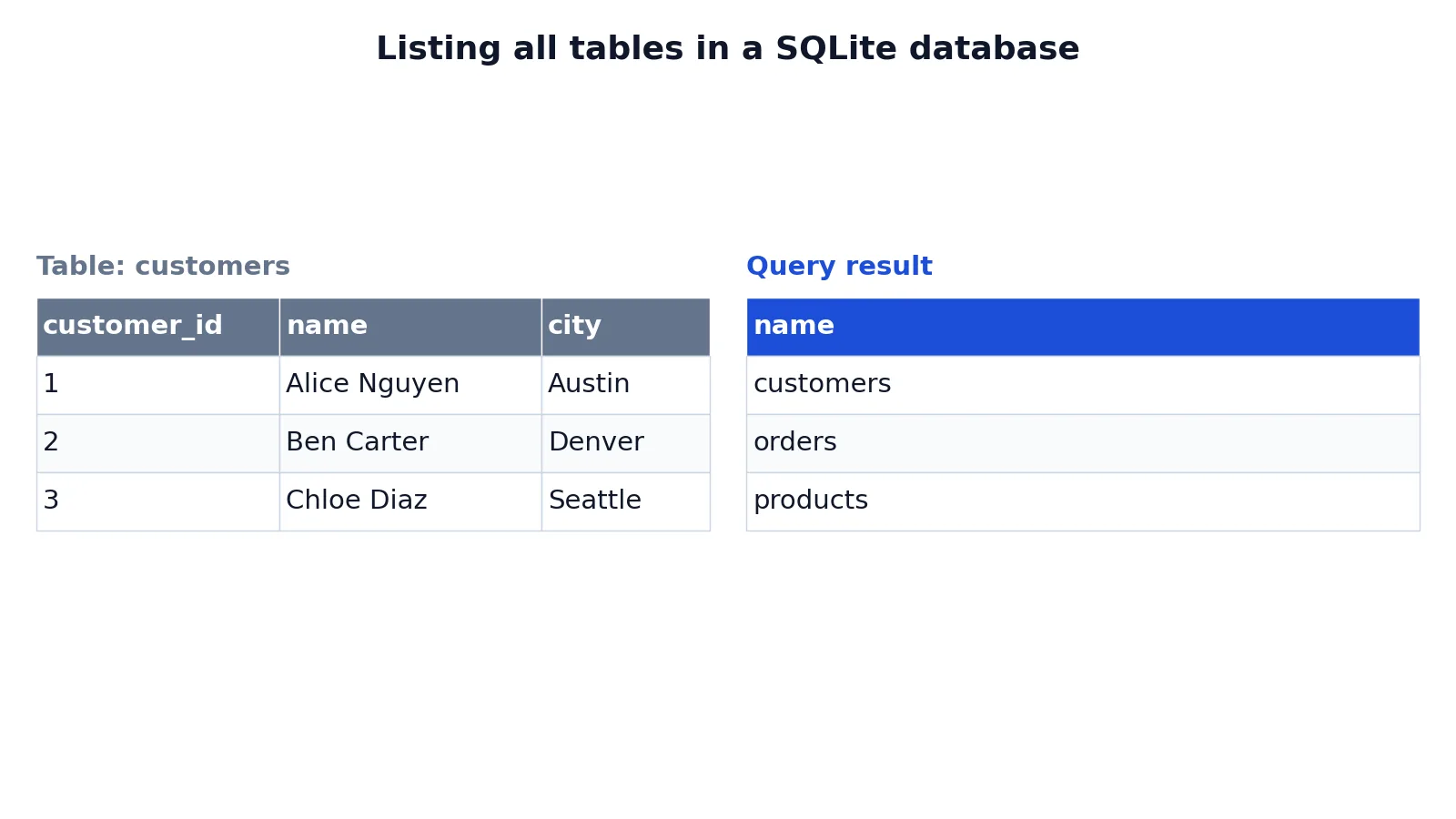
This example uses a small SQLite sales database with three tables: customers, products and orders. The customers table holds three rows.
| customer_id | name | city |
|---|---|---|
| 1 | Alice Nguyen | Austin |
| 2 | Ben Carter | Denver |
| 3 | Chloe Diaz | Seattle |
To list every table in the file, run this query:
SELECT name FROM sqlite_master WHERE type = 'table' ORDER BY name;The query works in four moves. SELECT name returns only the table-name column instead of the full schema row. FROM sqlite_master reads SQLite's built-in catalog of every schema object in the database. WHERE type = 'table' filters out indexes, views and triggers so only tables remain. ORDER BY name sorts the result alphabetically for a stable, readable list.
The result is:
| name |
|---|
| customers |
| orders |
| products |
The result was checked with an equivalent SQLite query in sqlite3 3.37.2, and it returned exactly those three rows. In this database sqlite_master holds only the three tables, because an INTEGER PRIMARY KEY column is an alias for the rowid and gets no separate index. In databases that also have indexes, views or triggers, the type = 'table' filter keeps those rows out of the list.
Other Ways to Do It
PostgreSQL with information_schema. The standard-compliant route is SELECT table_name FROM information_schema.tables WHERE table_schema = 'public';. This works across database systems that support the SQL standard, so the same query shape often runs on PostgreSQL and MySQL with minor edits.
PostgreSQL with psql shortcuts. Inside the psql client, \dt lists tables in the current search path and \dt . lists tables across all schemas. These are client commands, not SQL, so they only work in psql.
MySQL with information_schema. SELECT table_name FROM information_schema.tables WHERE table_schema = 'your_database'; gives the same list as SHOW TABLES and lets you add filters, ordering and joins.
MySQL with SHOW TABLES variants. SHOW FULL TABLES; adds a second column showing whether each object is a base table or a view. SHOW TABLES FROM other_database; lists tables in a database you have not selected.
SQLite with the .tables dot command. Inside the sqlite3 shell, .tables prints a compact list of table names. You can pass a pattern, for example .tables cust%, to filter. The dot command is a convenience wrapper, so it will not work from application code.
SQLite with a pattern filter. SELECT name FROM sqlite_master WHERE type = 'table' AND name LIKE 'ord%'; returns only tables whose names match the pattern.
If you are comparing group means after pulling data out of these tables, the T-Test Calculator handles the arithmetic for you.
Troubleshooting
The command returns zero rows. You are almost certainly connected to the wrong database or schema. In PostgreSQL check current_schema(). In MySQL check DATABASE(). In SQLite confirm you opened the file that actually holds the tables.
PostgreSQL shows only some of your tables. The pg_tables query filters to schemaname = 'public'. Tables created in another schema will not appear. Drop the filter or change the schema name to see them.
MySQL says no database selected. SHOW TABLES needs an active database. Run USE your_database; first, or use SHOW TABLES FROM your_database;.
You see tables you did not create. System catalogs and internal tables can appear in broad queries. Filter by schema or by name pattern to isolate your own tables.
The list looks stale. Some clients cache schema information. Reconnect or refresh the schema browser in your client.
Common Mistakes
- Forgetting the schema filter in PostgreSQL. Querying
pg_tableswithout aWHEREclause returns tables from every schema, including system ones. AddWHERE schemaname = 'public'to see only your tables. - Assuming SHOW TABLES works everywhere. It is MySQL syntax. PostgreSQL and SQLite will throw a syntax error. Use the catalog queries instead.
- Confusing tables with views.
SHOW TABLESin MySQL also lists views, andsqlite_masterholds views alongside tables. Filter bytypeor check the object type column. - Mixing up databases and schemas. In PostgreSQL a database contains schemas, and tables live in schemas. In MySQL a database and a schema are the same thing. Using the wrong term leads to the wrong query.
- Ignoring case sensitivity. PostgreSQL folds unquoted identifiers to lowercase. A table created as
"Orders"will not match a search fororders. Match the exact stored casing. - Running dot commands from application code.
.tablesand\dtare shell commands. They only work in the interactive client, not in a driver or ORM.
Limitations
These commands list table names and nothing else. They do not tell you row counts, column definitions, indexes, foreign keys or storage size. For column details you need information_schema.columns or the client's describe command, such as \d table_name in psql or DESCRIBE table_name in MySQL.
Listing tables also says nothing about permissions. A table can exist in the catalog while you lack the right to read its rows, so a successful listing does not guarantee a successful SELECT. In PostgreSQL, pg_tables shows tables you can see in the catalog, which is broader than the set you can query. Treat the list as a map of what exists, not a guarantee of what you can access.
Frequently Asked Questions
How do I run postgres show tables?
PostgreSQL has no SHOW TABLES statement. Use SELECT tablename FROM pg_tables WHERE schemaname = 'public'; instead. Inside the psql client you can also type \dt for a formatted list. Both approaches return the same set of user tables in the public schema.
How do I list tables in a MySQL database?
Run SHOW TABLES; after selecting a database with USE. If you have not selected one, use SHOW TABLES FROM database_name;. For a filterable result set, query information_schema.tables with a WHERE table_schema = 'database_name' clause.
How do I list tables in SQLite?
Query the sqlite_master catalog with SELECT name FROM sqlite_master WHERE type = 'table' ORDER BY name;. In the interactive shell, .tables prints the same names in a compact format. Both read from the same underlying catalog table.
Why does my table list come back empty?
The most common cause is being connected to the wrong database or schema. Check your current database and schema first, then rerun the query. In PostgreSQL, a schema filter that does not match your actual schema will also return zero rows.
Can I list tables in another database without connecting to it?
In MySQL, yes. SHOW TABLES FROM other_database; works from any active connection, and information_schema.tables spans all databases you can access. In PostgreSQL you must connect to the target database, since catalogs are per-database. In SQLite you can attach another file and query its sqlite_master with the attached name as a prefix.
References
This article draws on the standard references listed under Further Reading.
Further Reading
- Codd EF (1970). A relational model of data for large shared data banks. Communications of the ACM
- PostgreSQL Documentation: SELECT
- SQLite: SQL As Understood By SQLite
- Wilson G, Bryan J, Cranston K et al. (2017). Good enough practices in scientific computing. PLOS Computational Biology
- PostgreSQL Tutorial: The SQL Language
- SQLite: Built-In Scalar SQL Functions