How to Create a View in SQL (With Syntax and Examples)
By Dr. Zubair Khalid, DVM, MS, PhD ·
A view is a stored query that you can select from as if it were a table. To create views in SQL you run CREATE VIEW view_name AS SELECT ..., and the database saves that query under a name. From then on, any SELECT you write against the view runs the saved query behind the scenes.
Quick Answer
- Syntax:
CREATE VIEW view_name AS SELECT column1, column2 FROM table_name WHERE condition; - A view stores the query definition, not the rows. The data stays in the base tables [1].
- Query it exactly like a table:
SELECT * FROM view_name; - The view name must be unique among all relations in its schema, including tables, indexes, and other views [2].
- You need the
CREATE VIEWprivilege in the database, plus permission to read the underlying tables [1].
Before You Start
You need three things in place before the first CREATE VIEW statement runs.
A database connection and a schema. In PostgreSQL, if you give a schema name such as CREATE VIEW myschema.myview, the view lands in that schema. Otherwise it goes into the current schema [2]. In SQL Server, a view can be created only in the current database [3].
Privileges. Oracle requires the CREATE VIEW system privilege to build a view in your own schema, and CREATE ANY VIEW to build one in another user's schema. The schema owner also needs direct select, insert, update, or delete rights on every base table, granted directly rather than through a role [1]. SQL Server requires CREATE VIEW permission in the database and ALTER permission on the target schema [3].
A naming plan. The view name must differ from every other relation in the same schema, so check for collisions before you commit to a name [2]. A common convention is a v_ or vw_ prefix, which also makes views easy to spot in a table list.
One design decision matters more than the rest. Decide whether the view is a thin filter over one table or a join across several. Thin views are easy to change. Joined views break more often when a base table changes shape.
Step by Step
- Write and test the SELECT first. Run the query on its own and confirm the columns and rows are what you want. Debugging a view is harder than debugging a plain query.
- Name the view. Pick a name that describes the result, such as
monthly_totalsoractive_customers. Avoid names that clash with existing tables [2]. - Add the CREATE VIEW line. Put
CREATE VIEW view_name ASin front of your tested SELECT. Do not add a trailing semicolon inside the definition if your client sends statements one at a time. - Run the statement. The database validates the query, checks your privileges, and stores the definition. Nothing is copied.
- Query the view. Use
SELECT ... FROM view_namewith the same clauses you would use on a table, includingWHERE,ORDER BY, andGROUP BY. - Check the column names. If you did not supply a column list, the names come from the query's select list [2]. Aliases in the SELECT become the view's column names.
- Re-run after base table changes. If a base table changes and the view was not created with schema binding, SQL Server may need
sp_refreshviewto avoid unexpected results [4].
If you are still getting comfortable with SELECT statements, the SQL query examples walkthrough covers the clauses you will reuse inside a view.
Worked Example
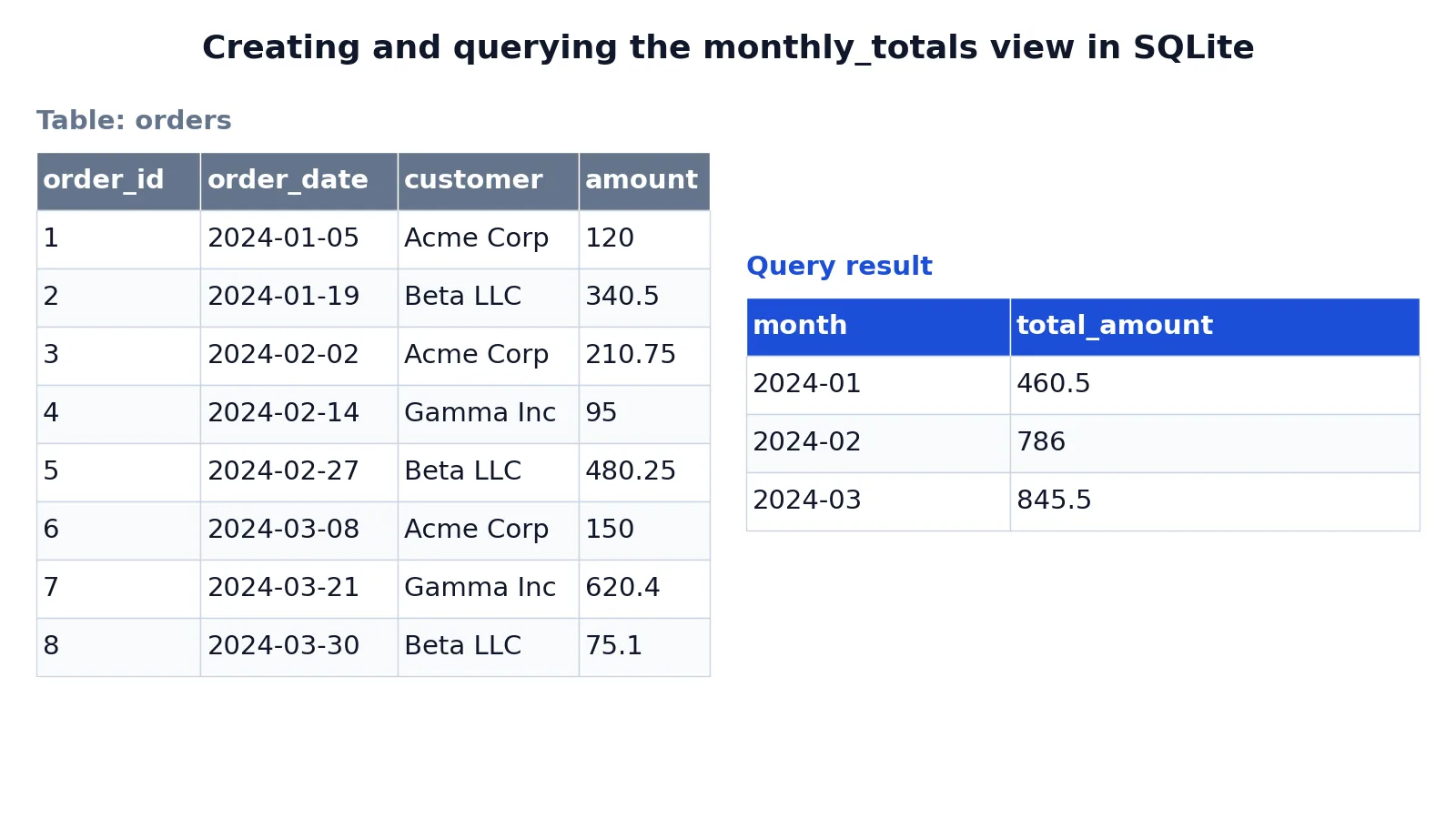
The dataset is a small orders table with eight rows across three months.
| order_id | order_date | customer | amount |
|---|---|---|---|
| 1 | 2024-01-05 | Acme Corp | 120.00 |
| 2 | 2024-01-19 | Beta LLC | 340.50 |
| 3 | 2024-02-02 | Acme Corp | 210.75 |
| 4 | 2024-02-14 | Gamma Inc | 95.00 |
| 5 | 2024-02-27 | Beta LLC | 480.25 |
| 6 | 2024-03-08 | Acme Corp | 150.00 |
| 7 | 2024-03-21 | Gamma Inc | 620.40 |
| 8 | 2024-03-30 | Beta LLC | 75.10 |
The view groups those orders by month and sums the amounts.
CREATE VIEW monthly_totals AS
SELECT substr(order_date, 1, 7) AS month,
       SUM(amount) AS total_amount
FROM orders
GROUP BY substr(order_date, 1, 7);

SELECT month, total_amount
FROM monthly_totals
ORDER BY month;
The result was checked with an equivalent SQLite query.
| month | total_amount |
|---|---|
| 2024-01 | 460.5 |
| 2024-02 | 786 |
| 2024-03 | 845.5 |
The CREATE VIEW line names the view and stores the SELECT as its definition. substr(order_date, 1, 7) pulls the year and month out of each date string, and SUM(amount) adds the order amounts for each month. GROUP BY collapses every order in the same month into one row. The second statement then reads from monthly_totals exactly as it would read from a table, and ORDER BY month sorts the totals chronologically.
Notice that the view holds no rows of its own. Every time you query monthly_totals, the database re-runs the aggregation against the current contents of orders.
Other Ways to Do It
Column list form. You can name the view's columns explicitly: CREATE VIEW v (month, total_amount) AS SELECT .... This is required for a recursive view, where the column name list must be specified [2].
Temporary views. PostgreSQL supports CREATE TEMPORARY VIEW, which is dropped automatically at the end of the session. If any referenced table is temporary, the view is created as temporary whether you ask for it or not [2].
Graphical tools. In SQL Server Management Studio you can expand the database, right-click the Views folder, and select New View. The designer lets you pick tables, views, functions, or synonyms, choose columns in the Diagram Pane, and set sort and filter criteria in the Criteria Pane. Save the view from the File menu [3].
Views over views. A view can select from another view. Oracle calls the upper one a superview and the lower one a subview, and creating a subview requires the UNDER ANY VIEW system privilege or the UNDER object privilege on the superview [1].
Expressions in the select list. MySQL's own example defines a view over a table t with columns qty and price, selecting both plus a calculated qty*price AS value column [5]. Any expression you can put in a SELECT can go into a view.
Troubleshooting
| Symptom | Likely cause | Fix |
|---|---|---|
| "relation already exists" | A table, index, or view with that name is already in the schema [2] | Choose a different name or drop the old object |
| "permission denied" | Missing CREATE VIEW or missing rights on a base table [1] | Ask an administrator to grant the privilege directly, not through a role |
| View returns unexpected rows | A base table changed and the view metadata is stale [4] | Run sp_refreshview in SQL Server, or drop and recreate the view |
| View stops working entirely | A base table or view it depends on was dropped [4] | Recreate the missing object, or drop and recreate the view |
| Column names are odd | No column list was supplied, so names came from the query [2] | Recreate the view with an explicit column list |
Common Mistakes
- Assuming the view stores data. It does not. A view is a logical table based on one or more tables or views and contains no data itself [1]. If you need stored results, look at materialized views instead.
- Forgetting the privilege chain. Creating the view is not enough. The schema owner must hold direct privileges on every base table, and Oracle specifically requires those grants to come directly rather than through a role [1].
- Leaving out the column list on a recursive view. A view column name list must be specified for a recursive view [2]. Without it the statement fails.
- Editing a base table and expecting the view to follow. In SQL Server, if the view was not created with
SCHEMABINDING, runsp_refreshviewafter changes to underlying objects that affect the definition, or the view may produce unexpected results [4]. - Reusing a table name. The view name must be distinct from every other relation in the same schema, including sequences, indexes, and foreign tables [2].
- Burying a heavy join in a view and calling it everywhere. The database re-executes the definition on each query, so a costly join inside a view is paid on every read.
Limitations
A view cannot do everything a table can. In Azure Synapse Analytics, views do not support schema binding, updatable views are not supported, and partitioned views are not supported, so changes to underlying objects require dropping and recreating the view to refresh metadata [4]. SQL Server caps a view at 1,024 columns [3]. Oracle notes that a view contains no data itself, which means every query against it pays the cost of the underlying SELECT [1].
The bigger trap is readability. A view hides complexity, and hidden complexity is easy to forget. A view that joins six tables and filters on three conditions looks like a single clean table to whoever queries it, and that person has no signal that the query is expensive. Treat view definitions as code that needs review, and check the execution plan before you build a dashboard on top of one.
Frequently Asked Questions
What is a view in SQL?
A view is a logical table based on one or more tables or views. It contains no data itself, and the tables it is based on are called base tables [1]. When you query a view, the database runs the stored SELECT and returns the result as if it came from a table.
Can I insert, update, or delete through a view?
Sometimes. It depends on the database and on how complex the view is. Oracle's documentation describes privileges for selecting, inserting, updating, or deleting rows from the tables a view is based on [1]. Azure Synapse Analytics does not support updatable views at all [4]. Check your platform's rules before relying on writes through a view.
How do I change a view after creating it?
Use CREATE OR REPLACE VIEW (PostgreSQL, MySQL, Oracle) or ALTER VIEW (SQL Server, MySQL) to change the definition, or DROP VIEW to remove it. SQLite has neither, so you drop and recreate the view. MySQL documents the same pair of statements alongside CREATE VIEW [5]. Dropping and recreating is the safest route when the underlying tables have changed shape.
Does a view take up storage?
The definition does, but the rows do not. A view contains no data itself [1]. What gets stored is the text of the CREATE VIEW statement and metadata about the view. In SQL Server that metadata lives in catalog views such as sys.views, sys.columns, and sys.sql_expression_dependencies, with the statement text in sys.sql_modules [4].
Can a view reference another view?
Yes. A view can be built on top of other views, and Oracle refers to the resulting pair as a superview and a subview [1]. Creating a subview requires the UNDER ANY VIEW system privilege or the UNDER object privilege on the superview [1]. Keep the nesting shallow, since each layer adds a query the database must run.
Once you are comfortable with views, the natural next step is controlling what goes into them. The SQL alias guide explains how column aliases in your SELECT become the view's column names, and the CASE in SQL guide shows how to build conditional columns inside a view definition.
References
- CREATE VIEW
- PostgreSQL: Documentation: 18: CREATE VIEW
- Create views - SQL Server | Microsoft Learn
- CREATE VIEW (Transact-SQL) - SQL Server | Microsoft Learn
- MySQL :: MySQL 26.7 Reference Manual :: 27.6.1 View Syntax
Further Reading
- Codd EF (1970). A relational model of data for large shared data banks. Communications of the ACM
- PostgreSQL Documentation: SELECT
- SQLite: SQL As Understood By SQLite
- Wilson G, Bryan J, Cranston K et al. (2017). Good enough practices in scientific computing. PLOS Computational Biology