Data Manipulation Language (DML): Definition and Examples
By Dr. Zubair Khalid, DVM, MS, PhD ·
Data manipulation language (DML) is the subset of SQL used to add, change, remove, and retrieve the data stored in database tables. If you have ever written an INSERT, UPDATE, DELETE, or SELECT statement, you have already used DML. The term matters because it separates operations on data from operations on structure, and that split shapes how permissions, transactions, and backups are handled in real systems.
Quick Answer
- DML statements access and manipulate data in existing tables [1].
- The four core DML statements are
INSERT,UPDATE,DELETE, andSELECT. - DML changes rows, not the table definition. Creating or dropping a table is DDL, not DML.
- Vendors group DML slightly differently. MySQL lists
CALL,DELETE,DO,INSERT,LOAD DATA,REPLACE,SELECT,TABLE,UPDATE,VALUES, andWITHunder data manipulation statements [2]. - SQL Server describes DML as the vocabulary used to retrieve and work with data, covering statements that add, modify, query, or remove data [3].
What Data Manipulation Language Means
In plain terms, data manipulation language is the vocabulary you use to work with the contents of a database. You point it at a table that already exists and tell it what to do with the rows inside.
The precise definition is narrower. DML statements access and manipulate data in existing tables [1]. The word "existing" carries weight. DML assumes the table is already there. If the table does not exist, DML cannot create it. That job belongs to data definition language, or DDL, which defines data structures such as tables, and includes statements that create, alter, or drop those structures [4].
A useful way to hold the distinction: DDL describes the shape of the container, and DML moves what is inside it. One Microsoft reference puts it directly, saying DML works exclusively on the data plane in existing tables and views, unlike DDL which modifies schema [5].
How It Works
DML does not have a single formula. It has a small set of statement patterns, each with a clause structure. The general shape of a data-changing statement is:
$$ \text{action} \ \text{target} \ [\text{columns}] \ [\text{values}] \ [\text{condition}] $$
Each part does one job:
- action is the verb, such as
INSERT,UPDATE, orDELETE. - target is the table the statement acts on.
- columns names the fields being written, used mainly by
INSERT. - values supplies the new data.
- condition is the
WHEREclause that limits which rows are affected.
The WHERE clause is the part that decides scope. In Oracle's documentation, a simple DELETE takes the form DELETE FROM table_name [ WHERE condition ], and if you include the WHERE clause the statement deletes only rows that satisfy the condition, while omitting it deletes all rows from the table [1]. The same logic applies to UPDATE. Drop the condition and you affect every row.
SELECT follows the same pattern but reads instead of writes. It retrieves rows from the database and lets you choose one or many rows or columns from one or many tables [4]. Because it works on data rather than structure, it sits in the DML family alongside the write statements.
Worked Example
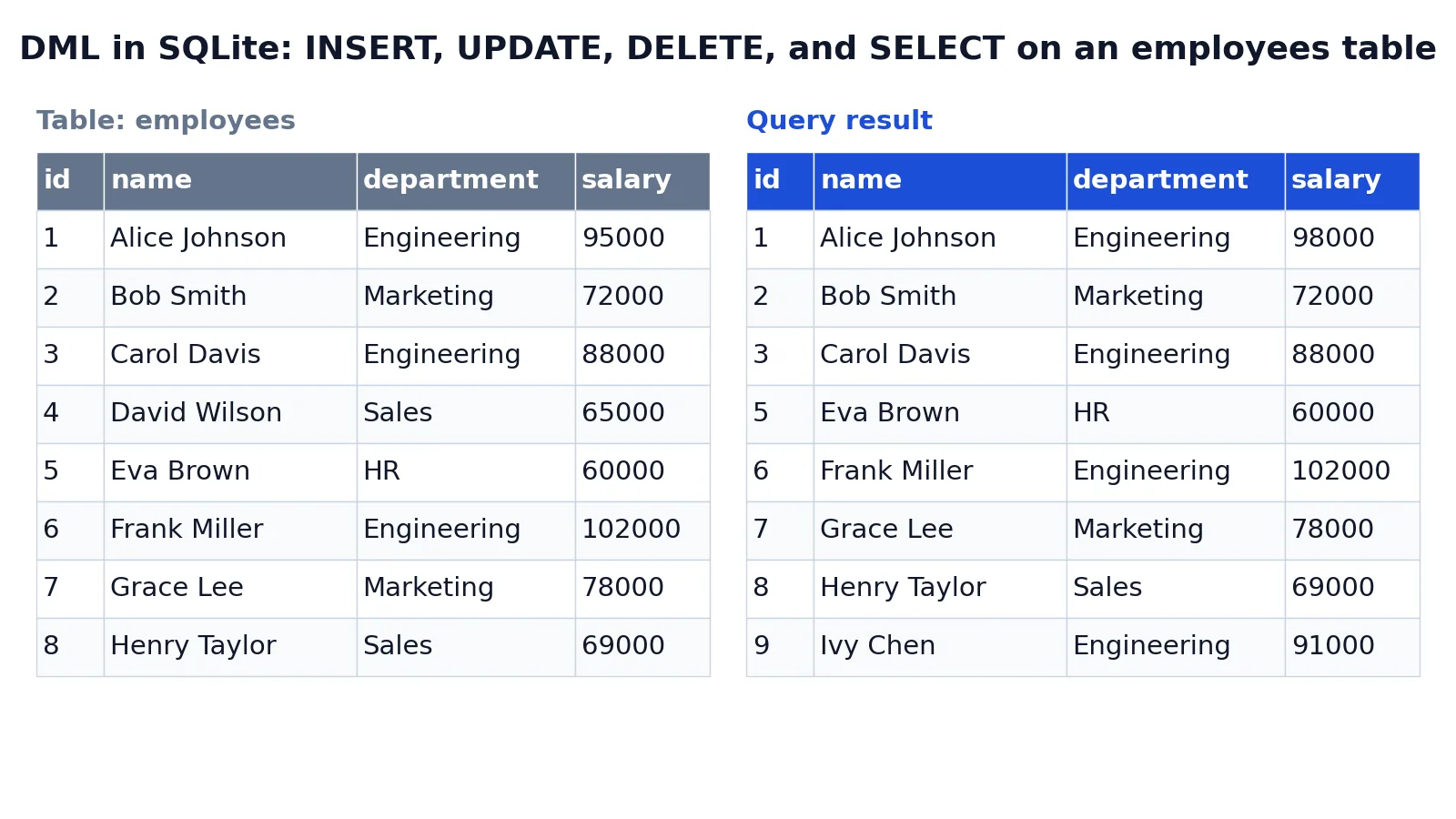
The example below uses a small employees table in SQLite. It starts with eight rows covering five departments.
| id | name | department | salary |
|---|---|---|---|
| 1 | Alice Johnson | Engineering | 95000 |
| 2 | Bob Smith | Marketing | 72000 |
| 3 | Carol Davis | Engineering | 88000 |
| 4 | David Wilson | Sales | 65000 |
| 5 | Eva Brown | HR | 60000 |
| 6 | Frank Miller | Engineering | 102000 |
| 7 | Grace Lee | Marketing | 78000 |
| 8 | Henry Taylor | Sales | 69000 |
The query runs four DML statements in sequence: an INSERT, an UPDATE, a DELETE, and a SELECT.
INSERT INTO employees (id, name, department, salary) VALUES (9, 'Ivy Chen', 'Engineering', 91000.00);
UPDATE employees SET salary = 98000.00 WHERE id = 1;
DELETE FROM employees WHERE id = 4;
SELECT * FROM employees;
Here is what each statement does:
INSERT INTO employees ... VALUES ...adds a new row for employee Ivy Chen.UPDATE employees SET salary = 98000.00 WHERE id = 1changes Alice Johnson's salary.DELETE FROM employees WHERE id = 4removes David Wilson's row.SELECT * FROM employeesshows the final table after all DML changes.
The result was checked with an equivalent SQLite query in sqlite3 3.37.2. The final table has eight rows again, because one row was added and one was removed.
| id | name | department | salary |
|---|---|---|---|
| 1 | Alice Johnson | Engineering | 98000 |
| 2 | Bob Smith | Marketing | 72000 |
| 3 | Carol Davis | Engineering | 88000 |
| 5 | Eva Brown | HR | 60000 |
| 6 | Frank Miller | Engineering | 102000 |
| 7 | Grace Lee | Marketing | 78000 |
| 8 | Henry Taylor | Sales | 69000 |
| 9 | Ivy Chen | Engineering | 91000 |
Notice that id 4 is gone and id 9 appears at the end. The table structure never changed. Only the rows did.
How to Interpret It
Read a DML statement by asking two questions. First, what does it touch? Second, how many rows does it touch?
The action tells you the first answer. INSERT adds rows, UPDATE modifies existing rows, DELETE removes rows, and SELECT returns rows without changing them.
The WHERE clause tells you the second. A statement with a precise condition, such as WHERE id = 1, affects one row. A statement with a broad condition affects many. A statement with no condition affects all of them.
That second question is where most production incidents start. An UPDATE without a WHERE clause rewrites every row in the table. A DELETE without one empties it. The table still exists afterward, which is exactly the point Oracle's documentation makes: omitting the WHERE clause deletes all rows, but the empty table remains, and to remove the table itself you would use DROP TABLE, which is DDL [1].
When to Use It (and when not to)
Use DML whenever you need to change or read the contents of a table that already exists. Loading new records, correcting a value, removing outdated rows, and querying results are all DML tasks. This is the everyday work of anyone writing SQL, and it is the layer most analysts and application developers spend their time in.
Do not reach for DML when the problem is structural. If you need a new column, a new table, an index, or a constraint, that is DDL territory. DML cannot create the container it operates on [1]. Likewise, if you need to control who can read or write data, that is handled by permissions statements, which determine which users and logins can access data and perform operations [4].
One practical caution. Because DML changes data, run it inside a transaction when the change matters. That way you can review the affected rows and roll back if the scope is wrong.
DML vs DDL
The closest related idea is DDL, data definition language. Both are SQL categories, and both act on a database, but they act on different layers.
| Aspect | DML | DDL |
|---|---|---|
| What it acts on | Data in existing tables and views [5] | Data structures such as tables and schemas [4] |
| Core statements | INSERT, UPDATE, DELETE, SELECT | CREATE, ALTER, DROP |
| Typical effect | Adds, changes, removes, or reads rows | Creates, alters, or drops structures [4] |
| Table must exist first | Yes [1] | No, DDL is what creates it |
| Example | UPDATE employees SET salary = 98000 WHERE id = 1 | DROP TABLE employees |
A simple test separates them. If the statement changes what is inside the table, it is DML. If it changes the table itself, it is DDL.
Common Mistakes
- Running
UPDATEorDELETEwithout aWHEREclause. This affects every row in the table. Fix it by writing theWHEREclause first, then the rest of the statement, and by testing the condition with aSELECTbefore you commit. - Confusing
DELETEwithDROP TABLE.DELETEremoves rows and leaves the empty table in place, whileDROP TABLEremoves the table itself and is DDL [1]. Fix it by asking whether you want the container gone or just its contents. - Assuming DML can create a table. DML works on existing tables only [1]. Fix it by writing the
CREATE TABLEstatement first, then the DML. - Treating
SELECTas outside DML. Several vendors listSELECTamong data manipulation statements [2][3]. Fix it by remembering that DML covers retrieval as well as modification. - Forgetting that a change is not permanent until committed. In transactional databases, an uncommitted DML change can be rolled back. Fix it by confirming the row count before you commit.
- Editing data before the structure is settled. Changing rows in a table whose columns are still shifting creates rework. Fix it by finalizing the schema first, then loading and adjusting data.
Limitations
DML cannot change the structure of a database. It cannot add a column, change a data type, create an index, or remove a table. Those operations belong to DDL [4]. If your problem is about shape, DML is the wrong tool.
DML also cannot control access. Permissions statements decide which users and logins can access data and perform operations [4]. A perfectly written SELECT will still fail if the account running it lacks the right grant. And because DML changes live data, a mistake in scope can be costly. The statements themselves offer no built-in guard against affecting too many rows, so the discipline has to come from how you write and test them.
Frequently Asked Questions
What are the four main DML statements?
The four you will use most are INSERT, UPDATE, DELETE, and SELECT. INSERT adds rows, UPDATE changes existing rows, DELETE removes rows, and SELECT retrieves them. Vendors list additional statements in the DML family, such as REPLACE, LOAD DATA, and WITH in MySQL [2], but the core four cover most day-to-day work.
Is SELECT a DML statement?
Yes, in most vendor documentation. SQL Server describes DML as the vocabulary used to retrieve and work with data, and lists SELECT among its DML statements [3]. MySQL also groups SELECT under data manipulation statements [2]. The reasoning is that SELECT operates on data in existing tables, which is the defining trait of DML [1].
What is the difference between DML and DDL?
DML works on the data inside tables, while DDL works on the structures themselves. DDL statements create, alter, or drop data structures in a database [4]. DML statements access and manipulate data in existing tables [1]. In short, DDL builds the container and DML fills, edits, and reads it.
Does DELETE remove the table?
No. DELETE removes rows from a table. If you omit the WHERE clause, it deletes all rows, but the empty table still exists [1]. To remove the table itself, you use DROP TABLE, which is a DDL statement.
Can DML run on a table that does not exist yet?
No. DML operates on existing tables and views [1][5]. If the table has not been created, the statement will fail. You need a DDL statement such as CREATE TABLE first, and only then can you insert, update, delete, or select data.
References
- About Data Manipulation Language (DML) Statements
- MySQL :: MySQL 8.4 Reference Manual :: 15.2 Data Manipulation Statements
- Queries - SQL Server | Microsoft Learn
- Transact-SQL statements - SQL Server | Microsoft Learn
- Data manipulation language tools (DML) - SQL MCP Server | Microsoft Learn
Further Reading
- PostgreSQL: Documentation: 18: Chapter 6. Data Manipulation
- Codd EF (1970). A relational model of data for large shared data banks. Communications of the ACM
- PostgreSQL Documentation: SELECT
- SQLite: SQL As Understood By SQLite
- Wilson G, Bryan J, Cranston K et al. (2017). Good enough practices in scientific computing. PLOS Computational Biology
Related Articles
- Structured vs Unstructured Data: Differences and Examples
- What Is Data Preprocessing? Steps, Techniques and Examples
- Database Normalization: 1NF, 2NF, 3NF Explained with Examples
- What Is Data Wrangling? Definition, Steps and Examples
- Data Cleaning: Step by Step Guide with Examples
- What Is a Data Lake? Architecture, Use Cases, and Best Practices
- Data Management Basics: Principles, Processes, and Best Practices
- Data Management Software: A Guide to Choosing the Right Tools