SQL UNION Operator: Syntax, Examples and Differences
By Dr. Zubair Khalid, DVM, MS, PhD ·
A UNION in SQL combines the result sets of two or more SELECT statements into a single result set. By default it removes duplicate rows, while UNION ALL keeps every row, including repeats. Both require the queries to return the same number of columns with compatible data types.
Quick Answer
UNIONappends the rows of one query to another and removes duplicate rows, the same wayDISTINCTdoes [1].UNION ALLkeeps all rows, so duplicates appear in the output [1].- Both queries must return the same number of columns, and corresponding columns must have compatible data types [1].
- Column names in the result come from the first
SELECTstatement. ORDER BYapplies to the whole combined result and goes at the end, not inside the individual queries.
Syntax
The basic form stacks two query blocks:
SELECT column_list FROM table_a
UNION [ALL | DISTINCT]
SELECT column_list FROM table_b;| Argument | Required? | Meaning |
|---|---|---|
First SELECT | Yes | The left query block. Its column names become the output column names. |
UNION | Yes | The set operator that combines the two result sets. |
ALL | No | Keeps duplicate rows. Without it, duplicates are removed. |
DISTINCT | No | The explicit form of the default behavior. Duplicates are removed [2]. |
Second SELECT | Yes | The right query block. Must be union compatible with the first. |
ORDER BY | No | Sorts the final combined result. Placed after the last query block. |
MySQL documents the grammar as query_expression_body UNION [ALL | DISTINCT] query_block, and you can chain more UNION clauses to combine additional query blocks [3]. PostgreSQL uses the same shape and calls the requirement that both sides match "union compatible" [1].
How It Works
Think of each SELECT as producing a table. UNION stacks those tables vertically, one on top of the other, then compares rows and drops any row that appears more than once [1]. The comparison is on the full row of selected columns, so two rows are duplicates only when every selected value matches.
UNION ALL skips the duplicate check. It simply concatenates the rows. That makes it faster on large inputs because no comparison or sorting step is needed to find repeats.
The column count and types must line up. If the first query returns three columns, the second must return three. If the first column is text, the second column in that position must hold text or something the database can convert to text. PostgreSQL states this directly: the queries must return the same number of columns and corresponding columns must have compatible data types [1].
Column names are taken from the first query block. If you want a specific output name, alias the column in the first SELECT. Microsoft's documentation notes that the order of parameters matters when a column is renamed in the output, so put the alias where the reader expects to see it [4].
Set operations can be chained and grouped. PostgreSQL explains that without parentheses, UNION and EXCEPT associate left to right, while INTERSECT binds more tightly than those two [1]. Parentheses let you control the order when you mix operators.
Worked Example
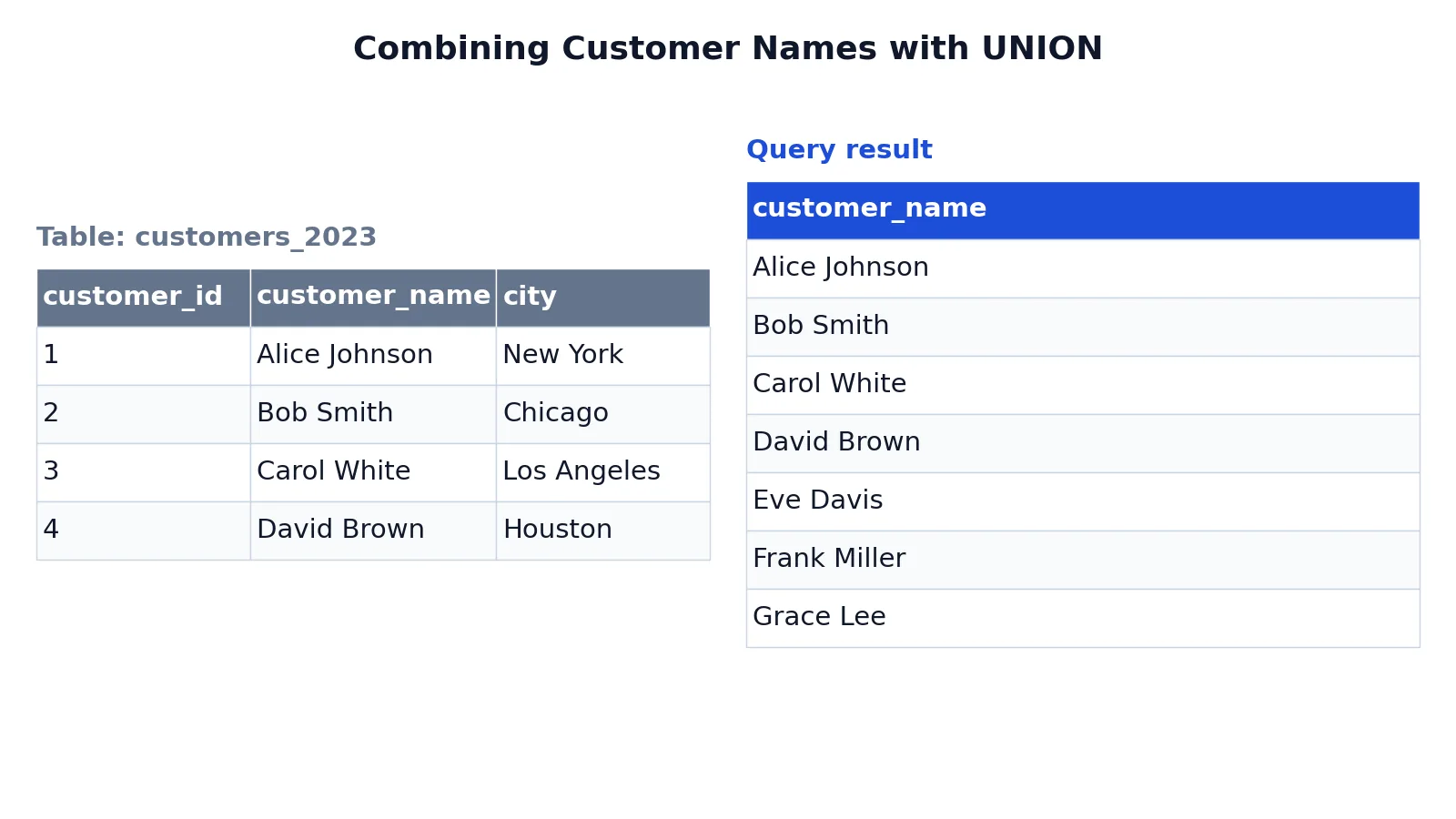
Suppose you keep two customer tables, one for 2023 signups and one for 2024 signups, and you want a single list of unique customer names across both years.
The 2023 table looks like this:
| customer_id | customer_name | city |
|---|---|---|
| 1 | Alice Johnson | New York |
| 2 | Bob Smith | Chicago |
| 3 | Carol White | Los Angeles |
| 4 | David Brown | Houston |
The 2024 table holds four rows, and Alice Johnson appears in both tables. The query selects only the name column from each table and combines them:
SELECT customer_name FROM customers_2023
UNION
SELECT customer_name FROM customers_2024;
The result was checked with an equivalent SQLite query (sqlite3 3.37.2). It returns seven rows:
| customer_name |
|---|
| Alice Johnson |
| Bob Smith |
| Carol White |
| David Brown |
| Eve Davis |
| Frank Miller |
| Grace Lee |
The first SELECT pulls the four names from customers_2023. The second pulls four names from customers_2024. Alice Johnson appears in both, and UNION removes the second copy, so eight input rows become seven output rows [1]. If you replaced UNION with UNION ALL, the result would contain eight rows with Alice Johnson listed twice.
More Examples
Keep duplicates with UNION ALL. When you want to count how many times a name appears across both tables, use UNION ALL so nothing is dropped:
SELECT customer_name FROM customers_2023
UNION ALL
SELECT customer_name FROM customers_2024;
This returns eight rows, including Alice Johnson twice.
Sort the combined result. ORDER BY goes after the final query block and sorts everything:
SELECT customer_name FROM customers_2023
UNION
SELECT customer_name FROM customers_2024
ORDER BY customer_name;
Add a source label. You can add a literal column to each query so you can tell which table a row came from. Both queries must include the same number of columns:
SELECT customer_name, '2023' AS source_year FROM customers_2023
UNION ALL
SELECT customer_name, '2024' AS source_year FROM customers_2024;
Combine three queries. Chaining works the same way. Microsoft shows an example that unions three SELECT statements, where UNION ALL returns all 15 rows and UNION without ALL returns 5 [4].
Use UNION inside a larger query. A combined result can feed a subquery or a common table expression, which is useful when you want to filter or aggregate the merged rows afterward.
Errors and How to Fix Them
"Each UNION query must have the same number of columns." The two SELECT lists do not match in length. Count the columns in each and add or remove expressions until they line up.
"ORDER BY items must appear in the select list if the statement contains a UNION." You tried to sort by a column that is not in the output. Add that column to both SELECT lists or sort by a column that is already selected.
Data type conversion errors. The corresponding columns have incompatible types, such as a number in one query and text in the other. Cast one side so the types match. PostgreSQL requires compatible data types for union compatibility [1].
Unexpected duplicate rows. You used UNION ALL when you wanted deduplication, or the rows differ in a column you did not notice. Check every selected column, since duplicates are judged on the full row.
ORDER BY placed inside the first query. Some databases reject this. Move ORDER BY to the end of the whole statement so it applies to the combined result.
Common Mistakes
- Assuming
UNIONpreserves order. It does not. PostgreSQL states there is no guarantee about the order rows are returned [1]. Add an explicitORDER BYif order matters. - Using
UNIONwhen you need every row. If you are counting events or summing values,UNION ALLis usually correct becauseUNIONsilently drops repeats. - Forgetting that duplicates are judged on all selected columns. Two rows with the same name but different cities are not duplicates.
- Mismatching column counts. A common slip is selecting three columns from one table and two from another. Keep the lists aligned.
- Relying on column names from the second query. Output names come from the first
SELECT. Alias there if you need a specific name [4]. - Mixing
UNIONwithINTERSECTwithout parentheses. Operator precedence differs, andINTERSECTbinds more tightly thanUNION[1]. Use parentheses to make the intent clear.
Limitations
UNION only stacks rows. It cannot match rows across tables by a key the way a JOIN does. If you need to pair a customer with their orders, use a join. If you need rows that appear in both result sets, use the INTERSECT operator instead.
Deduplication has a cost. On large inputs, UNION must compare rows to find repeats, which takes more work than UNION ALL. When you know the inputs cannot overlap, UNION ALL is the better choice. Also remember that UNION compares values, not identities. Two rows that look identical after your column selection are treated as duplicates even if they came from different source rows.
Frequently Asked Questions
What is the difference between UNION and UNION ALL in SQL?
UNION combines two result sets and removes duplicate rows, the same way DISTINCT does [1]. UNION ALL combines them and keeps every row, including repeats. UNION ALL is typically faster because it skips the duplicate check.
Does UNION remove duplicates automatically?
Yes. The default behavior of UNION is to eliminate duplicate rows from the combined result [1]. In MySQL and PostgreSQL you can write UNION DISTINCT to make that explicit, though SQLite and SQL Server do not accept that keyword. UNION ALL turns deduplication off [2].
Can I use ORDER BY with UNION?
Yes, but it must come after the last SELECT statement so it sorts the whole combined result. Sorting inside an individual query block is not allowed in most databases, and any column you sort by should appear in the select list.
Do the SELECT statements in a UNION need the same number of columns?
Yes. Both queries must return the same number of columns, and corresponding columns must have compatible data types [1]. The column names in the output come from the first query.
How do I combine more than two queries with UNION?
Chain the UNION keyword between each query block. MySQL's grammar allows repeated UNION [ALL | DISTINCT] clauses [3], and Microsoft shows an example that unions three SELECT statements [4]. Add parentheses when you mix UNION with other set operators like INTERSECT [1].
References
- PostgreSQL: Documentation: 18: 7.4. Combining Queries (UNION, INTERSECT, EXCEPT)
- MySQL :: MySQL 8.4 Reference Manual :: 15.2.14 Set Operations with UNION, INTERSECT, and EXCEPT
- MySQL :: MySQL 9.7 Reference Manual :: 15.2.18 UNION Clause
- UNION (Transact-SQL) - SQL Server | Microsoft Learn
Further Reading
- Create UNION Queries | Microsoft Learn
- Codd EF (1970). A relational model of data for large shared data banks. Communications of the ACM
- PostgreSQL Documentation: SELECT
- SQLite: SQL As Understood By SQLite
- Wilson G, Bryan J, Cranston K et al. (2017). Good enough practices in scientific computing. PLOS Computational Biology