SQL CAST as String: Convert Data Types with Examples
By Dr. Zubair Khalid, DVM, MS, PhD ·
When you need to turn a number, date or other value into text, you use SQL CAST as string syntax. CAST(expression AS VARCHAR(n)) returns the value as a character string, and most database engines also offer CONVERT or a shorthand like ::text for the same job. This article covers the syntax, a worked example, error fixes and the limits you should know about.
Quick Answer
CAST(expression AS VARCHAR(n))converts a value to a character string. The target type name varies by engine:VARCHAR,CHAR,NVARCHAR,TEXTorSTRING.- SQL Server also supports
CONVERT(VARCHAR(n), expression, style), wherestylecontrols date and time formatting [1]. - MySQL uses
CAST(expression AS CHAR)and also acceptsCONVERT(expression, CHAR)[2]. - SQLite has no
VARCHARlength limit in practice, soCAST(amount AS TEXT)works for any numeric value. - Casting to a string is the standard fix when you need to concatenate a number with text or control how a value is displayed.
Syntax
The general form is CAST(expression AS target_type). The table below describes the arguments.
| Argument | Required? | Meaning |
|---|---|---|
expression | Yes | The value, column or calculation you want to convert. It can be numeric, date, time, boolean or another string. |
target_type | Yes | The data type you want back. For string conversion this is a character type such as VARCHAR(n), CHAR(n), NVARCHAR(n), TEXT or STRING. |
n | Depends on engine | The maximum length of the result. In SQL Server, VARCHAR without a length defaults to 30 characters in a CAST [1]. Always state the length you need. |
style | Only for CONVERT | An integer code that sets the output format, mostly used for dates. For example, style 126 produces ISO 8601 [1]. |
The CONVERT form reverses the argument order: CONVERT(target_type, expression, style). In SQL Server, CONVERT(NVARCHAR(30), GETDATE(), 126) returns a date string in ISO 8601 format [1].
How It Works
A cast asks the database engine to reinterpret a value under a new type. When the target is a character type, the engine produces a text representation of the source value using its own default formatting rules.
For numbers, that means the engine decides how many decimal places to show and whether to keep trailing zeros. For dates, it means the engine picks a default date format unless you supply a style code. This is why the same cast can produce different-looking strings on different engines.
The conversion is explicit, so it overrides the engine's normal type rules. That matters when you concatenate. In SQL Server, 'The list price is ' + CAST(ListPrice AS VARCHAR(12)) works because the number is converted to text first [1]. Without the cast, the engine may try to convert the string to a number instead and fail or produce an unexpected result.
Casting also changes sort and comparison behavior. Once a value is a string, '10' sorts before '9' in a plain text comparison because the comparison is character by character. Keep the original typed column if you still need numeric ordering.
Worked Example
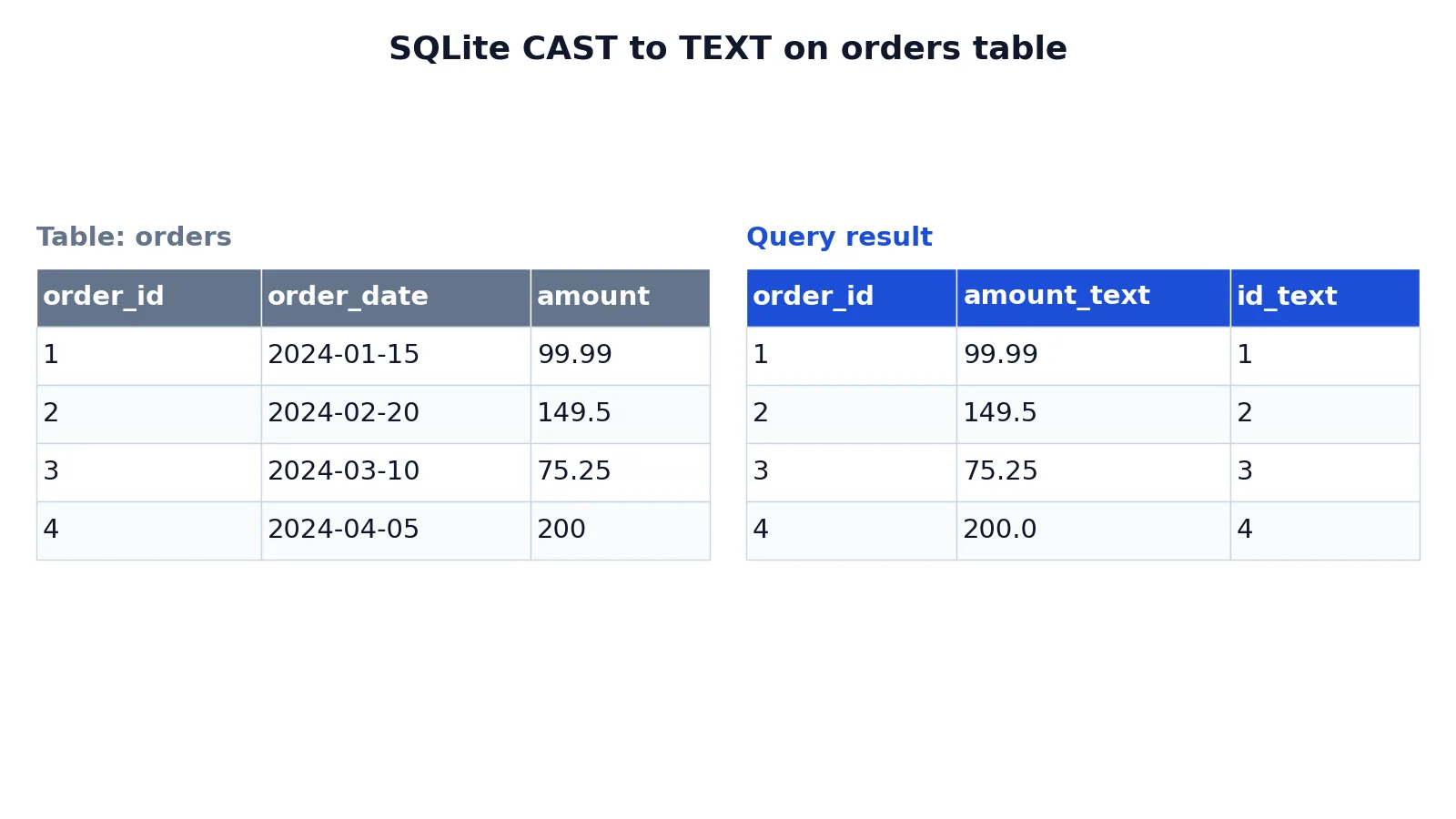
The example uses a small orders table with an order id, an order date and an amount. Here is the input table.
| order_id | order_date | amount |
|---|---|---|
| 1 | 2024-01-15 | 99.99 |
| 2 | 2024-02-20 | 149.5 |
| 3 | 2024-03-10 | 75.25 |
| 4 | 2024-04-05 | 200 |
The query converts the numeric amount and the integer id to text.
SELECT order_id, CAST(amount AS TEXT) AS amount_text, CAST(order_id AS TEXT) AS id_text FROM orders;The result was checked with an equivalent SQLite query.
| order_id | amount_text | id_text |
|---|---|---|
| 1 | 99.99 | 1 |
| 2 | 149.5 | 2 |
| 3 | 75.25 | 3 |
| 4 | 200.0 | 4 |
Notice two things in the output. The amount 149.5 stays as 149.5 and does not gain a trailing zero, while 200 becomes 200.0. The engine keeps the stored floating point representation and prints it as text. The integer ids convert cleanly to 1, 2, 3 and 4. If you need a fixed number of decimal places, format the number before casting or use a formatting function.
More Examples
Concatenating a number with a label. This is the most common reason to cast to a string. The + concatenation below is SQL Server syntax. In SQLite, PostgreSQL and Oracle use ||, and in MySQL use CONCAT().
SELECT 'Order ' + CAST(order_id AS VARCHAR(10)) + ' total: ' + CAST(amount AS VARCHAR(20)) AS label
FROM orders;
Formatting a date as ISO 8601 in SQL Server. The 126 style gives a sortable, unambiguous string [1].
SELECT CONVERT(NVARCHAR(30), GETDATE(), 126) AS iso_date;Trimming a long name to a fixed width. Casting to CHAR(10) pads or truncates the value to exactly 10 characters [1].
SELECT DISTINCT CAST(EnglishProductName AS CHAR(10)) AS Name
FROM DimProduct
WHERE EnglishProductName LIKE 'Long-Sleeve Logo Jersey, M';
Converting a timestamp to text in Oracle. CAST(CURRENT_TIMESTAMP AS VARCHAR(100)) returns the current timestamp as a string [3].
MySQL string conversion. MySQL accepts CAST(expression AS CHAR) and the CONVERT(expression, CHAR) form [2].
If you are converting the other direction, from text back to a date, see SQL CAST as Date: Convert Strings and Datetimes to Dates. For date formatting codes specifically, SQL Convert Date: Functions, Formats and Examples covers the style table in detail.
Errors and How to Fix Them
Truncation or silent data loss. In SQL Server, CAST to a VARCHAR that is too short truncates the result. If you cast a long string to VARCHAR(5), you get the first five characters and no error. Fix it by sizing the target type to the longest value you expect.
Conversion failure on non-numeric text. In strict engines, casting a string that is not a valid number to a numeric type raises an error. SQLite and MySQL instead return 0 or a partial value without an error. In Azure Databricks, a string that cannot be parsed as a number raises a CAST_INVALID_INPUT error, and a value outside the target range raises CAST_OVERFLOW [4]. Fix it by validating or cleaning the input before the cast.
Wrong date format. Casting a date to a string without a style code gives the engine's default format, which may not match what you need. Use CONVERT with a style code when the format matters [1].
Unexpected rounding. Casting a decimal to a shorter string can round or drop digits depending on the engine. Check the output on a sample of rows before you trust it.
Locale differences. The same cast can produce different decimal separators or date orders on servers with different locale settings. Test on the target server.
Common Mistakes
- Omitting the length in SQL Server.
CAST(x AS VARCHAR)defaults to 30 characters, which silently truncates longer values [1]. Always writeVARCHAR(n)with a length you have checked. - Casting for comparison instead of for display. Converting a numeric column to text to compare it breaks numeric ordering. Keep the typed column for filters and sorts, and cast only in the
SELECTlist. - Assuming the output format is portable.
CAST(amount AS TEXT)in SQLite,CAST(amount AS CHAR)in MySQL andCAST(amount AS VARCHAR(20))in SQL Server can all print the same number differently. Do not hard-code assumptions about trailing zeros. - Forgetting that
NULLstaysNULL. CastingNULLto a string returnsNULL, not an empty string. UseCOALESCEif you need a default value. - Using the wrong function name for the engine.
CONVERTin SQL Server takes(type, expression, style), while MySQL'sCONVERTtakes(expression, type)[1][2]. Check the argument order for your engine. - Casting dates without a style. Relying on the default date format produces strings that break when the server locale changes. Supply an explicit style code [1].
Limitations
Casting to a string is a display and interoperability tool, not a data cleaning tool. It cannot repair malformed input. If a column holds "N/A" or an empty string where a number should be, the cast will fail or produce a value you did not intend. You still need to validate and clean the source data first.
String output also loses type information. Once a value is text, the database no longer knows it was a number or a date, so numeric comparisons, date arithmetic and index usage on that expression stop working as expected. Casting inside a WHERE clause can prevent the engine from using an index on the original column. Cast in the SELECT list when you can, and keep the typed column for filtering and joining. For string manipulation after the cast, functions like SQL LENGTH Function: Syntax and Examples for String Length and SQL REPLACE Function: Syntax and Examples are useful next steps.
Frequently Asked Questions
How do I cast a number to a string in SQL?
Use CAST(column AS VARCHAR(n)) in SQL Server, CAST(column AS CHAR) in MySQL, or CAST(column AS TEXT) in SQLite and PostgreSQL. Pick a length large enough for the biggest value. The result is a text value you can concatenate, format or export.
What is the difference between CAST and CONVERT?
CAST is standard SQL and works across engines with the form CAST(expression AS type). CONVERT is engine-specific. In SQL Server it is CONVERT(type, expression, style) and adds a style code for date formatting [1]. In MySQL it is CONVERT(expression, type) with no style argument [2].
Why does my CAST to string cut off the value?
The target length is too small. In SQL Server, VARCHAR without a length defaults to 30 characters, and a shorter length truncates silently [1]. Check the longest value in the column with a length function, then set the cast length above it.
Can I cast a date to a string in a specific format?
Yes, but only with CONVERT and a style code in SQL Server, for example CONVERT(NVARCHAR(30), GETDATE(), 126) for ISO 8601 [1]. Plain CAST uses the engine's default format, which you cannot control. If you need a custom pattern, use a formatting function instead.
Does casting to a string change the stored data?
No. CAST changes the value only for the duration of the query. The underlying column keeps its original type and stored value. To change stored data permanently you need an ALTER TABLE statement or an update that writes the converted value back.
For related conversions, SQL Alias: Syntax and Examples for Tables and Columns explains how to name the cast output cleanly, and SQL IN Operator: Syntax and Examples shows how to filter the values you feed into a cast.
References
- CAST and CONVERT (Transact-SQL) - SQL Server | Microsoft Learn
- MySQL :: MySQL 8.4 Reference Manual :: 14.10 Cast Functions and Operators
- CAST function
- smallint function - Azure Databricks - Databricks SQL | Microsoft Learn
Further Reading
- Codd EF (1970). A relational model of data for large shared data banks. Communications of the ACM
- PostgreSQL Documentation: SELECT
- SQLite: SQL As Understood By SQLite
- Wilson G, Bryan J, Cranston K et al. (2017). Good enough practices in scientific computing. PLOS Computational Biology