Python Match Case: Syntax and Examples
By Dr. Zubair Khalid, DVM, MS, PhD ·
Python's match statement is the closest thing to a case switch in Python. It compares one expression against a series of case patterns and runs the first block that matches [1]. Unlike a C or Java switch, it can also pull values apart and bind them to names.
Quick Answer
match subject:starts the block, and eachcase pattern:is one branch.- Only the first matching case runs, so order matters [1].
case _:is the wildcard that catches everything else [1].- Combine options with
|, as incase 1 | 2:[1]. - Add
ifguards to a case when the pattern alone is not specific enough.
Before You Start
You need Python 3.10 or newer. The match statement was added in 3.10, so older interpreters raise a SyntaxError. Check your version with python --version before you write anything.
You should already be comfortable with if, elif, and else. The match statement does not replace those. It is a cleaner option when you compare one value against several constants, or when you check for specific types or attributes [1]. If your conditions involve unrelated variables, plain if logic is usually clearer, and the Python If Else guide covers that style.
One naming note. People often search for "case switch python" because they come from languages with a switch keyword. Python has no switch. The match statement fills that role, and the docs describe it as superficially similar to a switch in C, Java, or JavaScript but closer to pattern matching in Rust or Haskell [1].
Step by Step
- Write the subject expression. This is the single value you want to branch on, such as a response code, a status string, or a tuple.
- Add your first
casewith a literal pattern.case 1:matches only when the subject equals1.
- Add more literal cases. Each one is checked in order from top to bottom.
- Group values with
|.case 1 | 2:matches either value in one branch [1].
- Add a guard when you need a condition. Write
case n if n > 100:to match the pattern and then test an extra expression.
- Close with
case _:. The underscore is a wildcard that matches anything, so it works like adefaultbranch [1].
- Return or assign inside each branch. A common pattern is a function that maps a code to a label.
The structure looks like this:
match subject:
    case 1:
        result = "one"
    case 2 | 3:
        result = "two or three"
    case n if n > 100:
        result = "large"
    case _:
        result = "other"
Worked Example
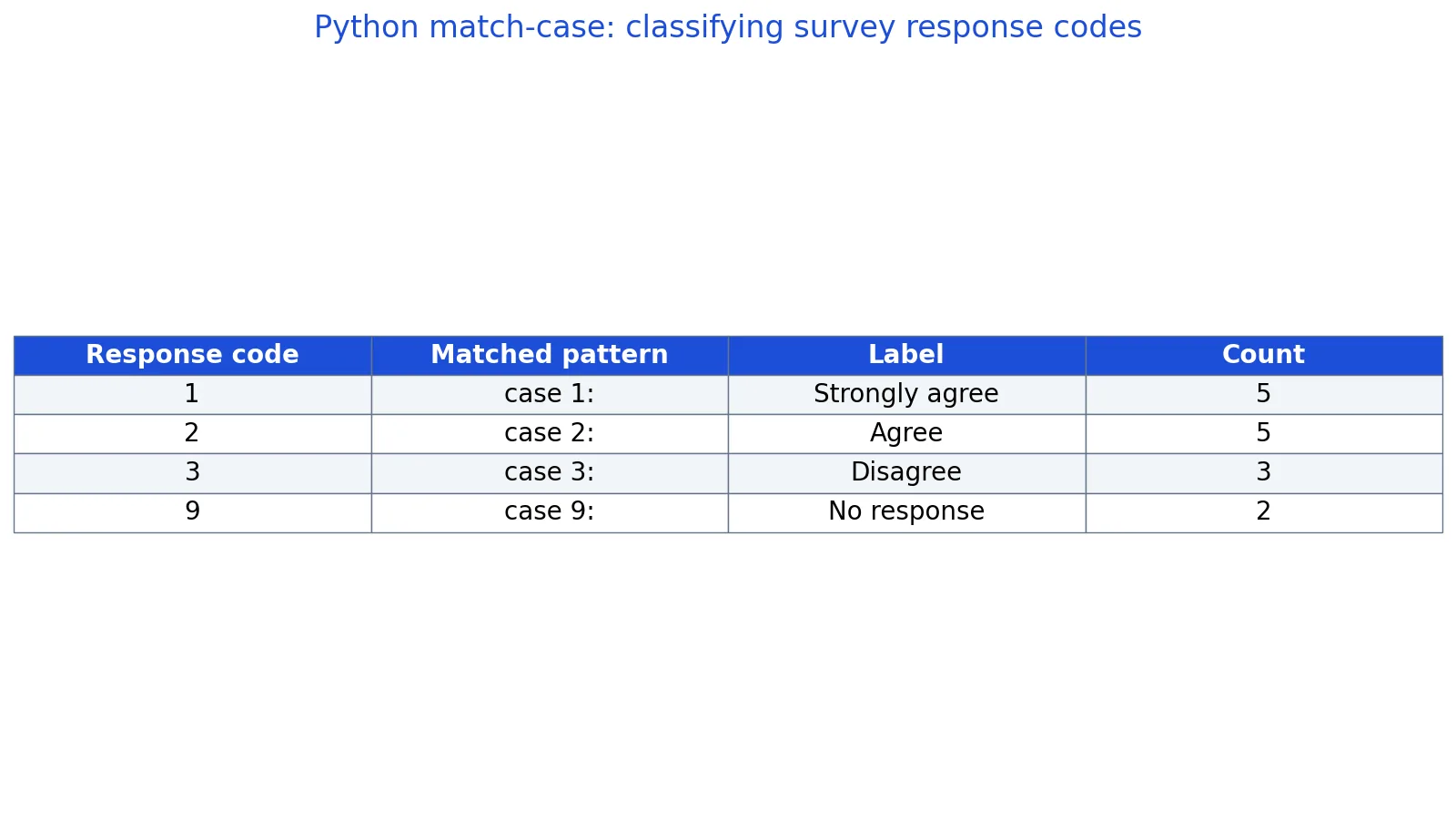
The dataset is a set of survey response codes from 15 respondents, where 1 means Strongly agree, 2 means Agree, 3 means Disagree, and 9 means No response.
| respondent_id | response_code |
|---|---|
| 1 | 1 |
| 2 | 2 |
| 3 | 3 |
| 4 | 9 |
| 5 | 1 |
| 6 | 2 |
| 7 | 1 |
| 8 | 3 |
| 9 | 2 |
| 10 | 9 |
| 11 | 1 |
| 12 | 2 |
| 13 | 3 |
| 14 | 1 |
| 15 | 2 |
You want to turn each numeric code into a readable label. A match statement is a natural fit because you are comparing one value against a fixed set of constants.
The steps run like this:
- Match code 1 to
case 1, which returns the label "Strongly agree". The count is 5. - Match code 2 to
case 2, which returns "Agree". The count is 5. - Match code 3 to
case 3, which returns "Disagree". The count is 3. - Match code 9 to
case 9, which returns "No response". The count is 2. - Total the responses: $5 + 5 + 3 + 2 = 15$.
Here is the code:
def classify(code):
    match code:
        case 1:
            return "Strongly agree"
        case 2:
            return "Agree"
        case 3:
            return "Disagree"
        case 9:
            return "No response"
        case _:
            return "Unknown"

codes = [1, 2, 3, 9, 1, 2, 1, 3, 2, 9, 1, 2, 3, 1, 2]
for c in [1, 2, 3, 9]:
    print(c, classify(c), codes.count(c))
Output:
1 Strongly agree 5
2 Agree 5
3 Disagree 3
9 No response 2
The counts line up with the table. Code 1 appears 5 times, code 2 appears 5 times, code 3 appears 3 times, and code 9 appears 2 times, for 15 responses total.
Other Ways to Do It
A dictionary is often the simplest alternative when every code maps to exactly one label. You build the mapping once and look it up.
labels = {1: "Strongly agree", 2: "Agree", 3: "Disagree", 9: "No response"}
label = labels.get(code, "Unknown")
This is fast and short, but it cannot express conditions. If you need "any code above 100 is invalid", a dictionary lookup alone will not do it.
An if/elif chain works too and runs on any Python version. It gets long when you have many branches, and the docs note that elif chains are the traditional substitute for switch or case statements in other languages [1]. The match statement exists partly to tidy up that pattern.
If you are transforming a whole column of codes, a mapping function applied across a list is a clean approach. The Python map() guide shows how to apply one function to every element without writing a loop.
The same branching idea appears in other tools. SQL has a CASE expression for conditional labels, covered in Using CASE in SQL. Excel has lookup and conditional functions, and the Excel MATCH function and XMATCH articles explain how to find a value's position in a range.
Troubleshooting
SyntaxError on the match line. Your Python is older than 3.10. Upgrade the interpreter or fall back to if/elif.
A case never runs. An earlier case is catching the value. Patterns are tested in order, and only the first match executes [1]. Move the specific case above the general one.
A name in a case captures instead of compares. A bare name like case code: is a capture pattern. It matches anything and binds the subject to code. To compare against a variable, you need a value pattern such as case Color.RED: or a guard.
The wildcard is missing. Without case _:, an unmatched subject simply falls through and nothing happens. Add the wildcard if you want a default branch.
Indentation errors. Every case is indented one level inside the match, and the body of each case is indented one more level.
Common Mistakes
- Forgetting the wildcard. If no case matches and there is no
case _:, the block does nothing. Addcase _:to handle unexpected values. - Putting the general case first. A broad pattern at the top swallows everything below it. Order cases from most specific to most general.
- Using a bare name as a constant.
case total:captures the subject intototalinstead of comparing. Use a literal, a dotted name, or a guard. - Assuming fall-through. There is no fall-through between cases, so you never need
break. Only the first match runs [1]. - Overusing match for unrelated conditions. If your branches test different variables, an
if/elifchain reads better. - Skipping the guard when you need a range.
case n if n >= 90:handles ranges. A plain literal case cannot.
Limitations
The match statement compares one subject at a time. To branch on several variables you must pack them into one subject, such as a tuple in match (x, y):, so for unrelated conditions if/elif with and and or stays clearer. It also requires Python 3.10 or newer, so code shared with older environments needs a fallback.
Pattern matching can mislead when you expect it to behave like a switch in another language. There is no fall-through, no break, and a bare name captures rather than compares. Those differences cause bugs. A bare-name capture placed before other cases raises a SyntaxError because it makes them unreachable, and placed last it silently acts as a catch-all instead of a comparison. Test each branch with a value you know should not match, so you can confirm the wildcard or guard is doing its job.
Frequently Asked Questions
Does Python have a switch statement?
No. Python has no switch keyword. The match statement provides switch-like branching and is the recommended tool when you compare the same value to several constants or check for specific types and attributes [1].
What Python version added match-case?
Python 3.10. Code using match will not run on 3.9 or earlier and raises a SyntaxError. Check your version before relying on it in a shared codebase.
What does the underscore do in a case pattern?
The underscore _ is a wildcard that matches any value and binds nothing [1]. It works like a default branch in other languages. Place it last so the specific cases get a chance to match first.
Can I match multiple values in one case?
Yes. Use the | operator to combine literals, as in case 1 | 2: [1]. Both values run the same block. You can also combine patterns with guards for more control.
How is match different from if-elif?
Both branch on conditions. match compares one subject against patterns and can extract parts of it. if/elif evaluates arbitrary boolean expressions and works on every Python version. Use match when the subject is a single value with several known forms.
References
Further Reading
- Harris CR, Millman KJ, van der Walt SJ et al. (2020). Array programming with NumPy. Nature
- McKinney W (2010). Data Structures for Statistical Computing in Python. Proceedings of the Python in Science Conference
- The Python Tutorial
- Wilson G, Bryan J, Cranston K et al. (2017). Good enough practices in scientific computing. PLOS Computational Biology
- Virtanen P, Gommers R, Oliphant TE et al. (2020). SciPy 1.0: fundamental algorithms for scientific computing in Python. Nature Methods