Python If Else: Syntax and Examples
By Dr. Zubair Khalid, DVM, MS, PhD ·
Python if else statements let your program choose between different actions based on a condition. You write if followed by a condition, indent the code that should run when the condition is true, and add else for the fallback case. This article covers the syntax, the elif chain, indentation rules, and a full worked example.
Quick Answer
- An
ifstatement runs a block only when its condition evaluates to true [1]. elifadds extra conditions, and Python checks them in order until one is true [1].elsecatches every remaining case and can appear at most once [1].- Every line inside a block needs the same indentation level [1].
- Comparison operators such as
>=,<=,==, and!=build the conditions [2].
Before You Start
You need Python installed and a way to run a script or an interactive session. Any version of Python 3 works for everything here.
You also need to understand two ideas. The first is that a condition is an expression that evaluates to True or False. The second is that Python uses indentation, not braces, to mark which lines belong to a block. If you want a refresher on comparison and logical operators, see Python Operators Explained: Arithmetic, Comparison and Logical.
The comparison operators you will use most often are:
| Operator | Meaning | Example |
|---|---|---|
== | equal to | score == 50 |
!= | not equal to | score != 50 |
> | greater than | score > 50 |
< | less than | score < 50 |
>= | greater than or equal to | score >= 50 |
<= | less than or equal to | score <= 50 |
You can combine conditions with and and or. The and keyword requires both sides to be true, and or requires at least one side to be true [2].
Step by Step
- Write the
ifkeyword, then a condition, then a colon. The colon ends the header line.
- Indent the next line by four spaces. That line runs only when the condition is true. Every line at the same indentation level belongs to the same block [1].
- Add
eliflines for extra conditions. Python checks them top to bottom and stops at the first true one [1].
- Add a single
elseline at the end to handle everything that did not match. Theelsekeyword takes no condition and no expression after it [1].
- Keep the order of your conditions in mind. Because Python stops at the first true branch, a broad condition placed above a narrow one will swallow the narrow case.
Here is the basic shape:
score = 72

if score >= 85:
    print("Distinction")
elif score >= 70:
    print("Merit")
elif score >= 50:
    print("Pass")
else:
    print("Fail")
The output is Merit. Python checks score >= 85 first, which is false, then score >= 70, which is true, so it prints Merit and skips the rest.
You can nest an if inside another if when a second decision depends on the first. Keep nesting shallow where you can, because deep nesting gets hard to read.
Worked Example
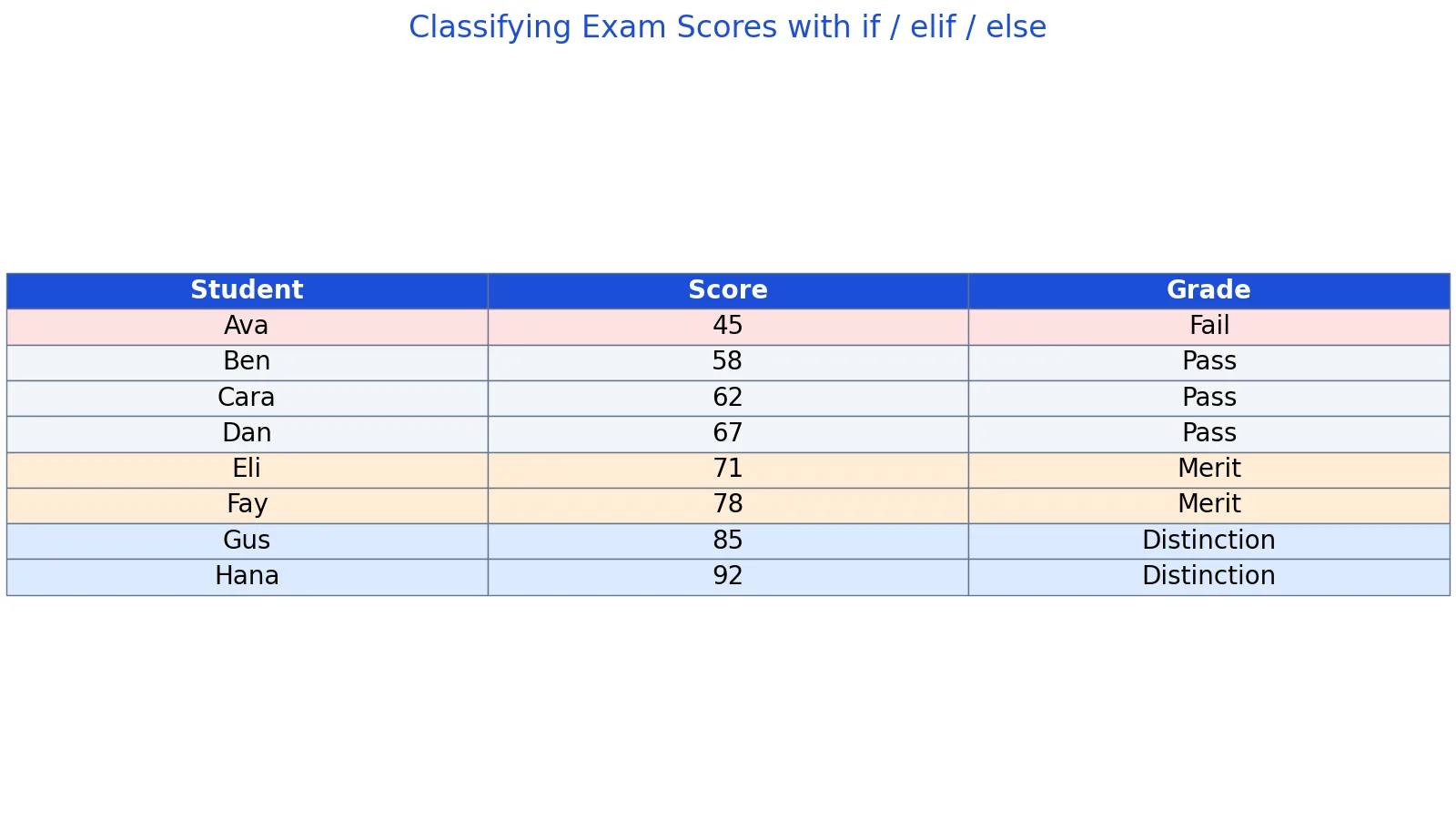
The dataset holds exam scores for 8 students, and each score is classified into Fail, Pass, Merit, or Distinction.
| Student | Score | Grade |
|---|---|---|
| Ava | 45 | Fail |
| Ben | 58 | Pass |
| Cara | 62 | Pass |
| Dan | 67 | Pass |
| Eli | 71 | Merit |
| Fay | 78 | Merit |
| Gus | 85 | Distinction |
| Hana | 92 | Distinction |
The grading function checks the highest band first, then works downward.
scores = [45, 58, 62, 67, 71, 78, 85, 92]

def grade(s):
    if s >= 85:
        return "Distinction"
    elif s >= 70:
        return "Merit"
    elif s >= 50:
        return "Pass"
    else:
        return "Fail"

for s in scores:
    print(s, grade(s))
Output:
45 Fail
58 Pass
62 Pass
67 Pass
71 Merit
78 Merit
85 Distinction
92 Distinction
Walking through each score:
- Ava scores 45. The first three conditions are false, so the
elsebranch runs and the grade is Fail. - Ben scores 58. The 85 and 70 checks fail, the 50 check passes, so the grade is Pass.
- Cara scores 62. Same path as Ben, so the grade is Pass.
- Dan scores 67. Same path again, so the grade is Pass.
- Eli scores 71. The 85 check fails, the 70 check passes, so the grade is Merit.
- Fay scores 78. Same path as Eli, so the grade is Merit.
- Gus scores 85. The first check passes, so the grade is Distinction.
- Hana scores 92. The first check passes, so the grade is Distinction.
The final counts are 2 Distinction, 2 Merit, 3 Pass, and 1 Fail. The average score is 69.75.
The order of the branches is what makes this work. If the s >= 50 check came first, every score of 50 or above would return Pass and the Merit and Distinction bands would never be reached.
Other Ways to Do It
A chain of if and elif is the standard approach, but Python offers alternatives for specific cases.
If you are mapping a small set of exact values to results, a dictionary lookup is shorter and faster than a long elif chain. You build a dictionary where the keys are the input values and the values are the results, then look up the key.
If you are matching on the structure or shape of a value instead of a simple comparison, the match statement introduced in Python 3.10 handles pattern matching. See Python Match Case: Syntax and Examples for how that works.
If you are looping over a sequence and want to run code only on some items, you can combine a condition with a loop. The Python For Loop: Syntax, Examples and Common Patterns article covers that pattern.
If you work in spreadsheets instead, the same logic appears as nested IF formulas. The IFS Function in Excel: Syntax and Examples article shows the multi-condition version, and Google Sheets IF Function: Syntax and Examples covers the Sheets equivalent.
Troubleshooting
IndentationError: expected an indented block. You wrote the if header but did not indent the line below it. Add four spaces at the start of the block.
IndentationError: unindent does not match any outer indentation level. Your block mixes tabs and spaces, or the indentation levels do not line up. Pick spaces and use four per level consistently.
SyntaxError: invalid syntax. You most likely forgot the colon at the end of the if, elif, or else line.
The wrong branch runs. Check the order of your conditions. Python stops at the first true one, so a broad condition above a narrow one hides the narrow case [1].
Nothing runs and there is no else. That is valid behavior. If no condition is true and there is no else, the whole statement is skipped [1].
Common Mistakes
- Using
=instead of==in a condition. A single=is assignment, not comparison. Use==to test equality. - Forgetting the colon after the condition. Every
if,elif, andelseheader line ends with a colon. - Putting a condition after
else. Theelsekeyword takes no condition. If you need one, useelifinstead [1]. - Ordering conditions from broad to narrow when they should go narrow to broad. Put the most specific condition first so it is not shadowed.
- Mixing tabs and spaces. This causes indentation errors that are hard to spot. Use spaces only.
- Writing
else ifinstead ofelif. Python useselif, andelse ifis a syntax error.
Limitations
An if chain evaluates conditions one at a time from the top, so a long chain costs more checks as it grows. For a large set of exact-value matches, a dictionary lookup avoids that scan entirely.
The chain also hides its own logic in the ordering. Two conditions that overlap will behave differently depending on which comes first, and that dependency is easy to miss when you read the code later. Keep overlapping conditions adjacent and comment on the intended order.
Frequently Asked Questions
What is the difference between elif and else in Python?
elif tests another condition and runs its block only if that condition is true. else takes no condition and runs when every earlier condition was false. You can have any number of elif lines, but at most one else [1].
How do you write else if in Python?
You write elif. Python does not use the else if spelling that some other languages use. The elif keyword sits at the same indentation level as the if it belongs to [2].
Does Python check every condition in an if elif chain?
No. Python checks conditions from top to bottom and stops at the first one that is true. The remaining conditions are never evaluated [1]. This is why the order of your branches matters.
Can an if statement exist without an else?
Yes. An if on its own is valid, and so is an if with one or more elif lines and no else. If no condition is true, the statement does nothing [1].
How many spaces should I indent a Python if block?
Four spaces per level is the standard convention. The exact number is up to you as long as it is consistent within the block, but mixing tabs and spaces will raise an indentation error [1].
References
- If-Else Statements, Python Numerical Methods
- IF...ELSE Statements - Intermediate Concepts in Python: Conditions and Iteration - Library Guides at Tulane University
Further Reading
- Harris CR, Millman KJ, van der Walt SJ et al. (2020). Array programming with NumPy. Nature
- McKinney W (2010). Data Structures for Statistical Computing in Python. Proceedings of the Python in Science Conference
- The Python Tutorial
- Wilson G, Bryan J, Cranston K et al. (2017). Good enough practices in scientific computing. PLOS Computational Biology