Python enumerate() Function: Syntax and Examples
By Dr. Zubair Khalid, DVM, MS, PhD ·
When you loop over a sequence and need both the item and its position, enumerate() gives you both at once. It returns pairs of (index, value) as you iterate, so you never have to maintain a counter variable by hand. This article covers the syntax, the start argument, a worked example, and the mistakes that trip people up when they use enumerate in Python.
Quick Answer
enumerate(iterable, start=0)yields(index, value)tuples, one per item [1].- The default index starts at 0. Pass
start=1to number items from 1. - It works on any iterable: lists, tuples, strings, dictionaries, generators, files.
- The index is a plain integer counter, not a lookup key. It does not change the original data.
- You can unpack the pair directly in the loop header:
for i, value in enumerate(items):[1].
Syntax
enumerate(iterable, start=0)
| Argument | Required? | Meaning |
|---|---|---|
iterable | Yes | Any object you can iterate over, such as a list, tuple, string, dict, or generator. |
start | No | The integer the counter begins at. Defaults to 0. |
The function returns an enumerate object, which is an iterator. Each step of that iterator produces a two-element tuple: the current count, then the item from the iterable [1].
How It Works
enumerate() wraps your iterable and keeps an internal counter. On each iteration it hands back a tuple of the counter value and the next item. The counter increments by one after every item.
Because the result is an iterator, it is consumed once. If you loop over the same enumerate object twice, the second loop produces nothing. Wrap it in list() if you need to reuse the pairs.
The start argument only shifts the numbering. It does not skip items or change which items you see. enumerate(items, start=1) still visits every item, just labeled 1, 2, 3 instead of 0, 1, 2.
For dictionaries, iterating gives you keys only. If you want keys with positions, enumerate() works fine. If you want key and value together, the items() method is the right tool [1].
Worked Example
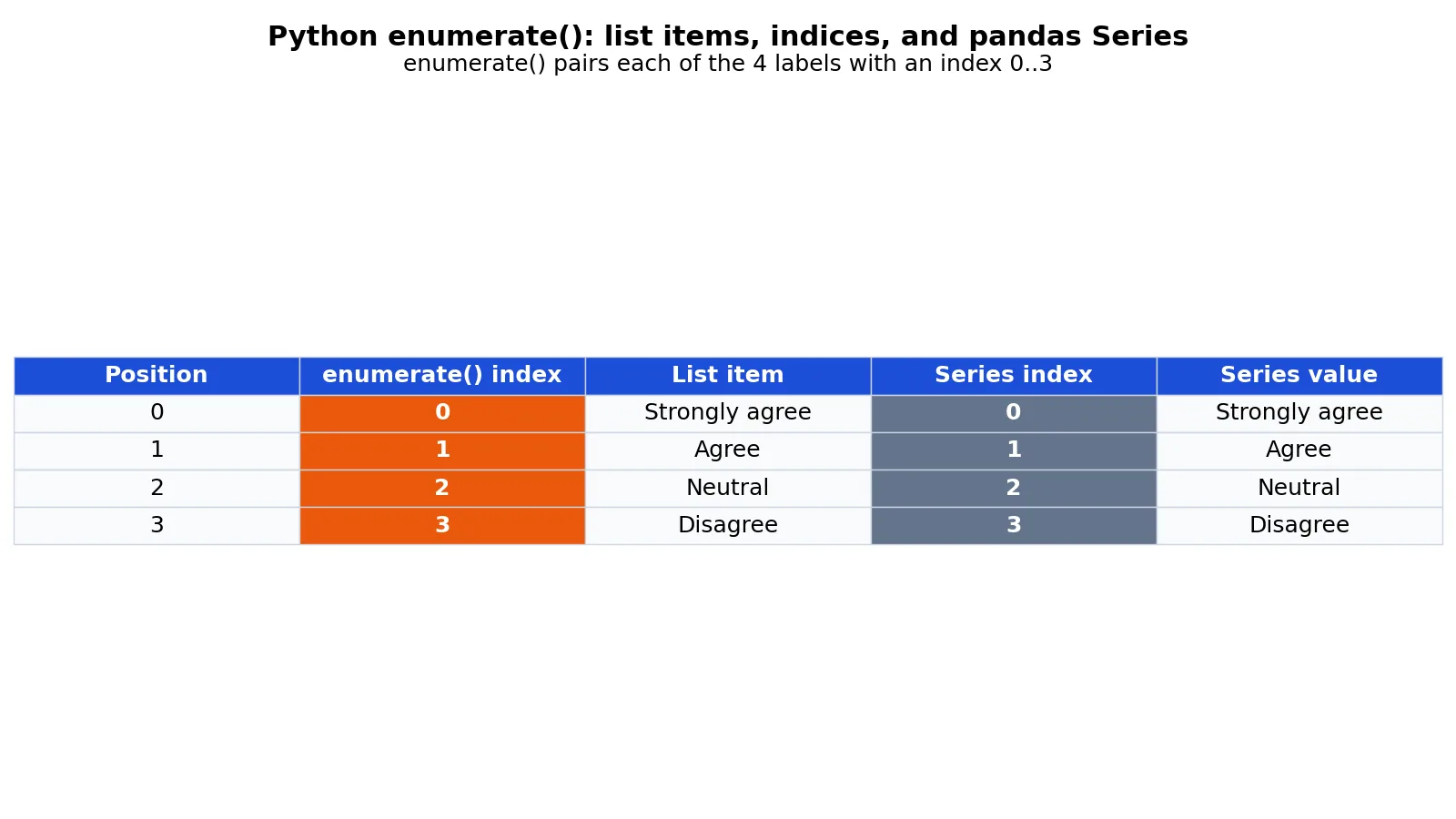
The dataset is a list of four survey response labels for a 4-item Likert question. Each label gets paired with its position.
| index | label |
|---|---|
| 0 | Strongly agree |
| 1 | Agree |
| 2 | Neutral |
| 3 | Disagree |
Step by step, using the computed values:
- The input list has
len(labels) = 4. - Iteration 0 yields
index=0, label='Strongly agree'. - Iteration 1 yields
index=1, label='Agree'. - Iteration 2 yields
index=2, label='Neutral'. - Iteration 3 yields
index=3, label='Disagree'. - Building a pandas Series with a custom index gives
pd.Series(labels, index=[0, 1, 2, 3]), whose index is[0, 1, 2, 3]and whose values are the four labels.
labels = ["Strongly agree", "Agree", "Neutral", "Disagree"]

for i, label in enumerate(labels):
    print(i, label)

import pandas as pd
series = pd.Series(labels, index=[i for i, _ in enumerate(labels)])
print(series)
Output:
0 Strongly agree
1 Agree
2 Neutral
3 Disagree

0    Strongly agree
1             Agree
2           Neutral
3          Disagree
dtype: object
The loop prints the same index-value pairs that become the Series index and values. That is the practical value of enumerate in Python: the position you generate in a loop matches the label you attach to a data structure.
More Examples
Numbering from 1. Reports usually start at 1, not 0.
for rank, label in enumerate(labels, start=1):
    print(rank, label)  # 1 Strongly agree, 2 Agree, ...
Finding the position of a match. Combine enumerate with a condition to get the index of the first item that meets it.
for i, label in enumerate(labels):
    if label == "Neutral":
        print(i)  # 2
        break
Building a lookup dictionary. Turn a list into a position-to-value map.
position_map = dict(enumerate(labels))
print(position_map[2])  # Neutral
Looping over two lists together. When you need paired items from two sequences, zip() is the tool, and it pairs entries by position [1]. You can combine it with enumerate if you also want a counter.
questions = ["name", "quest", "favorite color"]
answers = ["lancelot", "the holy grail", "blue"]
for i, (q, a) in enumerate(zip(questions, answers)):
    print(i, q, a)
If you are still getting comfortable with loop headers, the Python for loop guide covers the patterns that pair well with enumerate. When you want to transform every item instead of numbering it, see the Python map() function.
Errors and How to Fix Them
TypeError: 'int' object is not iterable. You passed a single number, like enumerate(5). Pass a sequence or range instead, such as enumerate(range(5)).
TypeError: 'str' object cannot be interpreted as an integer. You passed a non-integer start, such as enumerate(items, start="1"). Pass an integer: enumerate(items, start=1).
ValueError: not enough values to unpack. You wrote for i, v in enumerate(...) but the loop body expects a different shape, or you tried to unpack a single value into two names. Match the number of names to the tuple size.
TypeError: 'enumerate' object is not subscriptable. You tried enumerate(items)[0]. The result is an iterator, not a list. Convert it first with list(enumerate(items)).
Empty output on a second loop. You reused an exhausted enumerate object. Create a fresh one, or materialize the pairs into a list.
Common Mistakes
- Using enumerate when you only need the values. If you never use the index, a plain
for item in items:loop is clearer. The fix is to drop enumerate. - Forgetting that the default start is 0. Off-by-one errors in reports come from assuming 1-based numbering. Pass
start=1when the output is for people. - Mutating the list inside the loop. Adding or removing items while iterating changes what enumerate sees. Build a new list instead.
- Confusing enumerate with the
enummodule. They share a name root but do different jobs.enumcreates named constants, whileenumeratenumbers items in a loop [2]. - Assuming enumerate sorts or filters. It does neither. It only attaches positions in the order the iterable produces items.
- Reusing the enumerate object. Iterators are single-use. Rebuild it or store the pairs.
Limitations
enumerate() numbers items in the order the iterable yields them. It has no concept of a meaningful key. If your data has an ID column, the position from enumerate is not that ID, and treating it as one causes join errors downstream.
It also cannot reorder, deduplicate, or group items. For grouping by a column value you need a dictionary or a dataframe groupby. For sorting you need sorted(). And because the counter is positional, it changes whenever the underlying order changes, so do not store enumerate indices as permanent identifiers.
Frequently Asked Questions
What does enumerate() do in Python?
It pairs each item from an iterable with a running integer index and returns those pairs one at a time. You use it when a loop needs both the value and its position [1]. The default index starts at 0.
How do I start enumerate at 1?
Pass the start argument: enumerate(items, start=1). The first item is then labeled 1, the second 2, and so on. Every item is still visited, only the numbering shifts.
Is enumerate faster than using a counter variable?
It is generally cleaner and avoids manual increment bugs. Both approaches visit each item once, so the difference is small. The real gain is readability and fewer off-by-one mistakes.
Can I use enumerate on a dictionary?
Yes, but a plain loop over a dictionary yields keys, so enumerate gives you positions plus keys. To get keys and values together, use the items() method instead [1]. You can also combine both if you need a position, a key, and a value.
What is the difference between enumerate and the enum module?
enumerate() is a built-in function that numbers items during iteration. The enum module is a separate library for defining named constants, such as Color.RED [2]. The similar names are a coincidence, and the two are unrelated in use.
References
- 5. Data Structures, Python 3.14.8 documentation
- enum, Support for enumerations, Python 3.14.8 documentation
Further Reading
- Harris CR, Millman KJ, van der Walt SJ et al. (2020). Array programming with NumPy. Nature
- McKinney W (2010). Data Structures for Statistical Computing in Python. Proceedings of the Python in Science Conference
- The Python Tutorial
- Wilson G, Bryan J, Cranston K et al. (2017). Good enough practices in scientific computing. PLOS Computational Biology