SQL LIMIT Clause: How to Limit Query Results With Examples
By Dr. Zubair Khalid, DVM, MS, PhD ·
The SQL LIMIT clause restricts how many rows a query returns. You add it at the end of a SELECT statement, and the database stops returning rows once the count is reached. It is the standard way to build a SQL query limit for previews, top-N reports and paginated results.
Quick Answer
LIMIT nreturns at mostnrows, and possibly fewer if the query itself produces fewer rows [1].- LIMIT applies after the rest of the query runs, so it caps the final result set, not the rows scanned.
- Without
ORDER BY, the rows you get back are not guaranteed to be in any particular order, so "top 5" is meaningless until you sort [1]. LIMIT ALLis the same as leaving LIMIT out, and so isLIMIT NULL[1].- Pair LIMIT with
OFFSETto skip rows before counting, which is how most pagination is built [1].
Before You Start
You need a working SELECT statement first. LIMIT is a modifier on top of it, so if the query is wrong, LIMIT just returns fewer wrong rows.
Know these three things before you write it:
- The table and columns. You should already know which table you are querying and which columns you want. If you are still assembling the basic statement, review the SQL SELECT statement syntax and clauses first.
- The sort order. Decide which column defines "first". Highest amount, most recent date, longest name. LIMIT without a sort is a coin flip.
- The dialect. PostgreSQL, MySQL, MariaDB and SQLite all support
LIMIT. SQL Server usesTOPorOFFSET ... FETCHinstead. Entity SQL also supports LIMIT, but there it must appear inside anORDER BYclause and cannot be used on its own [2].
One syntax note that trips people up: in standard SQL, ORDER BY comes before LIMIT. Writing LIMIT 5 ORDER BY amount is a syntax error in every major engine.
Step by Step
- Write the base query. Start with
SELECTandFROM. Add aWHEREclause if you only want a subset of rows. - Add
ORDER BY. Choose the column that defines the ranking and the direction.DESCputs the largest values first,ASCputs the smallest first. - Append
LIMIT n. Replacenwith the number of rows you want.LIMIT 5returns up to five rows. - Add
OFFSET mif you need to skip. When both appear, the offset rows are skipped before the limit starts counting [1]. - Run the query and check the row count. If you asked for 10 and got 10, there may be more rows behind them. If you got fewer, the query ran out of rows.
The general shape looks like this:
SELECT column_list
FROM table_name
WHERE condition
ORDER BY sort_column DESC
LIMIT row_count OFFSET skip_count;
Every clause is optional except SELECT and FROM. The order of the clauses is not optional.
Worked Example
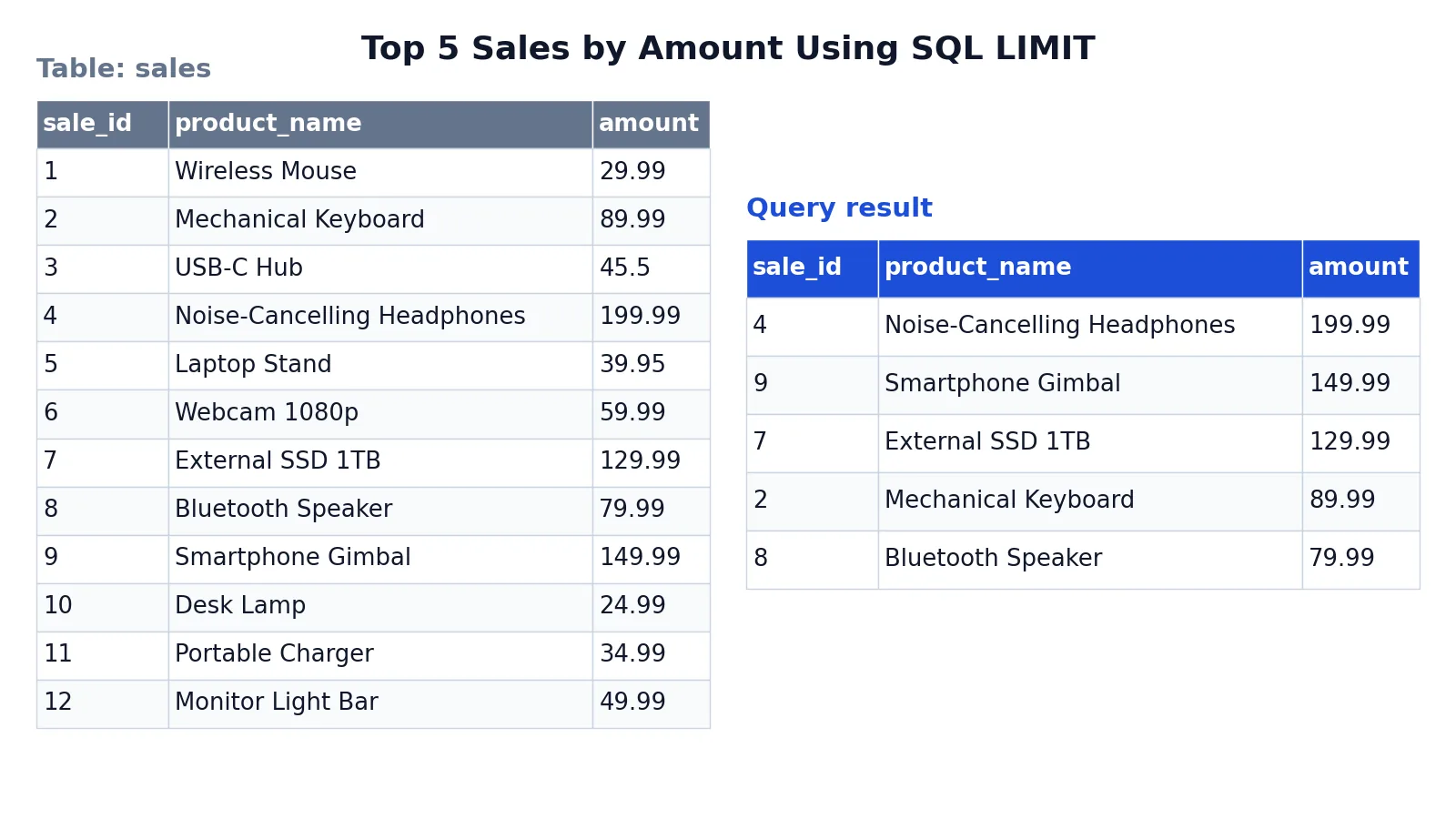
The dataset is a small sales table with 12 rows, one per product, each with a sale amount.
Input table (sales):
| sale_id | product_name | amount |
|---|---|---|
| 1 | Wireless Mouse | 29.99 |
| 2 | Mechanical Keyboard | 89.99 |
| 3 | USB-C Hub | 45.50 |
| 4 | Noise-Cancelling Headphones | 199.99 |
| 5 | Laptop Stand | 39.95 |
| 6 | Webcam 1080p | 59.99 |
| 7 | External SSD 1TB | 129.99 |
| 8 | Bluetooth Speaker | 79.99 |
| 9 | Smartphone Gimbal | 149.99 |
| 10 | Desk Lamp | 24.99 |
| 11 | Portable Charger | 34.99 |
| 12 | Monitor Light Bar | 49.99 |
The goal is the five highest-value sales.
SELECT * FROM sales ORDER BY amount DESC LIMIT 5;How the engine processes it:
SELECT *chooses all columns from the sales table.FROM salesspecifies the table to query.ORDER BY amount DESCsorts the rows from highest to lowest sale amount.LIMIT 5restricts the result to only the first 5 rows after sorting.
Result:
| sale_id | product_name | amount |
|---|---|---|
| 4 | Noise-Cancelling Headphones | 199.99 |
| 9 | Smartphone Gimbal | 149.99 |
| 7 | External SSD 1TB | 129.99 |
| 2 | Mechanical Keyboard | 89.99 |
| 8 | Bluetooth Speaker | 79.99 |
The result was checked with an equivalent SQLite query in sqlite3 3.37.2.
Notice that the output is not in sale_id order. It is in amount order, because that is what ORDER BY asked for. Drop the ORDER BY and the same LIMIT 5 could return any five of the twelve rows.
Other Ways to Do It
LIMIT is the most common approach, but it is not the only one.
TOP (SQL Server). SQL Server uses SELECT TOP 5 ... instead of a trailing LIMIT. The effect is the same, the position in the statement is different.
FETCH FIRST (standard SQL). The SQL standard spells it FETCH FIRST 5 ROWS ONLY, which PostgreSQL and several other engines also accept.
LIMIT inside ORDER BY (Entity SQL). In Entity SQL, LIMIT is a sub-clause of ORDER BY and requires that clause to be present. LIMIT 5 restricts the result set to 5 rows after sorting [2]. SKIP and LIMIT can be used independently alongside ORDER BY [2].
Window functions. ROW_NUMBER() OVER (ORDER BY amount DESC) assigns a rank to every row, and you filter on that rank in an outer query. This is heavier than LIMIT but lets you take the top N per group, for example the top 3 products per category. That pattern belongs with subqueries in SQL, since the ranking usually happens in a subquery or CTE.
Aggregates for a single value. If you only want the single largest value and not the whole row, MAX(amount) is simpler. See the SQL MAX function syntax and examples for that pattern.
Troubleshooting
You get a syntax error near ORDER BY. The clauses are in the wrong order. ORDER BY must come before LIMIT, not after it.
You get fewer rows than you asked for. That is expected behavior. LIMIT returns no more than the count you give, but possibly fewer if the query yields fewer rows [1]. Check your WHERE clause.
The same query returns different rows on different runs. You have no ORDER BY, or your sort column has ties. The query optimizer takes LIMIT into account when generating plans, so different LIMIT values can produce different plans and different row orders [1]. Add a tiebreaker column to the sort, such as the primary key.
Pagination gets slow on high page numbers. The rows skipped by OFFSET still have to be computed inside the server, so a large OFFSET can be inefficient [1]. Keyset pagination, where you filter on the last value you saw instead of skipping rows, avoids this.
LIMIT is rejected entirely. You are probably on SQL Server, which uses TOP, or in Entity SQL, where LIMIT cannot be used separately from ORDER BY [2].
Common Mistakes
- Using LIMIT without ORDER BY. The database returns an arbitrary set of rows. Fix: always add
ORDER BYwhen the identity of the rows matters [1]. - Sorting on a column with duplicate values. Ties can come back in any order, so page 1 and page 2 may overlap or skip rows. Fix: add a unique tiebreaker, like
ORDER BY amount DESC, sale_id ASC. - Putting LIMIT before ORDER BY. This is a syntax error. Fix:
ORDER BYfirst, thenLIMIT. - Assuming LIMIT makes the query faster. LIMIT can reduce work, but the optimizer may still scan and sort the full result before cutting it. Fix: check the query plan if performance matters.
- Using LIMIT for pagination without OFFSET. You get the same first page every time. Fix: pair them as
LIMIT 10 OFFSET 20for page three, and see the SQL OFFSET clause guide for the details. - Confusing LIMIT with a filter. LIMIT does not select rows by condition, it just cuts the list. Fix: use
WHEREfor conditions and LIMIT for the count.
Limitations
LIMIT cannot express "the top N per group". It applies to the whole result set, so if you want the best three products in each category, you need a window function or a correlated subquery instead. LIMIT also gives you no control over which rows survive a tie, which is why the tiebreaker column matters so much in practice.
The bigger limitation is stability. SQL does not promise to deliver results in any particular order unless ORDER BY constrains the order, and the optimizer may choose a different plan for a different LIMIT value [1]. Two queries that differ only in their LIMIT can legitimately return overlapping or inconsistent subsets. If you need reproducible output, sort on a unique key.
Frequently Asked Questions
What is the difference between LIMIT and OFFSET?
LIMIT sets how many rows come back. OFFSET sets how many rows to skip before counting starts. When both appear, the offset rows are skipped first, then the limit counts the rows that remain [1]. Together they produce page two, page three and so on.
Does LIMIT work without ORDER BY?
It runs, but the result is not predictable. SQL does not guarantee any particular row order without ORDER BY, so the five rows you get today may not be the five rows you get tomorrow [1]. Always sort when the specific rows matter.
How do I get the top 5 rows in SQL?
Sort by the ranking column in descending order, then add LIMIT 5. For example, SELECT * FROM sales ORDER BY amount DESC LIMIT 5 returns the five rows with the highest amount. If you are on SQL Server, use SELECT TOP 5 instead.
Is LIMIT the same in every database?
No. PostgreSQL, MySQL, MariaDB and SQLite support LIMIT. SQL Server uses TOP or OFFSET ... FETCH. Entity SQL supports LIMIT but requires it inside an ORDER BY clause [2]. The concept is universal, the keyword is not.
Can I use LIMIT with GROUP BY?
Yes, but LIMIT applies to the grouped result, not to each group. GROUP BY category ... LIMIT 5 gives you five categories, not five rows per category. For per-group limits you need a window function such as ROW_NUMBER().
How do I count the total rows before limiting?
Run the same query with COUNT(*) and no LIMIT. That gives you the full row count, which you can use to calculate how many pages exist. The SQL COUNT function guide covers the syntax, and the SQL query examples collection shows more patterns like this in context.
References
Further Reading
- Codd EF (1970). A relational model of data for large shared data banks. Communications of the ACM
- PostgreSQL Documentation: SELECT
- SQLite: SQL As Understood By SQLite
- Wilson G, Bryan J, Cranston K et al. (2017). Good enough practices in scientific computing. PLOS Computational Biology