R letters Function: Generate Lowercase Letter Sequences
By Dr. Zubair Khalid, DVM, MS, PhD ·
R letters is a built-in constant that holds the 26 lowercase letters of the English alphabet, from "a" to "z". You do not create it, load a package, or pass any arguments. You type letters and R returns a character vector of length 26. Because it is a plain vector, you can index it, paste it, sort it, and use it to label rows or build sequences.
Quick Answer
lettersis a predefined character vector of the 26 lowercase letters, in alphabetical order.LETTERSis its uppercase twin, holding "A" through "Z".- Both have length 26, so
length(letters)returns 26. - Index with square brackets:
letters[1:5]gives "a" "b" "c" "d" "e". - Combine them into one string with
paste(letters[1:5], collapse = ""), which returns "abcde".
Syntax
letters and LETTERS are objects, not functions, so they take no arguments. The table below covers the operations you apply to them.
| Name | Required? | Meaning |
|---|---|---|
letters | Yes (the object itself) | Character vector of 26 lowercase letters |
LETTERS | Yes (the object itself) | Character vector of 26 uppercase letters |
[i] | No | Subset operator. letters[3] returns the third letter |
[i:j] | No | Range subset. letters[1:5] returns the first five letters |
length() | No | Returns the number of elements, which is 26 for both |
paste(..., collapse = "") | No | Joins selected letters into a single string |
There is no letters() function with parentheses. Writing letters() raises an error because R tries to call a non-function object.
How It Works
R ships with a small set of built-in constants in the base package. letters and LETTERS are two of them, alongside month.abb, month.name, and pi. They are stored as character vectors, which means every element is a string of length one.
The order is fixed and follows the Latin alphabet. Position 1 is "a", position 26 is "z". That fixed order is what makes the constant useful for indexing. If you need the letter that corresponds to a number, you index the vector at that number. If you need the number that corresponds to a letter, you use match() to find its position.
A common pattern is converting letters to numbers. You can build a matrix of letters and map each one back to its position with match(x, letters) [1]. That works because match() returns the index of the first match in the lookup vector, and the lookup vector here is the alphabet itself.
Because letters is a vector, it behaves like any other vector you create with c(). You can concatenate it with other vectors, repeat it, or subset it with logical conditions. The only difference is that you did not have to type it out.
Worked Example
The dataset below is a small class roster. It is only a context for the code. The letters and LETTERS constants do not depend on it in any way.
| student_id | name | grade |
|---|---|---|
| 1 | Ana | 88 |
| 2 | Ben | 92 |
| 3 | Cara | 75 |
| 4 | Dan | 81 |
| 5 | Eve | 95 |
| 6 | Finn | 69 |
| 7 | Gus | 84 |
| 8 | Hana | 90 |
Suppose you want to assign each student a letter label, a, b, c, and so on, in roster order. You index letters by the row number.
letters            # lowercase a-z
LETTERS            # uppercase A-Z
letters[1:5]       # first five lowercase letters
LETTERS[1:3]       # first three uppercase letters
paste(letters[1:5], collapse = "")
Output:
 [1] "a" "b" "c" "d" "e" "f" "g" "h" "i" "j" "k" "l" "m" "n" "o" "p" "q" "r" "s"
[20] "t" "u" "v" "w" "x" "y" "z"
 [1] "A" "B" "C" "D" "E" "F" "G" "H" "I" "J" "K" "L" "M" "N" "O" "P" "Q" "R" "S"
[20] "T" "U" "V" "W" "X" "Y" "Z"
[1] "a" "b" "c" "d" "e"
[1] "A" "B" "C"
[1] "abcde"
Walking through the steps:
length(letters)returns 26, andlength(LETTERS)also returns 26.letters[1:5]returns "a", "b", "c", "d", "e".LETTERS[1:3]returns "A", "B", "C".letters[1]returns "a" andLETTERS[1]returns "A".paste(letters[1:5], collapse = "")returns the single string "abcde".
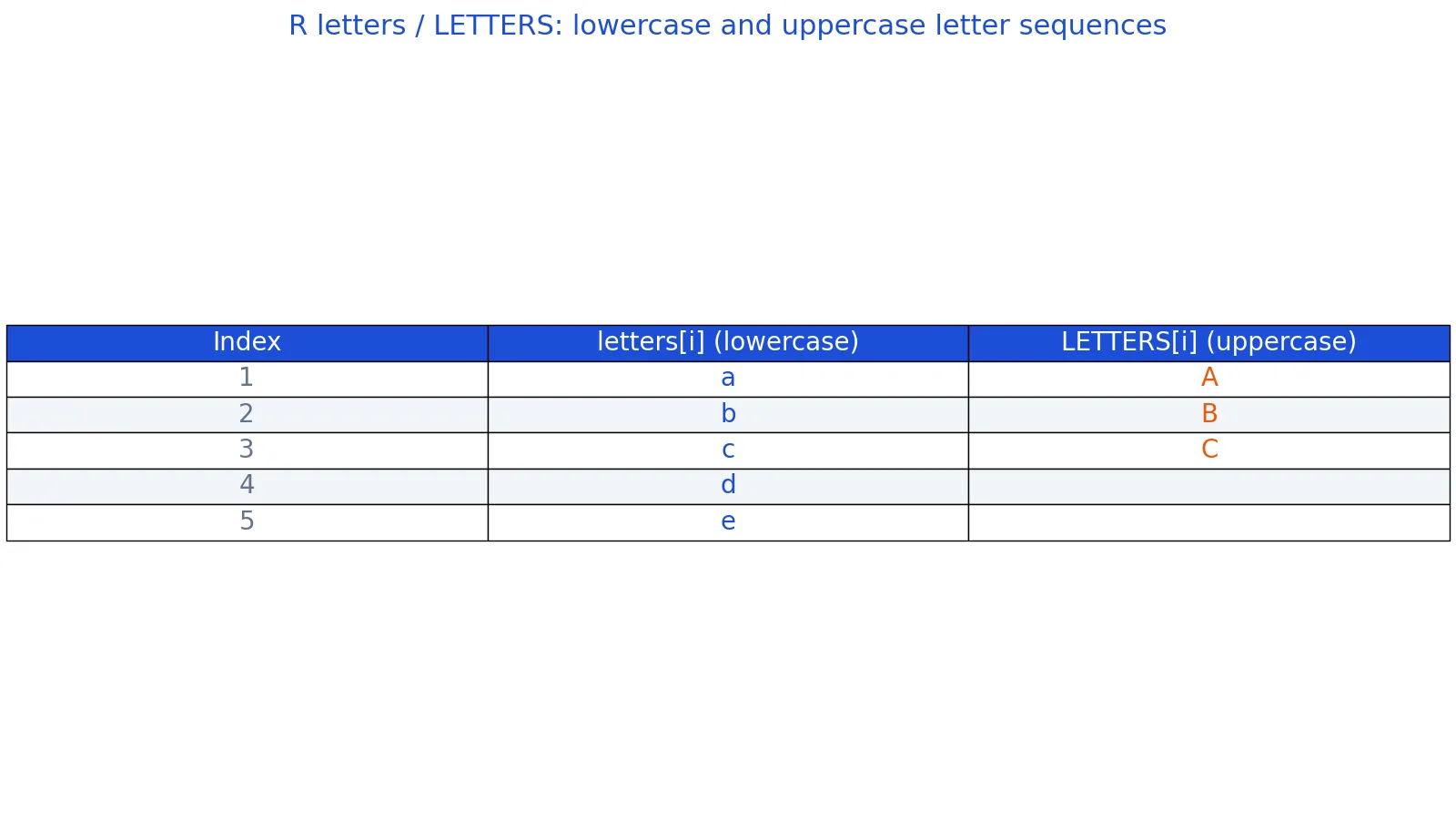
For the roster, letters[1:8] gives you "a" through "h", one label per student. The figure below summarizes the first few values of each constant.
Table of the first 5 lowercase letters (a, b, c, d, e) and first 3 uppercase letters (A, B, C) produced by R's letters and LETTERS constants.
More Examples
Label rows with letters. If your data frame has 8 rows, letters[1:8] produces "a" through "h". Assign it to a column to get a letter index.
Build a sequence of two-letter codes. Nested indexing lets you generate combinations. The expression paste0(letters[1:3], letters[1:3]) returns "aa", "bb", "cc". To get all pairs, use outer() or expand.grid() on the letters vector.
Convert letters to numbers. match("c", letters) returns 3. Applied to a vector, match(c("a", "e", "z"), letters) returns 1, 5, 26. This is the standard way to turn letter grades or letter codes into numeric positions [1].
Reverse the alphabet. rev(letters) returns "z" through "a". This is handy when you want descending labels.
Pick every other letter. letters[seq(1, 26, by = 2)] returns "a", "c", "e", and so on through "y".
Join letters into a word. paste(letters[c(8, 1, 14, 1)], collapse = "") returns "hana", matching the last student in the roster.
If you need to change the case of a string you already have, the tolower() and toupper() functions handle that, and the lowercase in R guide covers the details. If you are building the vector of letters from scratch instead of using the constant, the c() function guide explains how vectors are constructed. For reshaping a data frame before you add letter labels, see the R transform function.
Errors and How to Fix Them
letters() with parentheses. This raises Error: could not find function "letters". The fix is to drop the parentheses. letters is an object, not a function.
Indexing beyond 26. letters[27] returns NA, not an error. R does not warn you. Check length(letters) before you index with a computed value, or use letters[seq_len(n)] where n is at most 26.
Indexing with zero or negative numbers. letters[0] returns an empty character vector. letters[-1] returns all letters except "a". Both are valid R behavior, but they often signal a logic error in your index calculation.
Mixing case by accident. letters and LETTERS are different objects. If your output is lowercase when you expected uppercase, you indexed the wrong one. There is no argument to switch case on the constant itself.
Assuming locale independence. The constant is fixed at "a" through "z" regardless of your system locale. If you need locale-aware alphabetical ordering, use sort() on your own character data instead.
Common Mistakes
- Writing
letters()as a function call. Fix: useletterswith no parentheses. - Expecting
lettersto include accented or non-English characters. Fix: build your own vector withc()if you need a different alphabet. - Using
letters[1:30]on a 26-element vector. Fix: cap the index at 26, or pad withNAdeliberately. - Confusing the constant with a variable you defined. Fix: check
ls()if a local object namedlettersis shadowing the built-in. - Forgetting
collapseinpaste(). Fix:paste(letters[1:5])returns five separate strings. Addcollapse = ""to get one string. - Treating letters as numbers. Fix: use
match()to convert, since arithmetic on character vectors fails.
Limitations
letters and LETTERS cover only the 26 unaccented Latin letters. They do not include digits, punctuation, accented characters, or letters from other alphabets. If your data uses names or codes outside that set, the constant will not help you, and you need to define your own vector.
The constants are also fixed in length. Any task that needs more than 26 distinct labels, such as labeling 100 rows, requires a different scheme. You can combine letters into multi-character codes, but a single index into letters tops out at 26. For anything larger, use numbers or generate combinations.
Frequently Asked Questions
What is the difference between letters and LETTERS in R?
letters holds the 26 lowercase letters "a" through "z". LETTERS holds the 26 uppercase letters "A" through "Z". Both are predefined character vectors in base R, both have length 26, and both are indexed the same way. The only difference is case.
How do I get the first n letters of the alphabet in R?
Use letters[1:n]. For example, letters[1:5] returns "a" "b" "c" "d" "e". If n might exceed 26, guard it with letters[seq_len(min(n, 26))] so you do not get NA values.
How do I convert a letter to its position number in R?
Use match(). The call match("c", letters) returns 3, and match(c("a", "e", "z"), letters) returns 1, 5, 26. This works because match() returns the index of the first match in the lookup vector [1].
Can I change the order of letters in R?
Yes. letters is an ordinary vector, so rev(letters) reverses it and sample(letters) shuffles it. You can also subset with any index vector, such as letters[c(3, 1, 2)], which returns "c" "a" "b".
Why does letters[27] return NA instead of an error?
R returns NA when you index a vector past its length, because out-of-range positions have no value. It does not throw an error. Always check that your index stays within 1 to 26 when you compute it from data.
References
Further Reading
- Wickham H (2014). Tidy Data. Journal of Statistical Software
- Wickham H, Averick M, Bryan J et al. (2019). Welcome to the Tidyverse. Journal of Open Source Software
- An Introduction to R (R Core Team)
- Wickham H, Cetinkaya-Rundel M, Grolemund G. R for Data Science (2e)
- ggplot2 Reference