Python Modulo Operator: How to Use % and divmod
By Dr. Zubair Khalid, DVM, MS, PhD ·
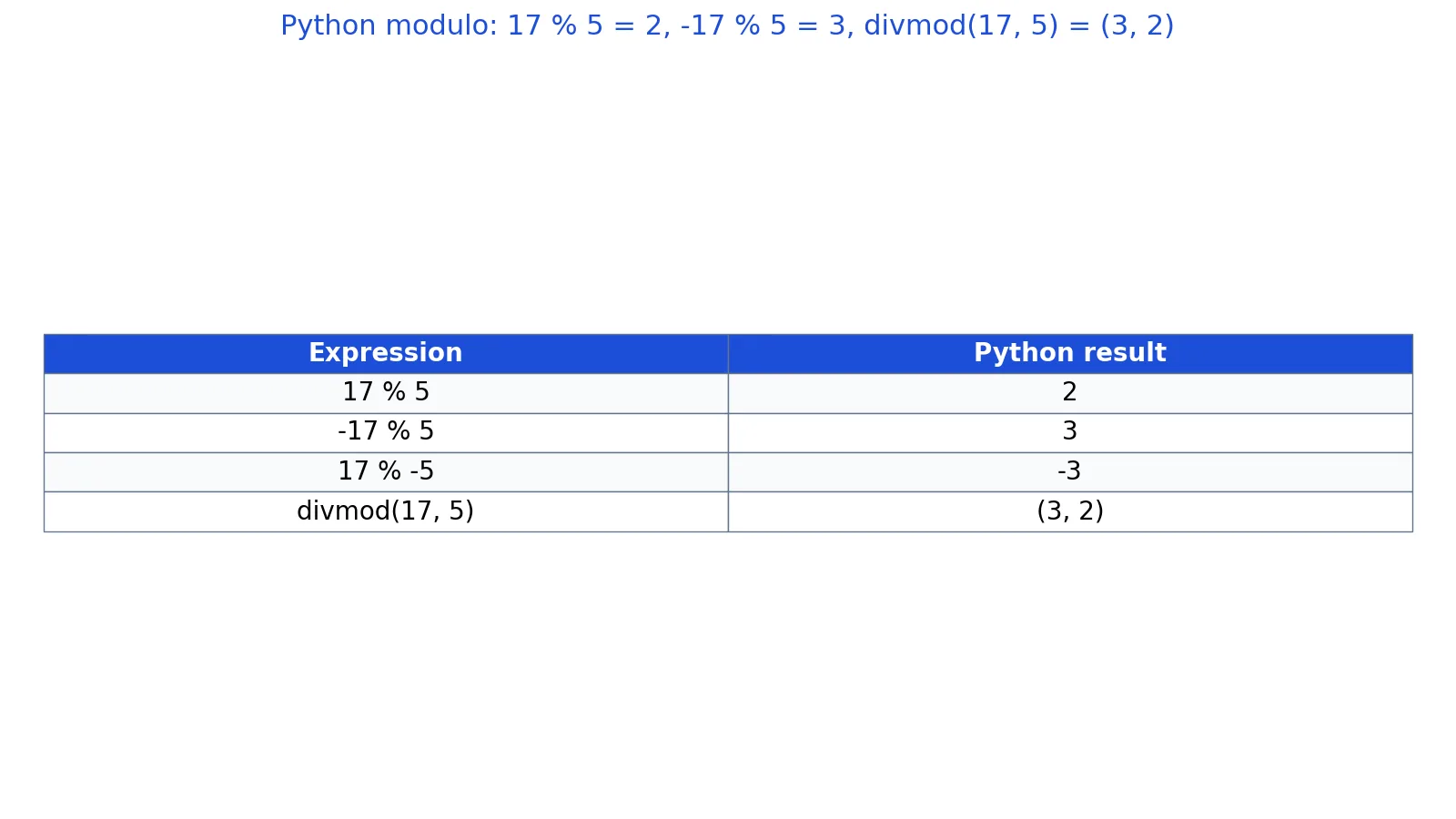
The Python modulo operator % returns the remainder after dividing one number by another. Unlike the remainder in basic arithmetic, Python's result always takes the sign of the divisor, so -17 % 5 is 3, not -2. The built-in divmod() function gives you the quotient and the remainder in one call.
Quick Answer
a % breturns the remainder ofadivided byb, and the result has the same sign asb[1].17 % 5is2,-17 % 5is3, and17 % -5is-3.divmod(a, b)returns a tuple(a // b, a % b), sodivmod(17, 5)is(3, 2).- The identity
a == (a // b) * b + (a % b)always holds for nonzerob. - Use
%for cycling, parity checks, and bucketing. Usedivmod()when you need both parts of a division.
Syntax
The modulo operator is a binary operator, not a function. You write it between two operands.
| Name | Required? | Meaning |
|---|---|---|
a | Yes | The dividend, the number being divided. Can be an int or a float. |
b | Yes | The divisor, the number you divide by. Must not be zero. |
% | Yes | The operator that returns a modulo b. |
The divmod() built-in takes the same two operands and returns a two-element tuple.
| Name | Required? | Meaning |
|---|---|---|
a | Yes | The dividend. |
b | Yes | The divisor. Must not be zero. |
| return | n/a | A tuple (quotient, remainder) where the quotient is floor division. |
How It Works
Modulo answers a simple question: after removing as many whole copies of b as possible from a, what is left over? Python defines that leftover through floor division. The quotient is a // b, which rounds toward negative infinity, and the remainder is whatever is needed to reconstruct a.
$$a = (a \mathbin{//} b) \times b + (a \bmod b)$$
That single equation explains the sign rule. Because the quotient is floored, the remainder is pushed into the range from 0 up to but not including b when b is positive, and from b up to but not including 0 when b is negative. The remainder always carries the sign of the divisor [1].
This is the same convention NumPy uses. numpy.mod computes the element-wise remainder complementary to floor_divide, and it is equivalent to the Python % operator with the same sign as the divisor [1]. NumPy's divmod is equivalent to (x // y, x % y) but faster because it avoids redundant work, and it is what implements the Python built-in divmod on arrays [2].
For floating-point numbers, % works the same way. 7.5 % 2 is 1.5. The result is a float whenever either operand is a float.
Worked Example
Take a dataset of 40 survey IDs numbered 101 through 140. You want to split them into even and odd groups using the modulo operator.
| survey_id | id % 2 | group |
|---|---|---|
| 101 | 1 | odd |
| 102 | 0 | even |
| 103 | 1 | odd |
| 104 | 0 | even |
| 105 | 1 | odd |
| 106 | 0 | even |
| 107 | 1 | odd |
| 108 | 0 | even |
| 109 | 1 | odd |
| 110 | 0 | even |
| 111 | 1 | odd |
| 112 | 0 | even |
| 113 | 1 | odd |
| 114 | 0 | even |
| 115 | 1 | odd |
| 116 | 0 | even |
| 117 | 1 | odd |
| 118 | 0 | even |
| 119 | 1 | odd |
| 120 | 0 | even |
| 121 | 1 | odd |
| 122 | 0 | even |
| 123 | 1 | odd |
| 124 | 0 | even |
| 125 | 1 | odd |
| 126 | 0 | even |
| 127 | 1 | odd |
| 128 | 0 | even |
| 129 | 1 | odd |
| 130 | 0 | even |
| 131 | 1 | odd |
| 132 | 0 | even |
| 133 | 1 | odd |
| 134 | 0 | even |
| 135 | 1 | odd |
| 136 | 0 | even |
| 137 | 1 | odd |
| 138 | 0 | even |
| 139 | 1 | odd |
| 140 | 0 | even |
Walking through the key expressions:
17 % 5 = 2. Five goes into 17 three times, leaving 2.-17 % 5 = 3. Floor division gives-4, and-4 * 5 = -20, so the remainder is3.17 % -5 = -3. Floor division gives-4, and-4 * -5 = 20, so the remainder is-3.divmod(17, 5) = (3, 2). The quotient is 3 and the remainder is 2 in one call.len(even_ids) = 20andlen(odd_ids) = 20. The 40 IDs split evenly.
print(17 % 5)        # 2
print(-17 % 5)       # 3
print(17 % -5)       # -3
print(divmod(17, 5))  # (3, 2)
ids = list(range(101, 141))
even_ids = [i for i in ids if i % 2 == 0]
odd_ids  = [i for i in ids if i % 2 == 1]
print(len(even_ids), len(odd_ids))  # 20 20
Output:
2
3
-3
(3, 2)
20 20
The even IDs are 102, 104, 106, 108, 110, 112, 114, 116, 118, 120, 122, 124, 126, 128, 130, 132, 134, 136, 138, and 140. The odd IDs are 101, 103, 105, 107, 109, 111, 113, 115, 117, 119, 121, 123, 125, 127, 129, 131, 133, 135, 137, and 139.
More Examples
Cycling through a fixed set of values. Modulo wraps an increasing counter back to the start. i % 7 maps any integer onto the range 0 through 6, which is useful for assigning rows to days of the week or colors to a chart series.
Extracting digits. 12345 % 10 is 5, the last digit. Combine with // 10 to strip digits one at a time.
Bucketing continuous values. value // 10 groups measurements into ten-unit bins, while value % 10 gives the position inside each bin. Floor division is the quick way to build a histogram key without a library.
Checking divisibility. n % 3 == 0 is true when n is a multiple of 3. This is the standard test for factors and for FizzBuzz-style logic.
Getting both parts at once. When you need the quotient and the remainder, divmod() is clearer and avoids computing the division twice. divmod(100, 7) returns (14, 2).
Working with arrays. NumPy's np.mod and np.divmod apply the same rules element-wise across whole arrays [3][2]. np.divmod(x, y) is equivalent to (x // y, x % y) but faster [2].
Errors and How to Fix Them
ZeroDivisionError: integer modulo by zero. Dividing by zero is undefined. Check the divisor before applying %, or guard the expression with a conditional.
TypeError: unsupported operand type(s) for %: 'int' and 'str'. The % operator also does string formatting, so mixing types produces confusing errors. Convert your input with int() or float() first.
ValueError: math domain error. This appears when you pass a negative value to a function that expects a non-negative one, not from % itself. Check the input range.
Unexpected negative results. If your remainder is negative and you expected a positive value, your divisor is negative. Flip the divisor's sign or take the absolute value of the result if that matches your intent.
Common Mistakes
- Assuming the remainder follows the dividend's sign. In Python it follows the divisor's sign.
-17 % 5is3, not-2. Fix: check the sign ofb, nota, when reasoning about the result. - Confusing
%with the C or Java remainder. Those languages truncate toward zero, so-17 % 5gives-2there. Fix: do not port remainder logic from C-style languages without testing. - Using
%for string formatting by accident."%d" % valueis old-style formatting. If you meant arithmetic, make sure both operands are numbers. - Forgetting that floats are involved.
5.5 % 2is1.5, and floating-point rounding can make exact comparisons unreliable. Fix: compare with a tolerance when working with floats. - Calling
divmod()and unpacking in the wrong order. The tuple is(quotient, remainder), soq, r = divmod(a, b)puts the quotient first. Fix: name your variables to match the order. - Dividing by a variable that might be zero. A divisor that comes from user input or a computed column can be zero. Fix: validate before the operation.
Limitations
Modulo tells you nothing about the magnitude of the numbers involved. 1000000 % 3 and 4 % 3 both return 1, so a remainder alone cannot distinguish a large value from a small one. If you need scale, keep the quotient or the original value alongside the remainder.
Floating-point modulo inherits the precision limits of binary floating point. Results that look exact on paper may carry tiny errors, so equality checks on float remainders can fail. For exact decimal work, use the decimal module. Also remember that % is defined only for numbers and for string formatting, so it will not behave like a general-purpose function you can pass around.
Frequently Asked Questions
What does the modulo operator do in Python?
It returns the remainder after dividing the left operand by the right operand. The result has the same sign as the divisor, which is what makes Python's behavior differ from C and Java [1]. You write it as a % b.
Why is -17 % 5 equal to 3 in Python?
Python floors the quotient toward negative infinity. -17 // 5 is -4, and -4 * 5 is -20. The remainder is the difference between -17 and -20, which is 3. The remainder always lands in the range set by the divisor's sign.
What is the difference between % and divmod()?
% returns only the remainder. divmod() returns both the floor quotient and the remainder as a tuple, so divmod(17, 5) gives (3, 2). Use divmod() when you need both values and want to avoid computing the division twice [2].
Does the modulo operator work on floats?
Yes. 7.5 % 2 returns 1.5. The same sign rule applies, and the result is a float whenever either operand is a float. Be careful with equality comparisons because of floating-point rounding.
How do I use modulo in NumPy?
Use np.mod(x1, x2) or the % operator on arrays. Both compute the element-wise remainder with the same sign as the divisor, matching Python's behavior [1][3]. For quotient and remainder together, use np.divmod(x, y), which is equivalent to (x // y, x % y) but faster [2].
References
Further Reading
- numpy.modf, NumPy v2.5 Manual
- Harris CR, Millman KJ, van der Walt SJ et al. (2020). Array programming with NumPy. Nature
- McKinney W (2010). Data Structures for Statistical Computing in Python. Proceedings of the Python in Science Conference