How to Find a Z-Score on a TI-84 (Step by Step)
By Dr. Zubair Khalid, DVM, MS, PhD ·
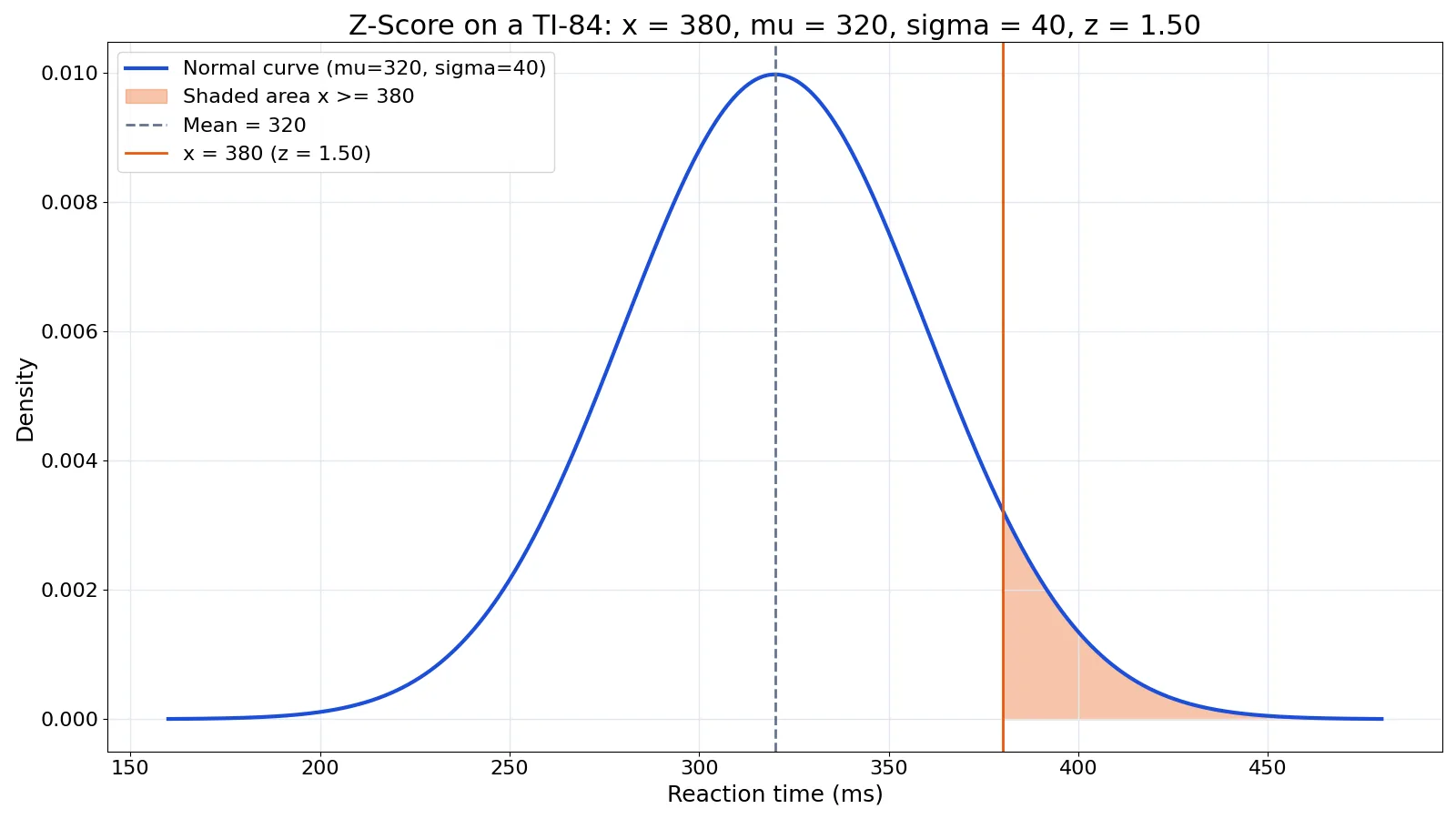
To find a z score on TI 84, you do not need a special menu. The z-score formula is $z = \dfrac{x - \mu}{\sigma}$, and the calculator handles the arithmetic once you type the values in. This guide walks through the exact keystrokes, a worked example, and the mistakes that cost people points on homework and exams.
Quick Answer
- The formula is $z = \dfrac{x - \mu}{\sigma}$, where $x$ is the raw value, $\mu$ is the mean, and $\sigma$ is the standard deviation.
- On the TI-84, press
(then type the raw value, press-, type the mean, press), press÷, type the standard deviation, then pressENTER. - There is no built-in z-score function on the TI-84. The
normalcdfcommand under2ndthenDISTRfinds areas under the curve, not z-scores [1]. - A positive z-score means the value sits above the mean. A negative z-score means it sits below the mean.
- The z-distribution always has a mean of 0 and a standard deviation of 1, so a z-score is already on that scale [2][3].
Before You Start
You need three numbers before you touch the calculator.
The raw value $x$ is the single measurement you are converting. The mean $\mu$ is the average of the distribution your value belongs to. The standard deviation $\sigma$ is the spread of that same distribution.
Check that the mean and standard deviation describe the same group as your raw value. If your value comes from one class and the mean comes from another, the z-score is meaningless.
Also check the sign on the standard deviation. It must be positive. A standard deviation of zero or a negative number means something went wrong upstream, and the division will fail or mislead you.
One more thing. The TI-84 stores answers to more decimal places than it shows. If you plan to use the z-score in a later calculation, keep the full value in the calculator rather than retyping a rounded version.
Step by Step
- Turn on the calculator and press
CLEARto empty the home screen. - Press
(to open a parenthesis. - Type the raw value $x$. For a value of 380, type
380. - Press
-for subtraction. - Type the mean $\mu$. For a mean of 320, type
320. - Press
)to close the parenthesis. The screen should read(380-320). - Press
÷for division. - Type the standard deviation $\sigma$. For a standard deviation of 40, type
40. - Press
ENTER. The screen shows1.5.
That is the whole process. The parentheses matter because the calculator follows order of operations. Without them, typing 380-320÷40 gives 372, which is wrong.
If you want to keep the result for later, press STO→ and then a letter such as Z, then press ENTER. You can then type Z anywhere in a later calculation.
Worked Example
The dataset below comes from a lab session with 12 reaction time trials measured in milliseconds.
| trial | reaction_time_ms |
|---|---|
| 1 | 280 |
| 2 | 295 |
| 3 | 305 |
| 4 | 310 |
| 5 | 315 |
| 6 | 320 |
| 7 | 325 |
| 8 | 330 |
| 9 | 340 |
| 10 | 355 |
| 11 | 370 |
| 12 | 380 |
Suppose the distribution you are comparing against has a mean of 320 ms and a standard deviation of 40 ms. You want the z-score for the slowest trial, 380 ms.
| Step | Work | Result |
|---|---|---|
| Identify the raw value | $x$ | 380 ms |
| Identify the mean | $\mu$ | 320 ms |
| Identify the standard deviation | $\sigma$ | 40 ms |
| Subtract the mean | $380 - 320$ | 60 |
| Divide by the standard deviation | $60 \div 40$ | 1.5000 |
| Interpret | 1.5000 standard deviations above the mean | $z = 1.5000$ |
On the TI-84 you would type (380-320)/40 and press ENTER. The display shows 1.5.
The same arithmetic in code:
z = (380 - 320) / 40
print(z)  # 1.5000
Output:
1.5000A z-score of 1.5000 means that trial is 1.5 standard deviations slower than the mean. If you want to skip the manual entry and check your work, the Z-Score Calculator does the same division for any value, mean and standard deviation.
Other Ways to Do It
The home screen formula is the fastest route, but the TI-84 has a few other paths.
You can store the three values as variables first. Type 380 then STO→ then X, press ENTER. Repeat for the mean and standard deviation using M and S. Then type (X-M)/S and press ENTER. This is handy when you have several values to convert against the same mean and standard deviation.
You can also use a list. Press STAT, choose 1: Edit, and enter your raw values in L1. Then move to the L2 header, type (L1-320)/40, and press ENTER. The calculator fills L2 with the z-score for every value in L1 at once. This is the fastest option when you have a full column of data.
If you are working in a spreadsheet instead, the same formula applies. In Excel, with the raw value in A1, the mean in B1, and the standard deviation in C1, the formula =(A1-B1)/C1 returns the z-score. In R or Python, (380 - 320) / 40 gives the same result.
One caution about the DISTR menu. The normalcdf command finds the area under a normal curve between two bounds, and it takes lower, upper, mean and standard deviation as its arguments [1]. It does not return a z-score. Students often open that menu expecting a z-score function and get confused when the output is a probability between 0 and 1.
Troubleshooting
If the answer looks wildly off, check the parentheses first. Missing parentheses are the most common cause of a wrong result.
If you get a ERR: DIVIDE BY 0 message, your standard deviation is zero. That means every value in your set is identical, so the z-score is undefined.
If the screen shows a fraction instead of a decimal, press MATH, choose 2: ►Dec, and press ENTER to convert the answer to a decimal. The TI-84 sometimes returns exact fractions when the division comes out clean.
If you typed a negative standard deviation, fix the sign. Standard deviations are never negative.
If the display shows something like 1.5E0, that is scientific notation for 1.5. It is not an error.
Common Mistakes
- Forgetting the parentheses. Typing
380-320/40gives 372 because the calculator divides first. Fix: always wrap the subtraction in parentheses,(380-320)/40. - Swapping the mean and the raw value. Typing
(320-380)/40gives -1.5 instead of 1.5. Fix: subtract the mean from the raw value, not the other way around. - Using the sample standard deviation when the problem gives the population value. These are different numbers. Fix: read the problem and use the standard deviation it states.
- Dividing by the mean instead of the standard deviation. Fix: the denominator is always $\sigma$, the spread.
- Rounding too early. If you round the z-score to 1.5 and then use it in a later step, small errors compound. Fix: keep the full value in the calculator or store it in a variable.
- Confusing a z-score with a probability. A z-score of 1.5 is not a 1.5% chance of anything. Fix: if you need a probability, use
normalcdfwith the correct bounds [1].
Limitations
The z-score formula only makes sense when the underlying distribution is roughly normal, or when you are standardizing values for comparison. If the data are heavily skewed or have extreme outliers, a z-score can still be computed, but the usual interpretation about how common or rare a value is breaks down.
The formula also assumes you know the true mean and standard deviation of the population. In practice you often have a sample mean and sample standard deviation instead. That substitution changes the meaning of the result, and for small samples the standardized value follows a t-distribution, not a standard normal distribution. The TI-84 will still do the division, but the number you get is not a true z-score in that setting.
Finally, a z-score tells you position relative to a mean. It says nothing about whether the value is good, bad, or unusual in any practical sense. That judgment depends on the context, not the number.
Frequently Asked Questions
Is there a z-score button on the TI-84?
No. The TI-84 has no dedicated z-score function. You compute it with the formula $z = \dfrac{x - \mu}{\sigma}$ on the home screen. The DISTR menu contains normal distribution tools such as normalcdf, but those return areas, not z-scores [1].
How do I find a z score on TI 84 for a whole list of values?
Enter your raw values in L1 using STAT then 1: Edit. Move to the L2 header and type (L1-mean)/sd, substituting your actual mean and standard deviation. Press ENTER and the calculator fills L2 with the z-score for every value.
What does a negative z-score mean?
A negative z-score means the raw value is below the mean. The size of the number tells you how far below, measured in standard deviations. A z-score of -2 means the value sits two standard deviations under the mean.
Can I use the TI-84 to go from a z-score back to a raw value?
Yes. Rearrange the formula to $x = \mu + z\sigma$. Multiply the z-score by the standard deviation, then add the mean. On the calculator, type the z-score, press ×, type the standard deviation, press +, type the mean, and press ENTER.
Why does my z-score look different from my friend's?
You are probably using different means or standard deviations. A z-score depends entirely on the mean and standard deviation you divide by. If one of you used the sample standard deviation and the other used the population value, the answers will differ. Check that you both pulled the same three numbers from the same problem.
References
- Finding Probability - Statistics Resources - LibGuides at National University
- 6.2: Using the Normal Distribution - Statistics LibreTexts/06%3A_The_Normal_Distribution/6.02%3A_Using_the_Normal_Distribution)
- 7.2: Using the Normal Distribution - Mathematics LibreTexts/07%3A_The_Normal_Distribution/7.03%3A_Using_the_Normal_Distribution)
Further Reading
- 6.1: Normal Distributions - K12 LibreTexts
- NIST/SEMATECH e-Handbook of Statistical Methods
- OpenStax. Introductory Statistics 2e