How to Download Gene Sequences in Bulk from NCBI Gene
By Dr. Zubair Khalid, DVM, MS, PhD ·

By the end of this guide you will be able to pull thousands of gene records, their genomic, mRNA, and protein sequences in FASTA format, clean metadata tables, and complete ortholog sets out of NCBI Gene with a handful of commands. You will do it through four routes that cover every realistic need: the NCBI Datasets command-line tool, the E-utilities API, Entrez Direct shell pipes, and the raw FTP files behind the Gene database. You will also be able to validate what you downloaded and fix the errors that show up most often.
What to have on hand before you start:
- A Mac or Linux shell. On Windows, install WSL2 or Git Bash, because every command below assumes a POSIX shell.
- curl and unzip, both preinstalled on macOS and nearly every Linux distribution.
- Python 3, for one short validation script.
- Optionally, a free NCBI account so you can create an API key.
- Disk space. Single-gene packages are kilobytes. The human reference transcriptome and proteome together are a few hundred megabytes. The full gene2refseq file runs to gigabytes.
Every NCBI gene bulk download reduces to the same two moves. First you ask the Gene database for a set of GeneIDs. Then you resolve those IDs into the records and sequences you actually want. The six steps below follow that order, and you can run them top to bottom on a fresh machine.
What NCBI Gene Contains, and What It Does Not
If you are still learning how to use NCBI, start with one idea: Entrez is the front door. Entrez is the unified search system that ties the NCBI databases together, and each database has a short name you will use in every API call. PubMed holds the literature. Nucleotide and Protein hold sequences. SRA and GEO hold raw sequencing and expression data. Gene is the gene-level index that connects all of the above. Treat this section as a compact NCBI databases guide for the corner you need today.
Each entry in the Gene database carries a GeneID, a stable integer identifier such as 672 for human BRCA1. A gene symbol is the short name researchers type, like BRCA1 or brca1. Symbols change, get reused across species, and vary in case. GeneIDs do not. That distinction drives most of the advice in this article.
A Gene record itself holds metadata: the official symbol and name, aliases, chromosome and map position, gene type (protein-coding, pseudogene, non-coding RNA), RefSeq status, and links out to sequences, publications, pathways, and orthologs. RefSeq is NCBI's curated, non-redundant reference sequence set, with accessions such as NM_007294.4 for a human mRNA and NP_009225.1 for the corresponding protein.
The sequences are not stored inside Gene. They live in the Nucleotide and Protein databases and in assembly files, and Gene links to them. This is the single most useful fact for bulk work: you either resolve those links yourself with a script, or you use a tool that does it for you.
Sequences travel in FASTA format. A FASTA file is plain text in which each record starts with a header line beginning with >, followed by the sequence itself wrapped across lines. One gene can have several records: a genomic region, multiple mRNA isoforms, and one or more proteins.
GeneIDs are stable enough to serve as the join key for large-scale text mining. Published normalization pipelines map gene mentions in biomedical text to unique database records, and one such resource linked 40 million biomolecular events, involving 76 million gene and protein mentions, across 21.9 million PubMed abstracts and 460,000 open-access full-text articles [1]. When infrastructure that large relies on GeneIDs, you can build your own download scripts on the same backbone.
Four Routes for an NCBI Gene Bulk Download
| Route | Tools | Best for | What you get |
|---|---|---|---|
| A. Datasets CLI | datasets, dataformat | Gene sets by ID, symbol, or ortholog | Zip with JSON metadata plus rna.fna, protein.faa, cds.fna |
| B. E-utilities | esearch, epost, efetch | Custom Entrez queries at any scale | FASTA, gene tables, XML you script yourself |
| C. Entrez Direct | esearch and efetch pipes | Quick shell one-liners | Same output as B with less plumbing |
| D. Gene FTP | curl or wget | Whole-database and per-taxon metadata | Flat files: gene_info, gene2refseq, gene_orthologs |
| Web fallback | Batch Entrez, Send to File | One-off lists from a spreadsheet | FASTA or tabular files, no code |
Pick route A unless you have a reason not to. Use B or C when your query needs Entrez field tags the Datasets tool cannot express. Use D when you want everything at once and would rather filter locally. Use Batch Entrez when the list lives in Excel and the job is a one-off.
Step 1. Install the Tools and Set Up an API Key
Confirm what you already have, then install the two command-line packages this guide uses.
# confirm what is already installed
curl --version
python3 --version

# Datasets CLI and dataformat, via conda
conda install -c bioconda ncbi-datasets-cli

# Entrez Direct
sh -c "$(curl -fsSL https://ftp.ncbi.nlm.nih.gov/entrez/entrezdirect/install-edirect.sh)"
export PATH="$HOME/edirect:$PATH"
If you do not use conda, the NCBI Datasets documentation links static binaries for Linux, macOS, and Windows. Drop the datasets and dataformat executables somewhere on your PATH.
Next, get an API key. Sign in to NCBI, open your account settings page at https://www.ncbi.nlm.nih.gov/account/settings/, and find API Key Management. Create a key and export it:
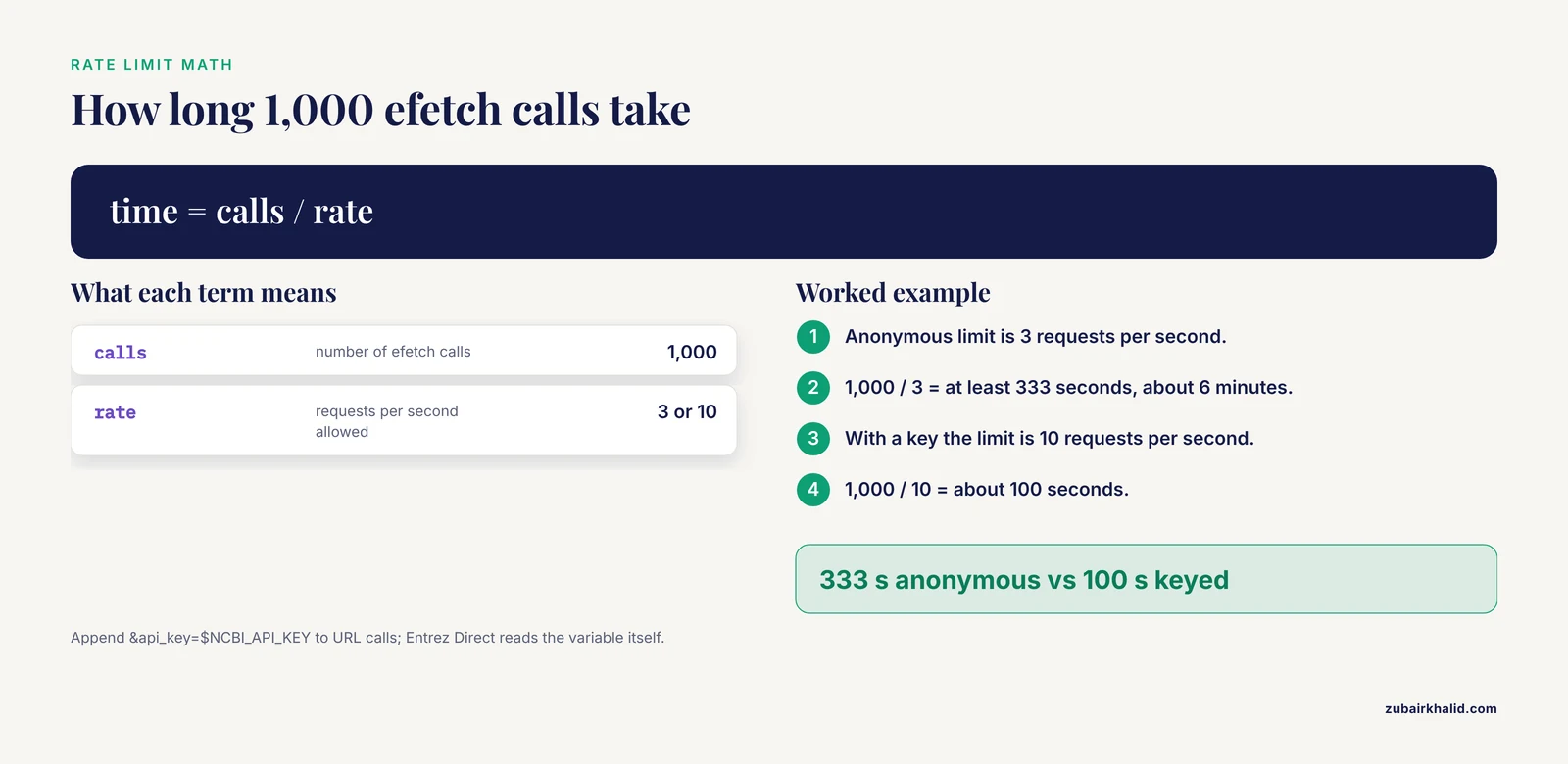
export NCBI_API_KEY="paste_your_key_here"The key matters because E-utilities enforce a rate limit of 3 requests per second for anonymous users and 10 requests per second with a valid key. The math adds up fast on big jobs. A download that needs 1,000 efetch calls takes at least 333 seconds (about 6 minutes) at the anonymous limit and about 100 seconds at the keyed limit. Append the key to URL-based calls with &api_key=$NCBI_API_KEY. Entrez Direct picks up the NCBI_API_KEY environment variable on its own.
Step 2. Preview the Data Before You Download
A preview costs a few kilobytes and saves hours. Before any bulk download, summarize the set:
datasets summary gene gene-id 672Expected output (abbreviated):
{
  "reports": [
    {
      "gene": {
        "gene_id": 672,
        "symbol": "BRCA1",
        "description": "BRCA1 DNA repair associated",
        "chromosomes": ["17"],
        "tax_id": 9606,
        "gene_type": "protein-coding"
      }
    }
  ]
}
Check three things before you commit to the download: the organism (tax_id 9606 is human), the chromosome, and the gene type. If any of those is off, your query is broader or different from what you intended.
Step 3. Download Ready-Made Gene Packages with the Datasets Tool
This is the recommended route for most NCBI gene bulk download jobs, because the sequences come bundled with the metadata.
3.1 Download by GeneID
datasets download gene gene-id 672 --filename brca1.zipFor several genes, list the IDs:
datasets download gene gene-id 672,675 --filename brca1_brca2.zip3.2 Download by symbol
datasets download gene symbol BRCA1 --taxon "Homo sapiens" --filename brca1_human.zipThe -taxon flag is not decoration. BRCA1 matches records in human, mouse, rat, and dozens of other species, so a symbol without a taxon pulls an ambiguous set.
3.3 Unpack and inspect
unzip brca1.zip -d brca1
ls brca1/ncbi_dataset/data
Expected listing:
cds.fna
dataset_catalog.json
gene.ncbi_dataset.json
protein.faa
rna.fna
The three FASTA files hold the coding sequences, the transcripts, and the translation products. The JSON files carry the full structured metadata. This bundling is why the Datasets route is the default answer for bulk work: you get sequences already split by type, with no accession resolution on your side.
3.4 Convert the metadata to a table
dataformat tsv gene --inputfile brca1.zip --fields gene-id,symbol,chromosomes,tax-id --output brca1.tsv
column -t -s $'\t' brca1.tsv
Expected output:
#gene-id  symbol  chromosomes  tax-id
672       BRCA1   17           9606
Run dataformat fields gene first to list every available field, then request only the columns your analysis needs.
3.5 Whole organism in one call
datasets download genome taxon human --reference --include genome,rna,protein --filename human_refseq.zipThe -reference flag restricts the download to the reference assembly, and -include selects which file types come along. The package nests files under a folder named for the assembly accession, such as GCF_000001405 for the human reference. This is the correct way to get every transcript and protein for an organism. Downloading genes one at a time for that goal is the classic beginner mistake, and it is far slower.
3.6 Ortholog sets
datasets download gene ortholog 672 --filename brca1_orthologs.zipNCBI Orthologs computes these sets inside the RefSeq framework by combining protein similarity, nucleotide alignment, and microsynteny, and it serves the results through the Gene database and the Datasets interface on the web, the command line, and an API [2]. The zip contains the ortholog metadata in the same JSON-and-TSV style as the gene packages above.
Step 4. Build Custom Bulk Queries with E-utilities
E-utilities are plain HTTPS calls, so curl is enough. Three endpoints do the work: esearch runs a query, epost uploads a list of IDs, and efetch returns records. The base URL for all three is https://eutils.ncbi.nlm.nih.gov/entrez/eutils/.
4.1 Search and store the result
curl -s "https://eutils.ncbi.nlm.nih.gov/entrez/eutils/esearch.fcgi?db=gene&term=BRCA1[gene]+AND+Homo+sapiens[orgn]&retmax=100000&usehistory=y"Expected output (abbreviated):
<eSearchResult>
  <Count>1</Count>
  <RetMax>1</RetMax>
  <RetStart>0</RetStart>
  <IdList>
    <Id>672</Id>
  </IdList>
  <QueryKey>1</QueryKey>
  <WebEnv>MCID_5f6d7a8b9c0d1e2f3a4b5c6d7e</WebEnv>
</eSearchResult>
Read it like this. Count is the number of matching records. usehistory=y tells the server to store the result set so you can fetch from it without repeating the search. WebEnv is the session token for that stored set, and QueryKey points to it. retmax caps how many IDs come back per page, up to a documented maximum of 100,000, and retstart pages beyond that. If you prefer JSON, add &retmode=json and parse with jq.
4.2 Capture WebEnv and query_key
URL="https://eutils.ncbi.nlm.nih.gov/entrez/eutils/esearch.fcgi?db=gene&term=BRCA1[gene]+AND+Homo+sapiens[orgn]&retmax=100000&usehistory=y"
RESPONSE=$(curl -s "$URL")
WEBENV=$(echo "$RESPONSE" | grep -o '<WebEnv>[^<]*' | cut -d'>' -f2)
QKEY=$(echo "$RESPONSE" | grep -o '<QueryKey>[^<]*' | cut -d'>' -f2)
echo "$WEBENV" "$QKEY"
4.3 Fetch sequences or tables
curl -s "https://eutils.ncbi.nlm.nih.gov/entrez/eutils/efetch.fcgi?db=gene&WebEnv=$WEBENV&query_key=$QKEY&rettype=fasta&retmode=text" > brca1_genomic.fa
head -1 brca1_genomic.fa
Expected defline (the sequence rows follow beneath it in the file):
>NC_000017.11:c43044295..43270102 Homo sapiens chromosome 17 ...The defline carries the accession, the coordinates on the chromosome, and the assembly description. Note what this output is: the genomic region of the gene. For transcripts and proteins, resolve the RefSeq accessions first and fetch from the nucleotide and protein databases, as shown in Step 6.
For metadata instead of sequence, switch the rettype:
curl -s "https://eutils.ncbi.nlm.nih.gov/entrez/eutils/efetch.fcgi?db=gene&WebEnv=$WEBENV&query_key=$QKEY&rettype=gene_table&retmode=text" > brca1_table.txt4.4 Small explicit lists skip the search
If you already know the accessions, efetch takes them directly:
curl -s "https://eutils.ncbi.nlm.nih.gov/entrez/eutils/efetch.fcgi?db=nucleotide&id=NM_007294.4,NM_000059.4&rettype=fasta&retmode=text" | head -1Expected defline:
>NM_007294.4 Homo sapiens BRCA1 DNA repair associated (BRCA1), transcript variant 1, mRNA4.5 Large lists go through epost
Long id= lists run into URL length limits. epost sends the list by HTTP POST instead, which sidesteps the problem:
curl -s "https://eutils.ncbi.nlm.nih.gov/entrez/eutils/epost.fcgi?db=nucleotide" --data "id=NM_007294.4,NM_000059.4" > post.xml
cat post.xml
Expected output:
<ePostResult>
  <QueryKey>1</QueryKey>
  <WebEnv>MCID_5f6d7a8b9c0d1e2f3a4b5c6d7e</WebEnv>
</ePostResult>
Then fetch from that WebEnv exactly as in 4.3, with db=nucleotide. For lists beyond a few thousand IDs, split the epost calls into chunks and fetch chunk by chunk.
4.6 Parameters that matter
| Parameter | Endpoint | What it does | Values to know |
|---|---|---|---|
| db | all | Target database | gene, nucleotide, protein |
| term | esearch | Entrez query string | BRCA1[gene] AND Homo sapiens[orgn] |
| retmax | esearch | IDs returned per page | up to 100,000 |
| retstart | esearch | Offset into the result set | page through big sets |
| usehistory | esearch | Stores results server-side | y |
| WebEnv, query_key | efetch, epost | Pointer to stored results | from esearch or epost |
| rettype | efetch | Output format | fasta, gene_table |
| retmode | efetch | Rendering | text |
| id | efetch, epost | Explicit UID or accession list | comma separated |
4.7 Two errors you will hit
curl: (3) bad range in URL. Cause: you passed the URL without quotes, so curl read the [gene] field tag as a glob range. Fix: wrap the whole URL in double quotes, or add -g to disable curl's URL globbing.
HTTP 429 responses. Cause: you exceeded 3 requests per second without a key. Fix: put sleep 0.4 between calls inside loops, or sleep 0.15 with an API key, and back off when you see the status.
An empty output file usually means the WebEnv came from a different database than the one in your efetch call, or the token expired between steps. Re-run the search and the fetch in one session.
Step 5. Chain Searches and Fetches with Entrez Direct
Entrez Direct wraps the same E-utilities in Unix-style commands that pipe together, which removes the WebEnv plumbing from your scripts.
esearch -db gene -query "BRCA1[gene] AND Homo sapiens[orgn]" | efetch -format=fasta > brca1_genomic.fa
esearch -db gene -query "BRCA1[gene] AND Homo sapiens[orgn]" | efetch -format=gene_table > brca1_table.txt
Swap in any query you can build on the NCBI website, because the website search box uses the same Entrez syntax. If a pipe fails with command not found: efetch, your PATH does not include the install directory. Re-run export PATH="$HOME/edirect:$PATH" and add it to your shell profile so it survives new terminals.
Step 6. Pull Whole-Database Files from the Gene FTP Site
For metadata at scale, the fastest route is the flat files at https://ftp.ncbi.nlm.nih.gov/gene/DATA/. The ones you will actually use:
- gene_info.gz: one row per gene across all organisms, with tax_id, GeneID, Symbol, chromosome, description, and gene type.
- GENE_INFO/<group>/<species>.gene_info.gz: the same table for one species, for example Mammalia/Homo_sapiens.gene_info.gz.
- gene2refseq.gz: maps every GeneID to its RefSeq RNA, protein, and genomic accessions with coordinates.
- gene2go.gz: GeneID to Gene Ontology terms.
- gene2pubmed.gz: GeneID to PubMed identifiers.
- gene_orthologs.gz: pairwise ortholog relationships in a flat file, the same relationships NCBI Orthologs serves through Gene and Datasets [2].
- gene_history.gz: maps retired GeneIDs to their current replacements.
Download what you need:
curl -O https://ftp.ncbi.nlm.nih.gov/gene/DATA/GENE_INFO/Mammalia/Homo_sapiens.gene_info.gz
wget -c https://ftp.ncbi.nlm.nih.gov/gene/DATA/gene2refseq.gz
wget -c resumes an interrupted download instead of starting over, which matters on files this size. gene2refseq.gz is one of the largest files in the directory, so grab it only when you need accessions.
Here is the full worked pipeline for a symbol-driven bulk download: every human gene whose symbol starts with BRCA, resolved to mRNA FASTA.
# 1. GeneIDs from the per-taxon gene_info file (column 3 is the symbol)
zcat Homo_sapiens.gene_info.gz | awk -F'\t' '$3 ~ /^BRCA/ {print $2}' > brca_ids.txt
wc -l brca_ids.txt
Expect a small list: BRCA1, BRCA2, and a handful of related symbols and pseudogenes.
# 2. RefSeq mRNA accessions from gene2refseq (column 4 is the RNA accession)
zcat gene2refseq.gz | awk -F'\t' '
  NR == FNR { ids[$1]
              next }
  $1 == 9606 && ($2 in ids) && $4 != "-" { print $4 }
' brca_ids.txt - | sort -u > brca_mrna_accs.txt
head -2 brca_mrna_accs.txt
Expected output:
NM_007294.4
NM_007297.4
gene2refseq has one row per transcript, so a gene with several isoforms contributes several accessions.
# 3. Post the accessions, then fetch FASTA from the stored set
curl -s "https://eutils.ncbi.nlm.nih.gov/entrez/eutils/epost.fcgi?db=nucleotide" \
     --data "id=$(paste -sd, brca_mrna_accs.txt)" > post.xml
WEBENV=$(grep -o '<WebEnv>[^<]*' post.xml | cut -d'>' -f2)
curl -s "https://eutils.ncbi.nlm.nih.gov/entrez/eutils/efetch.fcgi?db=nucleotide&WebEnv=$WEBENV&query_key=1&rettype=fasta&retmode=text" > brca_mrna.fa
grep -c '^>' brca_mrna.fa
The record count should match your accession count. If it differs by a row or two, an accession was probably suppressed or replaced between your gene2refseq download and the fetch. gene_history.gz helps you trace those cases. This hybrid pattern, FTP files for metadata and E-utilities for the sequences you actually need, scales to organisms with tens of thousands of transcripts without hammering the API.
How to Verify a Bulk Download
Count the records and compare against your input:
grep -c '^>' brca_mrna.fa
wc -l < brca_mrna_accs.txt
The two numbers should match, or differ only by records that were suppressed in the interval between downloads. Spot-check one record against the web interface: open https://www.ncbi.nlm.nih.gov/gene/672 and confirm the symbol, chromosome, and description match the row in your TSV.
Then run a structural validation. This script counts records, flags empty ones, and reports the range of sequence lengths:
records = 0
empty = 0
lengths = []
current = 0
with open("brca_mrna.fa") as fh:
    for line in fh:
        if line.startswith(">"):
            records += 1
            if records > 1:
                lengths.append(current)
                if current == 0:
                    empty += 1
            current = 0
        else:
            current += len(line.strip())
lengths.append(current)
print("records:", records)
print("empty records:", empty)
print("length range:", min(lengths), "to", max(lengths))
Empty records or a length of zero point to a truncated download. Re-run the fetch for the affected chunk rather than the whole job.
Finally, record provenance so the download is reproducible:
date -u > download_manifest.txt
sha256sum brca_mrna.fa >> download_manifest.txt
macOS uses shasum -a 256 in place of sha256sum. Keep the manifest next to the data, along with the exact commands you ran.
From here, sensible next steps depend on the project. Ortholog sets from Step 3.6 feed comparative analyses across species. If the sequences feed an expression project, published end-to-end protocols start from NCBI GEO and SRA downloads with SRA Toolkit, then move through FastQC, Trimmomatic, and HISAT2 or BWA alignment, feature counting, normalization to TPM, and differential expression analysis [3].
Common Mistakes and Limitations
- Treating Gene as a sequence database. Gene records are metadata and links. If your FASTA comes back as genomic DNA when you wanted mRNA, that is why. Use the Datasets gene package, which includes rna.fna and protein.faa, or resolve accessions through gene2refseq and fetch from nucleotide and protein.
- Searching symbols without a taxon. BRCA1 matches records in many species, and symbols are not unique keys. Text-mining normalization work handles this exact problem by mapping mentions to GeneIDs at several levels of granularity, from canonical symbols to unique genes and broader gene families [1]. Always pair a symbol with
-taxonorHomo sapiens[orgn].
- Passing unquoted URLs to curl. The field tag
[gene]triggers curl's URL globbing and fails withcurl: (3) bad range in URL. Quote the URL or use-g.
- Ignoring rate limits. Anonymous traffic is capped at 3 requests per second and keyed traffic at 10. Exceed the cap and you get HTTP 429 responses or a temporary block. Sleep between requests inside every loop.
- Re-querying instead of reusing WebEnv. Re-running esearch for every page wastes quota and can return inconsistent sets if the database updates mid-job. Use
usehistory=yand epost.
- Assuming one-to-one orthologs. NCBI Orthologs arrives at high-confidence one-to-one calls through a decision tree, and many anchor genes have more than one ortholog in another species [2]. Count the rows in your ortholog file before you assume one row per gene.
- Using unversioned accessions in pipelines. NM_007294 without a version resolves to whatever is current when you run the job. Pin NM_007294.4 for reproducibility and record the download date.
- Downloading gene2refseq.gz when you only need one species. The file covers every organism and is one of the largest in the directory. Use the per-taxon gene_info files for metadata jobs and reach for gene2refseq only when you need accessions.
- Forgetting that RefSeq moves. Annotations get updated, assemblies get new versions, and transcripts get retired. gene_history.gz maps retired GeneIDs to current ones. Re-run downloads immediately before analyses that need to match, not months apart.
- Building huge GET requests. Very long
id=lists get cut off by URL length limits and produce silently incomplete output. Use epost, which sends the list by POST, or chunk the list.
Tips for Faster, Cleaner Bulk Downloads
- Run
datasets summarybefore every download. It costs kilobytes and catches wrong-organism mistakes before they become wrong-dataset mistakes. - Trim packages with
-include. If you only need translation products,-include proteinkeeps the zip small. - Work with GeneIDs, keep symbols for display. Every join, filter, and merge in your pipeline should key on the stable integer.
- Produce analysis-ready tables with
dataformatinstead of parsing JSON ad hoc. Your future self will thank you when the script runs again. - Resume large FTP files with
wget -crather than restarting from zero after a dropped connection. - Log provenance for every download: command, date, URL, and checksum. This is the difference between a reproducible dataset and a mystery file.
- Script the whole pipeline end to end, search to post to fetch to validation, so a rerun produces an identical result.
- Keep request chunks modest and sleep between them, even with an API key. Polite scripts do not get blocked.
Frequently Asked Questions
Is NCBI Gene a sequence database?
No. Gene is a metadata and linking database. The sequences live in the Nucleotide, Protein, and assembly records that Gene points to, and every tool in this guide exists to resolve those links for you.
Do I need an API key for an NCBI gene bulk download?
No, but you are capped at 3 requests per second without one. A free API key raises the ceiling to 10 requests per second, which cuts a long scripted download to about a third of the runtime.
Why did my FASTA come back as genomic DNA instead of mRNA?
Because FASTA output for the gene database returns the gene's genomic region. For transcripts and proteins, use the Datasets gene package, which includes rna.fna and protein.faa, or resolve the RefSeq accessions and fetch them from the nucleotide and protein databases.
What is the fastest way to download all genes for one organism?
Use the Datasets genome package with -reference and -include rna,protein. That pulls every transcript and protein for the reference assembly in one request instead of one request per gene.
How do I download orthologs in bulk?
Run datasets download gene ortholog with a GeneID, or take gene_orthologs.gz from the Gene FTP site. Both give you NCBI's ortholog relationships, one anchor gene at a time or all pairs at once.
Can I paste gene symbols from Excel and get sequences?
Yes, through Batch Entrez at https://www.ncbi.nlm.nih.gov/sites/batchentrez, but convert symbols to GeneIDs first. Symbols repeat across species and change over time, so a symbol-only list is the most common source of silent, wrong-record errors.
How large can my request list be?
An esearch call returns up to 100,000 IDs per page. For bigger jobs, store the search with usehistory or epost and page through it, or skip the API and use the FTP files.
Why do my results differ from a download my colleague made last year?
RefSeq annotations and assemblies get updated, transcripts get retired, and unversioned accessions resolve to whatever is current. Pin versioned accessions, keep gene_history.gz for retired GeneIDs, and record the date of every download.