How to Compress and Archive a Bioinformatics Project Directory
By Dr. Zubair Khalid, DVM, MS, PhD ·
By the end of this guide you will be able to take a finished bioinformatics project directory, strip out the huge regenerable files, capture your software environment and workflow code, compress the whole thing into a single verifiable archive file, generate a checksum that proves the archive has not been corrupted, and store it in a way that survives years of disk and server churn. Every step uses standard Linux commands available on any HPC login node, WSL instance, or laptop running Ubuntu, Debian, Rocky, or macOS with GNU coreutils installed.
To follow along you need the following already on hand:
- A shell session (bash or zsh) on a Linux machine
- GNU
tarversion 1.30 or newer (check withtar, version, which reports something liketar (GNU tar) 1.34) gzip(preinstalled everywhere), and optionallypigzfor parallel compression andzstdfor faster, stronger compression (sudo apt install pigz zstdon Debian and Ubuntu,sudo dnf install pigz zstdon Rocky and Fedora)- Read and write access to the project directory and to wherever the archive will land (a scratch mount, an institutional server, or external media)
- Enough free space for the archive itself, which you will estimate in step 1
The workflow below treats archiving as more than a file-size problem. A bioinformatics project that only lives on a lab server is not archived at all. Raw sequencing reads belong in a public nucleotide archive such as the Sequence Read Archive (SRA), a member of the International Nucleotide Sequence Database Collaboration, because archiving experimental data is described as key to the progress of reproducible science [1]. The compressed directory you build in this guide is the portable, self-contained project snapshot that travels alongside that public deposition and lets you or a collaborator rerun the analysis years later.
Why a Plain Copy on the Server Is Not an Archive
Three problems make an ordinary server directory a fragile "archive."
First, web-hosted code repositories decay. A study of more than 12,000 web-hosted Git repository home pages found that over 31 percent of archived repository home pages showed some form of minor page damage, that on average less than 5 percent of source files in the analyzed source trees had been archived, and that the majority of repositories had no source files saved at all [2]. Relying on a hosted repository as your only copy of the scripts is a known failure mode.
Second, directories drift. Files get added, caches grow, someone reruns a step and overwrites a result. Compression into a single file with a checksum freezes the project at a known point in time. Long-term research data archive projects such as the German bwDataArchive are built around exactly this idea, pairing data preservation with checksums, dual copies at distinct locations, and data retention assurance of more than ten years [3]. You can apply the same three principles, freeze, checksum, duplicate, at lab scale with the commands in this guide.
Third, an archive that only contains the files but not the environment, the workflow code, and the sample metadata cannot be reused. Metadata problems are well documented in public repositories, where inconsistent, nonstandard sample annotations make aggregate analysis difficult [4], and tools that capture standards-compliant metadata during the project rather than retrospectively at publication time shorten the path to reusable data [5]. The preparation steps below address this directly.
Step 0. Put the Project in a Standard Directory Structure First
Compression amplifies whatever structure you already have. If your directory is a pile of loose files, the archive will be a pile of loose files with a checksum. Standardized project layouts exist specifically so that pipelines can be integrated and metadata exported cleanly. The pISA-tree framework creates an enriched project, investigation, study, and assay directory tree based on the ISA model and generates template-based metadata at each level [6]. The PM4NGS framework similarly creates a standard organizational structure of directories and files for next-generation sequencing analysis, managing tools through Docker or Bioconda and pipelines in CWL format [7].
You do not need to adopt either framework to archive well, but you do need a consistent layout. The following table shows a practical template you can apply to almost any project, using a RNA-seq example. This is the layout the rest of the walkthrough assumes.
| Path | Contents | Archive? | Reason |
|---|---|---|---|
project_rnaseq_2024/metadata/ | Sample sheet, samples.csv, protocol PDFs | Yes, always | The one directory that cannot be regenerated |
project_rnaseq_2024/data/raw/ | FASTQ files as received from the sequencer | No, deposit instead | Belongs in a public nucleotide archive |
project_rnaseq_2024/data/processed/ | BAM, VCF, count matrices | Regenerable only | Large, derivable from raw plus workflow |
project_rnaseq_2024/workflow/ | Snakefile, Nextflow scripts, CWL files | Yes, always | The logic of the analysis |
project_rnaseq_2024/envs/ | environment.yml, requirements.txt, container images or their digests | Yes, always | Reproducibility of the software layer |
project_rnaseq_2024/analysis/ | R and Python scripts, Jupyter notebooks | Yes, always | Custom code not in the workflow engine |
project_rnaseq_2024/results/ | Final tables, figures for the manuscript | Yes, curated | Keep the outputs that support the paper |
project_rnaseq_2024/logs/ | Job logs, MultiQC reports | Prune first | Useful, but huge raw logs add little |
project_rnaseq_2024/work/ | Nextflow work directory, .snakemake/, scratch | No, delete | Pure scratch, hundreds of gigabytes of symlinks |
If you are starting a new project rather than closing one out, adopting a framework now saves the retrospective cleanup later. Standards-compliant metadata capture works best when embedded at project initiation rather than bolted on at submission [5].
Step 1. Measure What You Are About to Compress
Change into the parent directory and measure the project.
cd /data/projects
du -sh project_rnaseq_2024/
Expected output:
1.4T project_rnaseq_2024/Then break that down by subdirectory so you know where the mass sits.
du -sh project_rnaseq_2024/*/ | sort -hExpected output:
412M    project_rnaseq_2024/envs/
2.1G    project_rnaseq_2024/results/
3.4G    project_rnaseq_2024/metadata/
890G    project_rnaseq_2024/data/raw/
510G    project_rnaseq_2024/data/processed/
640K    project_rnaseq_2024/workflow/
4.2M    project_rnaseq_2024/analysis/
In this example, over 99 percent of the volume is raw and processed sequence data. Compressing a terabyte of BAM and FASTQ files into your archive wastes time and media, because those files have a different, better home, which is public deposition covered in step 6. A useful habit in linux for bioinformatics is to always run du before any compression so you know whether you are archiving the project or accidentally archiving the sequencing run.
Also check free space on the destination filesystem, because compression needs temporary working room:
df -h /data/projects /mnt/archiveExpected output:
Filesystem      Size  Used Avail Use% Mounted on
/dev/nvme0n1p2  4.0T  3.1T  900G  79% /data/projects
tank/archive    8.0T  2.0T  6.0T  25% /mnt/archive
Step 2. Capture the Environment and Workflow State
An archive without its software context is a data grave. Before compressing, export everything that defines how the analysis ran.
Export the conda environment used for the analysis:
conda env export -n rnaseq_env > project_rnaseq_2024/envs/rnaseq_env.ymlExpected output is silent, but the file contains a full resolved environment:
name: rnaseq_env
channels:
  - conda-forge
  - bioconda
dependencies:
  - python=3.10.9
  - samtools=1.17
  - star=2.7.10b
If any part of the project used pip, capture that too:
pip freeze > project_rnaseq_2024/envs/requirements.txtRecord container digests if the pipeline ran in containers. For a Nextflow project, the log of the last run contains the digests for every process:
grep "digest" project_rnaseq_2024/logs/nextflow.log > project_rnaseq_2024/envs/container_digests.txtCapture the workflow engine's state. For Snakemake, print the resolved DAG with the exact command you last used:
snakemake --summary > project_rnaseq_2024/logs/snakemake_summary.txtFinally, bundle the Git history of any repository inside the project so the archive carries version information without needing network access:
cd project_rnaseq_2024/analysis
git bundle create project_analysis.bundle HEAD
cd /data/projects
A git bundle is a single file that doubles as a full clone source. Given the evidence that hosted repositories are frequently not preserved in web archives, keeping a bundle inside your own archive is cheap insurance [2].
Step 3. Build the Exclude List and Prune Regenerable Data
Create a file named excludes.txt in the parent directory (not inside the project) listing the patterns you do not want in the archive:
*.bam
*.sam
*.fastq
*.fastq.gz
*.fq.gz
*.bigWig
*.bw
*.Bismark
work/
.snakemake/
.miniconda/
*.pyc
__pycache__/
.Rhistory
.RData
This list is a decision you should make deliberately for each project. The rule of thumb is simple. Anything the workflow regenerates from raw inputs plus code can be excluded. Anything unique, the metadata, the scripts, the notebooks, the final curated results, stays in.
If the processed alignments are small and re-running the pipeline would take weeks of compute, keep them. An archive you have to spend 10,000 CPU hours to reproduce is worse than a slightly larger archive. Check what your exclude list actually removes before committing to it:
find project_rnaseq_2024 -name "*.bam" -size +0 | xargs du -ch | tail -1Expected output:
480G totalThat tells you the excluded BAM files account for roughly 480 GB, which matches the expectation that processed data dominates.
Step 4. Compress the Project Directory
This is the core of how to compress and archive a bioinformatics project directory, and there are three practical routes depending on your priorities.
Route A. Standard gzip, maximum compatibility
Run GNU tar from the parent directory, passing the exclude file with -X:
tar -czf rnaseq_project_2024-06.tar.gz -X excludes.txt project_rnaseq_2024/Expected output is silent on success. GNU tar prints nothing when creation completes cleanly. Verify it appeared with a human-readable size:
ls -lh rnaseq_project_2024-06.tar.gzExpected output:
-rw-r--r-- 1 zubair lab 3.2G Jun 18 14:22 rnaseq_project_2024-06.tar.gzThe flags that matter:
| Option | Meaning | Why it matters here |
|---|---|---|
-c | Create a new archive | Required for creation |
-z | Filter through gzip | Good balance of speed and size, readable everywhere |
-J | Filter through xz | Smaller files, much slower, use for cold storage |
-f FILE | Archive file name | Always specify explicitly to avoid surprises |
-X FILE | Read exclude patterns from FILE | Keeps your exclusion rules versioned and reviewable |
-v | Verbose file listing | Useful the first time, then omit to reduce log noise |
-t | List archive contents | Verification, covered in step 5 |
-x | Extract | Verification and restore |
-C DIR | Change to DIR before acting | Lets you extract into a clean target directory |
-p | Preserve permissions | Matters when scripts must stay executable after restore |
Route B. Parallel gzip on an HPC node
Single-threaded gzip leaves most of a modern node idle. pigz is a drop-in parallel implementation:
tar -cf - -X excludes.txt project_rnaseq_2024/ | pigz -p 8 > rnaseq_project_2024-06.tar.gzHere tar -cf - writes the uncompressed archive stream to standard output, pigz compresses it with 8 threads, and the shell redirects the compressed stream into the final file. On a 32-core login node, raise -p to 16 or higher and the wall-clock time drops roughly in proportion until the disk becomes the bottleneck.
Route C. Zstandard for speed and ratio
zstd at high levels usually beats gzip on both speed and compression for text-heavy data like FASTQ and SAM:
tar -cf - -X excludes.txt project_rnaseq_2024/ | zstd -T0 -19 -o rnaseq_project_2024-06.tar.zst-T0 tells zstd to use all available threads and -19 requests a high compression level. The resulting .tar.zst file is extracted with zstd -d piped into tar, or directly by recent GNU tar builds that auto-detect the format.
One caution about exotic formats. Specialized domain formats can compress dramatically better than general-purpose tools when the data structure is understood. The BinaryCIF format for macromolecular structural data reduces file sizes by more than a factor of two versus gzip-compressed CIF files, and by roughly a factor of ten versus uncompressed CIF for the largest structures [8]. The lesson transfers. If your archive contains a dominant data type with a purpose-built compressed format, such as CRAM for alignments, convert to that format before archiving rather than paying gzip to compress bytes a specialist tool would handle better.
Splitting an archive that exceeds the destination
Institutional transfer systems, some external drives, and email-adjacent drop services cap file sizes. Split the archive after creation:
split -b 2G rnaseq_project_2024-06.tar.gz rnaseq_project_2024-06.tar.gz.part.
ls -lh rnaseq_project_2024-06.tar.gz.part.*
Expected output:
-rw-r--r-- 1 zubair lab 2.0G Jun 18 14:30 rnaseq_project_2024-06.tar.gz.part.aa
-rw-r--r-- 1 zubair lab 2.0G Jun 18 14:30 rnaseq_project_2024-06.tar.gz.part.ab
-rw-r--r-- 1 zubair lab 612M Jun 18 14:30 rnaseq_project_2024-06.tar.gz.part.ac
Restore by concatenating the parts back together in order before extraction:
cat rnaseq_project_2024-06.tar.gz.part.* > rnaseq_project_2024-06.tar.gzStep 5. Verify the Archive Before You Trust It
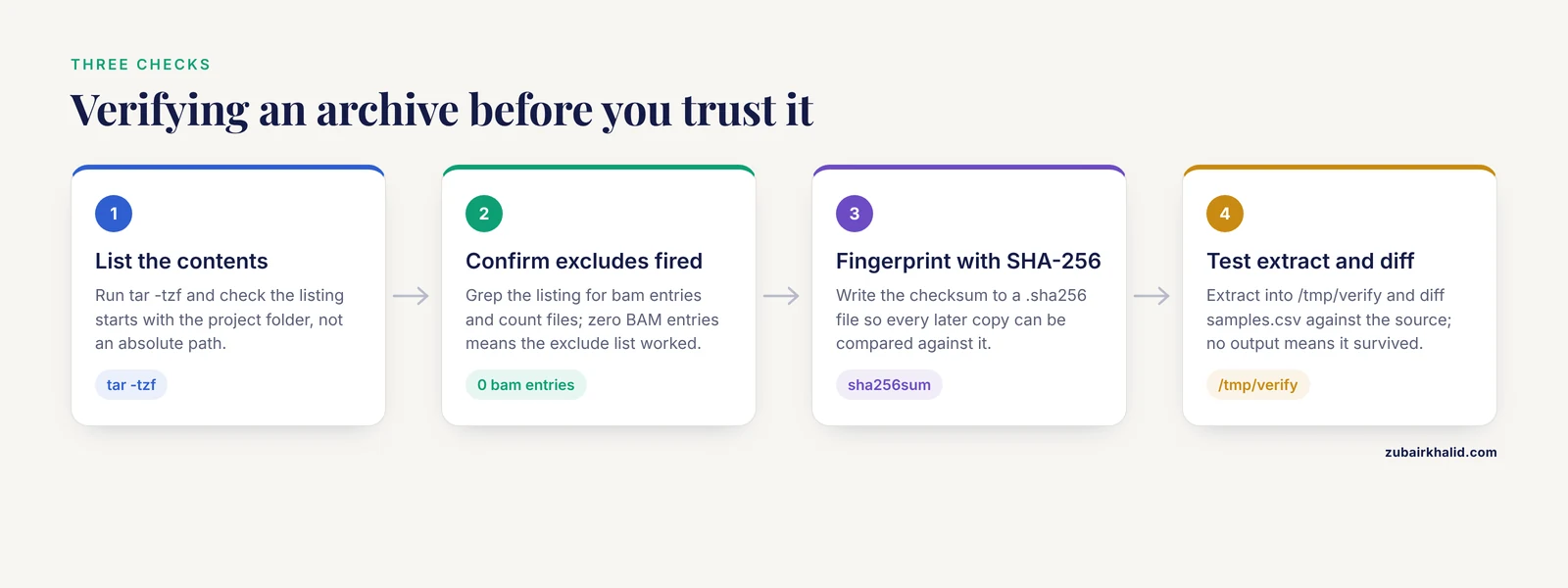
An unverified archive is a rumor. Three checks, in order of increasing cost.
First, list the contents without extracting:
tar -tzf rnaseq_project_2024-06.tar.gz | head -20Expected output:
project_rnaseq_2024/
project_rnaseq_2024/metadata/
project_rnaseq_2024/metadata/samples.csv
project_rnaseq_2024/metadata/protocols_rna_extraction.pdf
project_rnaseq_2024/workflow/Snakefile
project_rnaseq_2024/workflow/rules/
project_rnaseq_2024/workflow/rules/align.rules
project_rnaseq_2024/envs/rnaseq_env.yml
If the listing starts with an absolute path such as /data/projects/project_rnaseq_2024/, stop and rebuild. GNU tar normally strips the leading slash and warns with tar: Removing leading /' from member names`, but an archive built with absolute paths is a security and convenience problem at extraction time.
Count the files and confirm your excludes worked:
tar -tzf rnaseq_project_2024-06.tar.gz | grep -c "bam"
tar -tzf rnaseq_project_2024-06.tar.gz | wc -l
Expected output:
0
14872
Zero BAM entries confirms the exclude list fired.
Second, generate the checksum. SHA-256 is the sensible default because it is widely supported by institutional repositories and long-term storage systems that verify data preservation with checksums [3]:
sha256sum rnaseq_project_2024-06.tar.gz > rnaseq_project_2024-06.tar.gz.sha256
cat rnaseq_project_2024-06.tar.gz.sha256
Expected output:
9f2c6b1e4a8d3f0b7c5e2a1d9f8e6c4b3a2d1e0f9c8b7a6d5e4f3c2b1a0987 rnaseq_project_2024-06.tar.gzThird, perform a full test extraction into a scratch directory and spot-check key files:
mkdir -p /tmp/verify
tar -xzf rnaseq_project_2024-06.tar.gz -C /tmp/verify
ls /tmp/verify/project_rnaseq_2024/metadata/
diff /tmp/verify/project_rnaseq_2024/metadata/samples.csv project_rnaseq_2024/metadata/samples.csv
rm -rf /tmp/verify
diff producing no output means the file survived compression intact. The whole sequence, create, list, checksum, test-extract, takes minutes and converts "I think the archive is fine" into "the archive has been verified on this date."
Step 6. Name, Document, and Place the Archive
Naming convention
Names should be self-describing to a stranger in 2035. The oral history archive at the Charles Babbage Institute uses a strict pattern of project, institution, person, and date, for example FL_NDSU_SlangerM_2008-04-28 for an interview done for the FastLane project at North Dakota State University with Marie Slanger on 28 April 2008. The same discipline works for bioinformatics:
PROJECT_INVESTIGATION_ARCHIVE_DATE.tar.gz
rnaseq_screen_project_COHORT1_zk_2024-06-18.tar.gz
An archive format you adopt once and apply to every project turns a directory of mystery blobs into a searchable collection, which is the same principle that lets large library glossaries and directories remain navigable across thousands of entries [9],.
The README that belongs inside every archive
Before the final compression run, drop a plain-text ARCHIVE_README.txt into the project root with at minimum:
- Project title and the grant or publication it supports
- Date of archive creation and the name of the person who created it
- What was excluded and why
- The exact conda environment name and the workflow command that reproduces the results
- The location and accession numbers of any public deposition
- The checksum value of the archive itself, pasted as a final line
This README is also the natural place to record sample metadata pointers. Sample-level metadata has its own integration infrastructure, with the BioSamples database at EMBL-EBI serving as an integration point for sample information across technology-specific databases and providing accessioning at the point of submission to archives such as the European Nucleotide Archive [10]. Reference those accession numbers here.
Placement, three copies minimum
Apply the pattern that professional long-term archive systems use, dual copies at distinct locations on different media, with retention measured in decades rather than semesters [3]. A realistic lab-scale implementation:
- The verified archive file on your institutional server or HPC home
- A copy on external media or an institutional cold storage service, with a second independent checksum file
- For the metadata, scripts, and README only, a copy in an institutional repository or Zenodo deposit, since code hosted solely on public forges demonstrably may not survive there
Copy with checksum verification rather than a plain cp when the destination supports it:
rsync -avh --checksum rnaseq_project_2024-06.tar.gz /mnt/archive/finished_projects/That command uses long options. On systems where you prefer short flags, rsync -c enables the same checksum comparison. After the transfer, recompute and compare:
sha256sum -c rnaseq_project_2024-06.tar.gz.sha256Expected output:
rnaseq_project_2024-06.tar.gz: OKStep 7. Deposit the Raw Data Where It Belongs
Compressed local archives and public repositories solve different problems, and a complete archiving workflow includes both.
Raw sequencing reads belong in a nucleotide archive. The SRA was established as the public repository for next-generation sequence data within the International Nucleotide Sequence Database Collaboration, which is composed of NCBI, EBI, and DDBJ [1]. The European Nucleotide Archive at EMBL-EBI continues in 2025 to serve as a global open-access platform for submission, archiving, dissemination, and reuse of nucleotide sequence data, with ongoing infrastructure work aimed at handling exponential data growth [11]. For data to be truly Findable, Accessible, Interoperable, and Reusable, the FAIR principles, it needs deposition together with enriched sample metadata, protocols, and analysis workflows, not just the raw reads [12]. Several frameworks now exist specifically to make that metadata capture and submission routine, embedding standards-compliant metadata capture into facility workflows rather than bolting it on at publication [5].
China's Genome Sequence Archive at the BIG Data Center performs the same archival role, collecting and integrating raw sequence data submitted by domestic and international users. Human data with privacy implications follows a different path. The European Genome-Phenome Archive facilitates long-term archival of human biomolecular data under controlled access, co-managed by EMBL-EBI and the Centre for Genomic Regulation [13].
Your ARCHIVE_README.txt should state which repository holds the reads and the accession numbers, so the compressed project directory and the public record point at each other.
Common Mistakes and Limitations
Archiving absolute paths. Building the archive with a path that starts at the filesystem root means extraction will try to write into /data/projects/ and either fail or clobber a live directory. Always cd to the parent and archive the project folder by name.
Compressing scratch directories. A Nextflow work/ directory or .snakemake/ folder contains hundreds of thousands of symlinks and intermediate files. Including them can grow the archive by an order of magnitude and slow tar -t listings to a crawl. Prune first, measure with du, then compress.
Trusting one checksum forever. A checksum proves the copy matches the original at the time of hashing. It does not detect corruption present at creation. The test extraction in step 5 catches that class of error, and the gzip "unexpected end of file" message catches truncation later.
Skipping the environment export. Reconstructing a conda environment from memory two years later fails in practice, because Bioconda package versions shift and pin files get overwritten. The environment.yml export in step 2 takes seconds and is the single highest-value line in the whole workflow.
Assuming the public repository preserved everything you need. Deposited reads are not a project backup. Public archives hold raw data and metadata, not your scripts, notebooks, figures, or intermediate decisions. Conversely, your compressed archive is not a substitute for deposition, because a file on a lab hard drive is not findable by the community. The FAIR framing makes this explicit, reusable data requires deposition with enriched metadata and workflows [12].
Retrospective metadata reconstruction. Writing sample metadata at publication time invites the exact inconsistency problems that plague large archives, where synonyms and spelling variants across submissions make aggregate analysis hard [4]. Capture metadata in a structured sheet at project start and archive it.
Absolute exclusions for sensitive data. Human data destined for controlled-access repositories such as the EGA [13] must never appear in a general-purpose archive that gets copied to personal external drives. When a project mixes public and controlled-access data, split it into two archives with different distribution rules and different checksum files.
Compression as a substitute for a decision. Compressing a messy 1.4 TB directory produces a messy 800 GB archive. The measurement, exclusion, and documentation steps are where the real archiving happens. The compression command is the last 5 percent of the work.
A final limitation. This guide covers project-level archiving on standard Linux storage. Institutional long-term archives built on tape libraries with dual-copy preservation and decade-scale retention guarantees [3] are a different tier of infrastructure, and if your funder mandates decade retention, your research office, not your shell prompt, is the right place to start.
Frequently Asked Questions
Which format should I use, .tar.gz, .tar.zst, or .tar.xz?
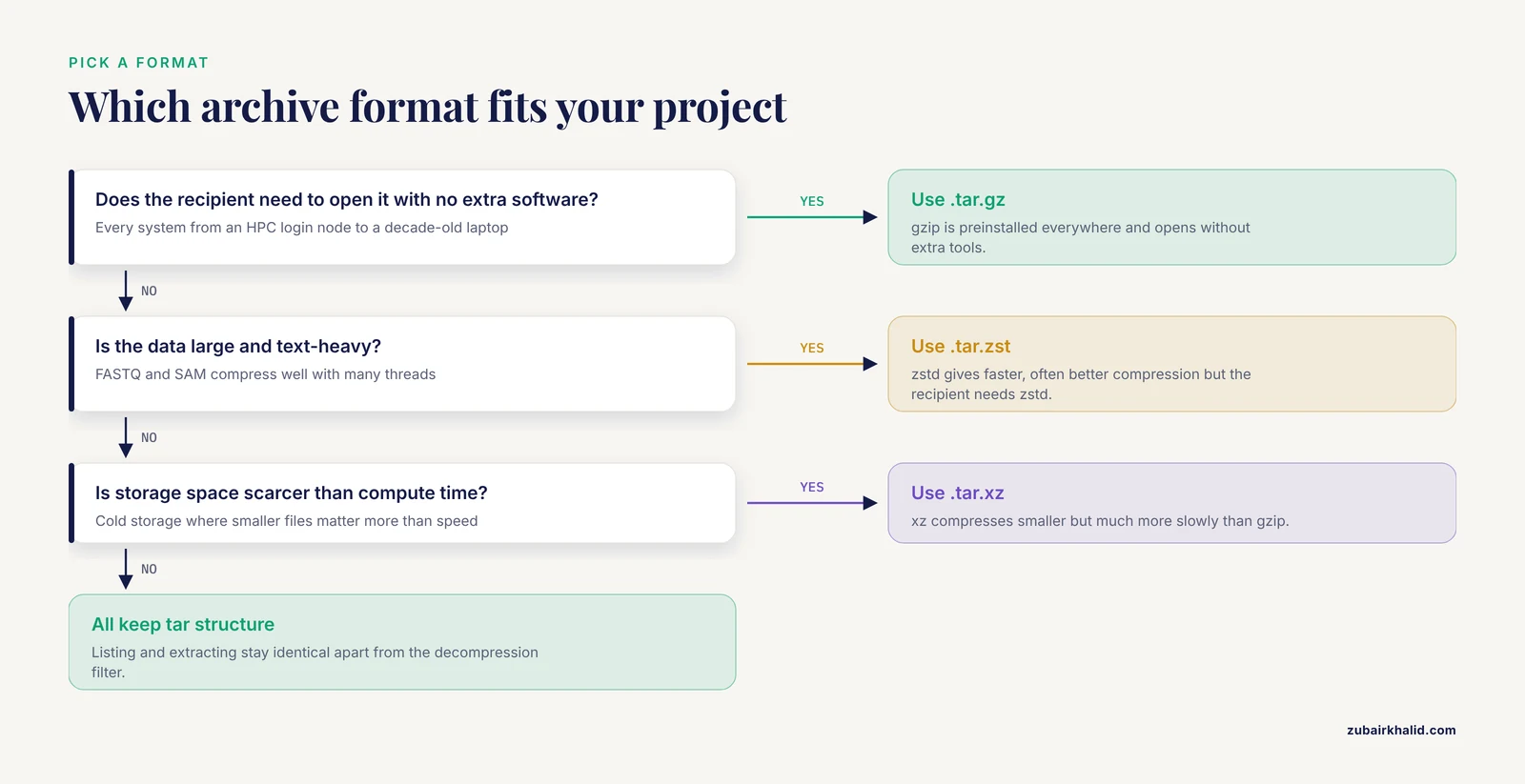
Use .tar.gz when maximum portability matters, because every system from an HPC login node to a decade-old laptop can open it without extra software. Use .tar.zst when you are compressing large text-heavy data and want faster, often better compression, accepting that the recipient needs zstd installed. Use .tar.xz when storage space is scarcer than compute time, since xz compresses smaller but much more slowly. All three keep the tar container structure, so listing and extracting workflows stay identical apart from the decompression filter.
How do I archive a bioinformatics project directory when the FASTQ files are too big to include?
Exclude the raw reads from the archive and deposit them in a public nucleotide archive instead, then record the accession numbers in your ARCHIVE_README.txt. The SRA within the International Nucleotide Sequence Database Collaboration is the standard home for raw sequencing data, and the European Nucleotide Archive provides the same service in Europe [1], [11]. Your compressed archive keeps metadata, code, environment exports, and curated results, everything needed to interpret and rerun the analysis once the reads are fetched from the repository.
What is a good directory template before I compress?
A workable template has metadata/, data/raw/, data/processed/, workflow/, envs/, analysis/, results/, logs/, and work/ at the top level, with the exclusion list targeting everything regenerable. Standardized frameworks formalize this further, pISA-tree builds a project, investigation, study, and assay tree based on the ISA model with template metadata at each level [6], and PM4NGS generates a standard organizational structure for NGS analysis projects with tool management and CWL pipelines [7]. Any consistent layout works for archiving as long as metadata, code, and environment files are all present.
How do I verify an archive is not corrupted?
Run three checks. List the contents with tar -tzf archive.tar.gz | head to confirm structure, compute sha256sum archive.tar.gz > archive.tar.gz.sha256 to fingerprint the file, and perform a test extraction into /tmp/verify followed by a diff against a known source file. Institutional long-term archive systems treat checksums as a core preservation mechanism [3], and re-running sha256sum -c on every copy at retrieval time is the cheapest way to detect silent corruption.
Can I just back up my GitHub repository instead of building a local archive?
No. Preservation studies of web-hosted Git repositories found that on average less than 5 percent of source files in analyzed source trees had been archived, with the majority of repositories having no source files saved at all, and more than 31 percent of archived home pages showing some form of damage [2]. Create a git bundle inside your project before compressing so the full history travels inside your own archive.
How long should I keep a bioinformatics project archive?
Plan for retention measured in years, not months. Professional research data archive infrastructure is designed with data retention assurance of more than ten years, paired with dual copies at distinct locations on different tape technologies and checksum-based preservation [3]. Journal and funder policies vary, so a practical lab rule is to retain the verified archive plus its checksum at least until the associated publication's data are fully public and reproduced once by someone other than you.
How do I compress a directory faster on an HPC cluster?
Pipe tar into pigz or zstd so compression uses many cores instead of one. tar -cf - project/ | pigz -p 16 > archive.tar.gz uses 16 gzip threads, and tar -cf - project/ | zstd -T0 -o archive.tar.zst uses every available core. The single-threaded bottleneck disappears because compression, not disk I/O, is usually the limiting step on text-heavy sequencing data. Job scheduling through your cluster's submission system applies as usual.
What metadata should I capture before archiving so the project stays FAIR?
Four things. A structured sample sheet with standard field names, the exported conda or container environment, the workflow code with the exact execution command, and pointers to public accession numbers. FAIR reuse requires deposition of data together with enriched sample metadata, protocols, and analysis workflows [12]. Metadata problems are the known weak point of large public archives, where unstandardized sample annotations limit reuse [4], and capturing standards-compliant metadata during the project rather than retrospectively makes the final archive dramatically more useful [5].
Sources
- The sequence read archive: explosive growth of sequencing data
- GitHub Repository Complexity Leads to Diminished Web Archive Availability
- Design and Implementation of the first Generic Archive Storage Service for Research Data in Germany
- MetaSRA: normalized human sample-specific metadata for the Sequence Read Archive
- SeqDesk: a sequencing-facility management system for standards-compliant and FAIR (meta)data submission
- pISA-tree - a data management framework for life science research projects using a standardised directory tree
- PM4NGS, a project management framework for next-generation sequencing data analysis.
- BinaryCIF and CIFTools-Lightweight, efficient and extensible macromolecular data management.
- Harrod's librarians glossary and reference book: a directory of over 9,600 terms, organizations, projects and acronyms in the areas of information management, library science, publishing, library science, publishing and archive management
- Updates to BioSamples database at European Bioinformatics Institute
- The European Nucleotide Archive in 2025
- Improving FAIRness of eDNA and Metabarcoding Data: Standards and tools for European Nucleotide Archive data deposition
- European Genome-Phenome Archive (EGA) - Granular Solutions for the Next 10 Years