Sharing Lab Notebooks with External Collaborators
By Dr. Zubair Khalid, DVM, MS, PhD ·
Sharing a lab notebook inside your own institution means granting access under accounts, servers, and policies you already administer, while sharing a lab notebook with an external collaborator means your records cross an organizational boundary where you control none of those things. The rule of thumb is straightforward: for ongoing, two-way collaboration, use an electronic lab notebook (ELN) with guest permissions, for occasional review of finished results, send controlled read-only exports, and for confidential or patentable work, settle the agreement in writing before a single page moves.
This guide walks through the five practical options for sharing lab notebooks with external collaborators, a side-by-side comparison, the criteria that actually decide the choice, three worked scenarios, a template that makes any notebook easier to share, and the mistakes that cause most of the trouble. It is written for students, postdocs, staff scientists, and lab managers who need a working arrangement this week, not a software procurement saga.
What You Are Actually Sharing
A lab notebook is the chronological record of what you planned, did, observed, and concluded at the bench. In a paper lab notebook (PLN), that record lives on bound pages. In an electronic lab notebook (ELN), it lives in structured software with user accounts, permissions, and search. An external collaborator is anyone outside your legal entity: a professor at another university, a scientist at a company, a contract statistician, or an analyst at a core facility.
Notebook content today is rarely just prose. Experiments generate image files, spreadsheets, instrument outputs, and protocol revisions alongside the written narrative. When Riley and colleagues implemented the cloud-based ELN LabArchives in a bioprocess engineering teaching laboratory, they argued that present-day life science and engineering experiments generate large data sets and demand high data integrity, meaning records remain complete, attributable, and unaltered, and that ELNs are better equipped than paper for both demands [1]. The developers of eCAT, the first online ELN, described the same reality from the researcher's side: one early user lab compiled "the diverse collections of data that we generate as biologists, such as images and spreadsheets" and even ran meeting minutes through the system [2].
Sharing, then, means moving all of that material, not just the paragraphs, to someone who holds no account at your institution. Three terms recur throughout this article. Permissions are the rules that determine who can view, edit, or administer content. An audit trail is a timestamped log of who viewed or changed what, and when. An electronic signature lets an author attest to an entry in a verifiable, machine-checked form.
How to Share a Lab Notebook with an External Collaborator: The Five Main Options
Every workable arrangement reduces to one of the following five. Each has distinct pros and cons, and the sections after this one compare them head to head.
1. Loaning or Copying a Paper Notebook
The oldest method is physical: hand over the notebook, mail a photocopy, or produce a signed and dated certified copy. The advantages are real. There is no software to buy, any human can read it, and paper records carry a long institutional tradition in patenting and regulatory contexts. The disadvantages dominate for collaboration. Once a copy leaves your hands you cannot revoke it, update it, or know who else has seen it. Nobody can search across pages, a multi-gigabyte microscopy file cannot be stapled to a page, and annotations the collaborator adds live on their copy rather than in your record. Loaning the original is worse still, because your own lab loses its master record for the duration.
2. Scanning Pages and Sending Them by Email
Scanning or photographing pages and attaching them to an email solves a single urgent question, such as confirming a reagent lot number or an instrument setting. As a routine channel it fails fast. Attachments scatter across inboxes, nobody can locate last month's scan, a sent message carries no permissions, and every recipient holds an uncontrolled duplicate that silently diverges from your master record. Multi-page scans also tend to arrive as flat PDFs that resist text search.
3. A Shared Cloud Folder of Notebook Exports
A step up in organization is a dedicated folder in a cloud storage service, into which you periodically export notebook pages as PDFs. The collaborator gets one stable link instead of a stream of attachments, and permissions are usually a single toggle that works across institutions. The weaknesses come from the export step itself. The folder holds snapshots, not the live record, so every refresh is a manual task somebody eventually forgets. Folder-level permissions are coarse, meaning access to one project usually exposes everything else in the folder. General-purpose storage also typically lacks an audit trail, so you cannot show who opened what or when.
4. A Dedicated Electronic Lab Notebook with Guest Access
A purpose-built ELN is the option designed for this exact problem. When eCAT was developed as the first online ELN, its stated design goals read like a checklist for external sharing: a permissions system, controlled sharing, an audit trail, electronic signature, and search, delivered in a web-based tool shaped through close collaboration with working scientists and refined through beta testing by more than 100 individuals and groups between September 2008 and June 2009 [2]. That testing drew on groups in the United States, Sweden, Australia, and the United Kingdom, including a regulator's biologics center and several universities, which tells you the cross-institution use case was central from the start [2]. Modern ELNs inherit this capability set. In the LabArchives study, the cloud ELN enabled enhanced data sharing and collaboration, allowed real-time and remote monitoring of experiments, and delivered superior data integrity relative to paper [1].
Guest access in practice means the collaborator receives an account scoped to specific notebooks or projects, read-only by default. The strengths are substantial: one source of truth, granular control, a timestamped history of every change, full-text search, and room for large attached datasets. The constraints are administrative. The ELN is licensed by your institution, so whether guests from other organizations can be invited depends on license terms and on the information technology policies of both institutions. Onboarding also takes real time. The LabArchives authors observed that limited training and a shortage of ELN-experienced personnel were restricting adoption in academic and industry laboratories [1], and that friction doubles when the person being trained sits at another university.
5. A Hybrid Paper-Plus-Archive Workflow
Many labs keep paper at the bench and run a scheduled ritual alongside it: weekly or monthly, designated pages are scanned, filed into a shared archive under a consistent naming scheme, and the collaborator is notified. This preserves familiar bench practice, produces a dated archive, and requires no new software where the work actually happens. Its weakness is arithmetic. You now maintain two records, and the link between them is only as disciplined as whoever holds the scanner. If the archive slips by three months, your external collaborator is effectively working blind.
Side-by-Side Comparison of the Options
| Option | What the collaborator gets | What you keep control of | Best suited for | Main drawbacks |
|---|---|---|---|---|
| , - | , - | , - | , - | , - |
| Paper loan or copy | Physical pages or photocopies | Nothing once the copy leaves | Formal witnessing traditions, tiny exchanges | No revocation, no search, no large files, version drift |
| Scans by email | PDF or photo attachments | Little after sending | One-off urgent questions | Inbox sprawl, uncontrolled duplicates, no permissions |
| Cloud folder of exports | Periodic PDF snapshots | A folder-level access toggle | Steady but low-frequency review | Stale snapshots, coarse permissions, manual upkeep, weak audit trail |
| ELN with guest access | Live, searchable entries scoped to a project | Granular permissions, audit trail, single source of truth | Ongoing, two-way, data-heavy collaborations | License and IT dependencies, guest onboarding time |
| Hybrid paper plus archive | Dated scans on a schedule | The original paper record | Labs committed to paper at the bench | Two records to reconcile, depends on scanning discipline |
No row wins outright. The ELN row dominates on control, traceability, and data handling, which is why any serious electronic lab notebook comparison for external sharing starts there. The paper and hybrid rows persist because bench habits, institutional rules, and a collaborator's own tooling vary more than any chart admits.
The Criteria That Decide the Choice
Direction of access. Decide first whether the collaborator needs to author entries or only read them. Default to read-only. Write access to your notebook means another person can alter the record of what happened in your lab, which complicates attribution if a dispute ever arises. When two-way authorship is genuinely needed, an ELN with per-user permissions handles it cleanly, and the audit trail preserves a timestamped account of who changed what and when [2].
Granularity. Sharing a whole notebook when the collaboration concerns one project creates risk for no benefit. ELNs and cloud folders differ sharply here. An ELN can scope a guest to a single notebook or project within your space, while a shared cloud folder usually exposes everything inside it.
Traceability. If the work could end up in a patent filing, a regulatory submission, or an authorship dispute, you want dated, attributable records and, where available, electronic signatures on milestone entries [2]. Scans in a shared folder carry none of that machinery.
Data volume and type. Paper fails above a few megabytes. If the collaboration involves sequencing runs, microscopy stacks, or flow cytometry files, an ELN built for large data sets is the appropriate container [1].
Search and retrieval. Six months in, the collaborator will ask for "that titration from March." Full-text search across entries, a baseline ELN capability since the category's first online product [2], turns that request into seconds of work. Search quality depends on disciplined entry structure, which the template below addresses.
Longevity and exit. Ask what happens when the grant ends, the license lapses, or the collaborator changes institutions. Favor arrangements where you can export the shared material in a portable format and where the master record stays in a system your institution controls.
Compliance posture. In the LabArchives teaching study, students judged the ELN better than paper for compliance, and the authors tied ELN use to training in good documentation practices, the conventions that keep records attributable and complete [1]. If your collaboration feeds a regulated project, treat those practices as requirements rather than preferences.
Administrative friction. Guest accounts may require sponsorship, contracts, or IT approval at one or both institutions. Budget calendar time for this before the first data deadline, not after.
A fast decision procedure follows from these criteria. Ask five questions in order. Does the collaborator need to write entries? Is the material confidential or patentable? Are the files large? How often will they look? How long must the shared record live? A yes on the first two or three points you toward an ELN with scoped guest access, a weekly cadence favors live access over exports, and long retention favors systems your institution controls.
Three Worked Scenarios
Scenario 1: Weekly joint experiments across two universities
A doctoral student in your lab and a student in a collaborator's lab run paired assays and exchange results every week, and both principal investigators want visibility. The work is prepublication but not patent-sensitive. The fit is an ELN with guest access. Your student retains authorship, the external student gets read access to the shared project notebook, and both investigators follow progress without asking anyone to email anything. Set a standing 30-minute call so interpretation, not just data, moves in both directions, and agree that protocol changes get entered the same day in both labs.
Scenario 2: A confidential collaboration with a company
Your academic lab is evaluating a reagent for a company under a confidentiality agreement. The company scientist needs to see methods and summary results but should not browse unrelated projects, and the work may support a patent. The fit is an ELN scoped to a dedicated project notebook, read-only, with the audit trail left on and electronic signatures applied to milestone entries [2]. Raw instrument files stay in your institutional storage, and the notebook links to them rather than embedding everything. Confirm with your technology transfer office what the agreement permits before the first invitation goes out.
Scenario 3: An occasional expert review
A statistician at another institution needs to review your analysis methods twice a year. Creating an account, arranging license terms, and training a guest for two touchpoints a year is disproportionate. The fit is a bounded excerpt: pull the relevant project section plus the methods entries, export it as a PDF, and place it in a shared folder with a named contact and an agreed deletion date. The snapshot limitation does not matter here, because the collaborator reviews a finished artifact rather than live work.
A Lab Notebook Template Built for Sharing
Whatever medium you choose, sharing goes smoothly when every entry answers the same questions in the same order. Most ELNs let you build entry templates, and the same skeleton works on paper. A practical lab notebook template for collaborative work contains:
- Header block. Project code, entry number, date, and author. The project code is what makes a guest's scoped access and later searches possible.
- Objective. One sentence stating what this entry attempts.
- Methods. Protocol name and version, reagent lots, instrument settings, and software versions. Reference a stored protocol rather than retyping it, so both labs run the same version.
- Observations and data. The narrative plus links or attachments for images, spreadsheets, and raw files.
- Deviations. Anything that departed from the protocol, with the reason. External collaborators lose confidence quickly when methods silently change.
- Interpretation and next steps. What the result means and what happens next, so a reader outside your lab can follow the logic without a verbal briefing.
- Signature block. Author signature and date, plus a witness line where your conventions require one. In an ELN this becomes an electronic signature [2].
Two habits multiply the template's value. First, date every entry and never backfill, because a record whose timeline cannot be trusted is worse than no record. Second, write for a reader who was not in the room, which is exactly what an external collaborator is.
Common Mistakes and Limitations
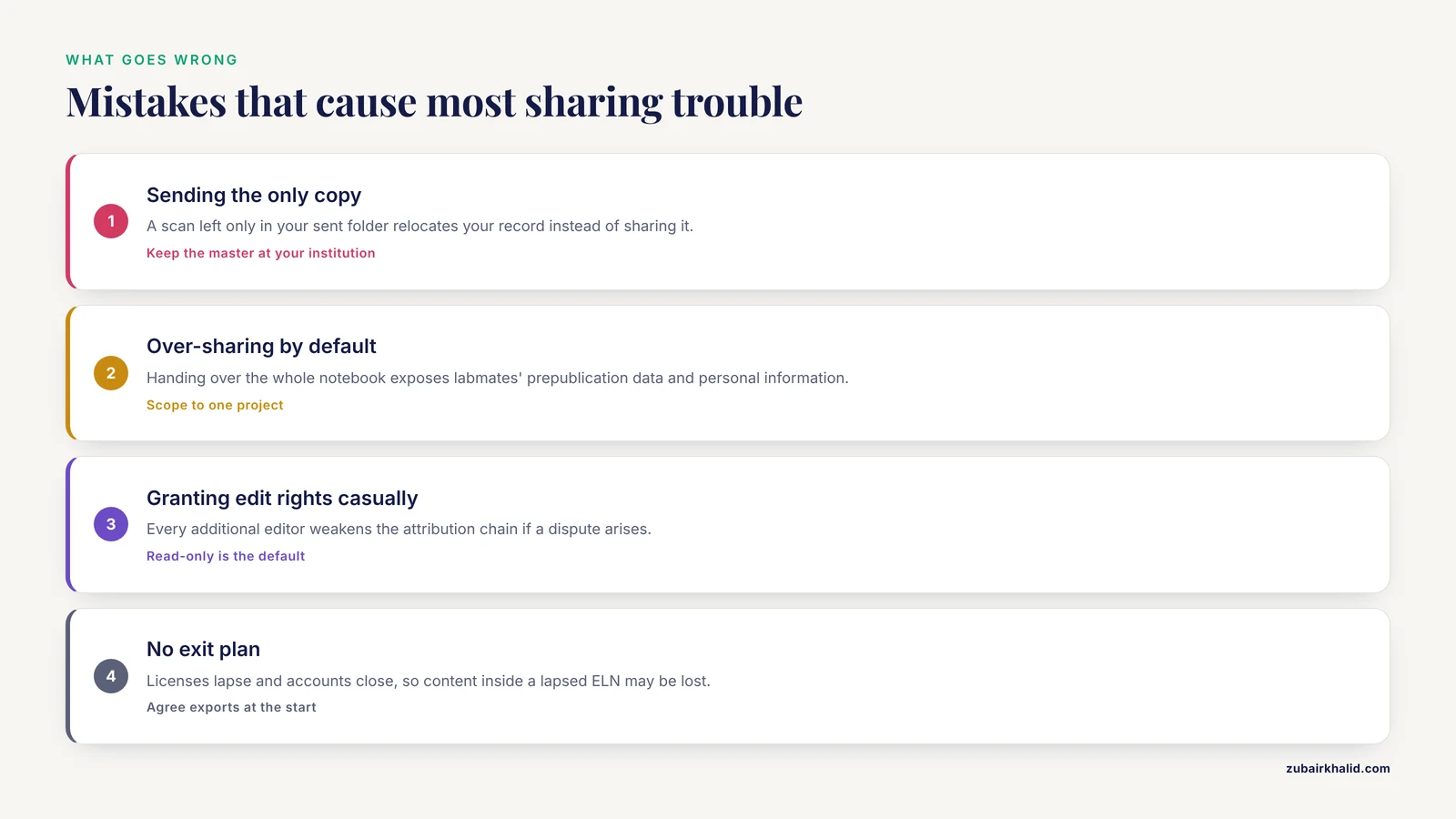
- Sending the only copy. Mailing a one-of-a-kind page, or leaving a scan solely in your sent folder, is not sharing, it is relocating your record. Keep the master where your institution controls backups.
- Over-sharing by default. Handing over the entire notebook when one project was in scope exposes unrelated work, including labmates' prepublication data and personal information.
- Granting edit rights casually. Every additional editor weakens the attribution chain. Read-only should be the default and write access an explicit, logged decision.
- Assuming both institutions allow the same tools. One university's ELN may not permit external guests, and the collaborator's IT office may block the storage service you picked. Test the full path with a dummy entry before a real deadline.
- Skipping onboarding. The training gap around ELNs is documented [1]. An invited guest who never learns your entry conventions will email you screenshots instead, and the collaboration quietly reverts to attachments.
- Treating the notebook as a data dump. Entries without objectives, dates, or structure defeat search, and search is one of the main reasons to use an ELN at all [2].
- No exit plan. Agree at the start on what the collaborator keeps, what you keep, and how exports happen when the project ends. Licenses lapse and accounts close, and content that lives only inside a lapsed ELN may be effectively lost.
- Letting sharing replace witnessing and signing. External visibility does not substitute for your own lab's recordkeeping conventions. Keep your internal signature and witness practices intact regardless of who can see the notebook.
On limitations, the right arrangement also depends on institutional policy, sponsor terms, and the agreements governing the collaboration, particularly where proprietary strains, human-derived data, or patentable findings are involved. Route those questions through your principal investigator and technology transfer office before moving content, and when a specific case is ambiguous, get a written determination rather than proceeding on assumption.
Frequently Asked Questions
What is the best way to share a lab notebook with an external collaborator?
For ongoing, two-way work, a dedicated ELN with scoped guest access is the best arrangement, because it provides one source of truth, granular permissions, and an audit trail. For occasional review of finished results, controlled read-only exports in a shared folder are simpler and adequate. Match the mechanism to the cadence and sensitivity of the collaboration rather than to habit.
Can I share a paper lab notebook with someone outside my institution?
Yes, by providing copies or scheduled scans, but understand the trade-offs. The collaborator receives a static snapshot with no search, no large data files, and no way for you to update or revoke it. Keep the original in your possession and treat anything that leaves as an uncontrolled duplicate.
Do I need permission before sharing notebook content externally?
Usually yes at the policy level, even when the science is straightforward. Most institutions expect the principal investigator to approve external sharing, and collaborations involving company partners, human-derived materials, or patentable results typically fall under written agreements. Ask before the first transfer, not after.
Should an external collaborator get edit access to my notebook?
Only when they are genuinely co-authoring entries, and only within a scoped project. Edit access lets another person change the record of what happened in your lab. Default to read-only and grant write access deliberately, relying on the ELN's per-user permissions and audit trail to keep authorship clear.
What should go into a lab notebook template meant for sharing?
A consistent header block with project code, date, and author, followed by objective, methods with protocol versions, observations with data links, deviations, interpretation, next steps, and a signature block. Uniform structure lets an outside reader follow the work and makes search function across hundreds of entries.
How do I keep access to shared notebook material after a collaboration ends?
Plan the exit before it arrives. Export the shared project to a portable format, agree in writing on what each side retains, and confirm the schedule for closing guest accounts. Material that exists only inside a license you no longer hold is at risk, so the master copy should always live in a system your institution controls.