Cloud Support in Bioinformatics Workflow Managers
By Dr. Zubair Khalid, DVM, MS, PhD ·
Workflow managers differ mainly in how directly they can schedule your analysis steps on rented cloud machines, ranging from managers with purpose-built cloud engines to managers that reach the cloud only through generic plug-ins. The rule of thumb is simple: if your data already sits in a cloud storage bucket and your jobs are large or unpredictable in size, choose a manager with native cloud batch execution such as Nextflow, Cromwell for WDL, or a CWL executor. If you mostly run on a lab server or campus cluster and only occasionally borrow cloud machines, Snakemake or Nextflow with a generic backend will cover you with less setup.
This guide explains what cloud support in bioinformatics workflow managers actually means, compares the main options, and walks through the decisions that matter in real labs. It is written for graduate students, staff bioinformaticians, and principal investigators deciding where their analysis compute should live.
What "Cloud Support" Means in a Workflow Manager
A workflow manager (also called a workflow management system or WMS) is software that describes a multistep analysis as a series of tasks with defined inputs and outputs, then runs those tasks in the right order, tracks failures, and reruns only what changed. A review in Nature Methods describes these pipelines as the backbone of reproducible, scalable, and shareable bioinformatics analysis [1]. A separate systematic evaluation of workflow managers in production genomics and clinical settings tested leading systems locally, on high-performance computing (HPC) clusters, and in the cloud, and found that the right choice depends on both the language features of the system and the execution environments a lab actually uses [2].
"Cloud support" is not one feature. It is a bundle of capabilities, and it helps to separate them:
- Execution backends. The manager must be able to launch each task on cloud infrastructure. Some managers talk directly to cloud batch services. Others launch tasks through a generic executor, for example by treating each cloud virtual machine the way they would treat a node on a cluster.
- Data staging. Inputs and outputs need to move between object storage (such as Amazon S3 buckets or Google Cloud Storage) and the machines doing the work. Good cloud support means the manager handles this automatically rather than leaving you to write custom copy scripts.
- Elastic scaling. The manager should start more machines when a workflow has many parallel tasks and shut them down when the queue empties. This is what makes cloud compute cheaper than owning hardware for bursty workloads.
- Spot and preemptible instances. Cloud providers sell spare capacity at large discounts but can reclaim it at any time. Managers with strong cloud support detect when a spot machine disappears and automatically retry the task elsewhere, which is essential for keeping long workflows alive.
- Resumability and caching. When a workflow fails partway through, a manager with good cloud support should reuse completed results and rerun only the failed steps, so you do not pay twice for the same compute.
- Container support. Cloud support pairs closely with software containers (Docker images, or Apptainer/Singularity where root privileges are restricted), which package a tool with its dependencies so the same task runs identically on a laptop, a cluster, or a cloud virtual machine.
A scoping review in Briefings in Bioinformatics evaluated the characteristics of bioinformatics workflow management systems that matter to life scientists. Across 21 evaluation papers published since 2018 and documentation for 55 available systems, twelve themes kept reappearing: basic computing, functions, security, scalability, cost and efficiency, sustainability, usability, learnability, reproducibility, FAIRness (findability, accessibility, interoperability, reusability), flexibility, and support [3]. Cloud support touches most of those themes at once, which is why choosing a system on cloud capability alone usually produces the wrong answer.
The Main Cloud Support Options
The workflow manager landscape is crowded, but most cloud-capable choices fall into four language-based families plus a category of graphical platforms. Here are the cloud support bioinformatics workflow managers options that come up most often in real labs, each explained on its own terms.
Nextflow
Nextflow is built around dataflow computing, where a task runs as soon as its inputs are ready rather than waiting for a fixed pipeline stage. It uses a Groovy-based scripting language, and its execution model treats local machines, HPC schedulers, and cloud batch services as interchangeable backends. In the systematic evaluation of production genomics workflow managers, Nextflow was one of the systems tested across local, HPC, and cloud execution, and its adoption in large research labs was highlighted as a deciding factor for collaborative projects [2].
Nextflow's main cloud strengths are elastic scaling on cloud batch services, automatic retry logic for spot instance interruptions, and built-in result caching that lets you resume a failed run without repeating completed tasks. Its main cost is a learning curve tied to the Groovy language, which can trip up newcomers with no programming background. A recent livestock genetics workflow, for example, implemented a combined linkage disequilibrium and linkage analysis pipeline in Nextflow specifically to replace manual, error-prone file conversion steps [4], showing how the language supports complex multi-step analyses once you climb the curve.
Snakemake
Snakemake extends the classic Make build system with Python syntax. It excels at incremental analysis: you describe files you want, and Snakemake works out which jobs to run and which existing outputs it can reuse. Cloud execution is available through generic backends that treat cloud machines as ordinary workers, and it runs natively on cluster schedulers. For a lab whose primary target is a campus cluster with occasional cloud bursting, Snakemake often gives the shortest path from an existing set of scripts to an automated pipeline.
The trade-off is that cloud management is less turnkey than in managers with dedicated cloud engines. You typically spend more time configuring how machines are provisioned, and elastic scaling across hundreds of simultaneous jobs requires more setup than in Nextflow or Cromwell. Snakemake remains a strong pick when reproducibility, Python familiarity, and fine-grained control over job wiring matter more than one-button cloud deployment.
Common Workflow Language (CWL)
CWL is not a single program but an open specification for describing workflows in YAML, with separate executor programs that run those descriptions. This separation of description from execution is what makes CWL unusually portable: the same workflow document can run locally with cwltool, on an HPC cluster, or in the cloud with executors built for that purpose. A single-cell multiomics analysis pipeline for the BD Rhapsody platform used CWL as its workflow manager while combining custom C++ and Python code, and its version 2.0 release processed a library of 20,000 human PBMCs sequenced to 1.2 billion reads in 2.5 hours of wall-clock time, up to 7 times faster than the previous release and using 2 times less disk space [5]. That combination of a standard workflow language with high-throughput primary analysis shows why core facilities favor CWL for workflows they need to run identically in different places.
The trade-off is verbosity. Describing every task in YAML takes longer than writing the equivalent Nextflow or Snakemake code, and error messages can be harder to read. In return you get a specification that does not belong to any one vendor, which matters when grant reviewers, journals, or regulators ask how an analysis will keep working over years.
WDL and Cromwell
WDL (Workflow Description Language) was developed for large-scale genomics and is executed most often by Cromwell, an engine with deep support for cloud batch execution and cloud object storage. The Broad Institute's genomics pipelines popularized this combination, and it remains the standard choice for teams whose analysis environment is cloud-first from day one. Cromwell handles call caching (reusing results from previous identical tasks) and relative failure handling well at very large scale.
The trade-off is a smaller ecosystem outside genomics. If your analysis involves unusual tooling or tight loops of custom logic, WDL's declarative style can feel restrictive compared with Nextflow or Snakemake, and community support beyond genomics is thinner.
Graphical and managed platforms
For researchers from noncomputational backgrounds, graphical platforms that layer a web interface over a workflow engine remove the largest barrier: writing code at all. The scoping review of WMS evaluation found that studies prioritizing noncomputational users consistently favored graphical user interfaces and platforms offering plenty of built-in guidance, while studies written by and for developers favored text-based workflow languages [3]. Managed platforms trade flexibility for convenience. Someone else operates the cloud infrastructure, handles scaling, and updates the software. The cost is less control over the underlying environment, potential subscription fees, and dependence on a vendor's roadmap.
Side-by-Side Comparison
This table is the core research software comparison. Ratings reflect how much setup effort a typical lab needs, not hard limits, because all four language-based systems can technically run in all three environments.
| System | Language style | Native cloud batch support | Elastic scaling and spot handling | Reproducibility features | Learning curve | Best fit |
|---|---|---|---|---|---|---|
| Nextflow | Groovy-based scripting | Strong, purpose-built backends | Strong, automatic retries | Containers, software packaging, resume from cache | Moderate | Labs that want one system for cluster and cloud with a large community |
| Snakemake | Python-like rules | Via generic backends | Moderate, more setup required | Containers, conda environments, incremental rebuilds | Low to moderate if you know Python | Cluster-first labs that occasionally burst to the cloud |
| CWL | Declarative YAML | Via executors built for cloud | Depends on executor | Strong, specification-level portability, containers | Moderate, verbose but predictable | Core facilities and pipelines that must run identically in many places |
| WDL (Cromwell) | Declarative | Strong, cloud-first design | Strong at very large scale | Call caching, containers, established genomics workflows | Moderate, smaller ecosystem outside genomics | Cloud-first genomics teams and large production pipelines |
| Graphical platforms | Point and click | Handled by the platform vendor | Handled by the vendor | Varies by platform | Low | Biologists without programming support who need standard analyses |
Comparing on the Criteria That Decide Real Choices
Feature lists hide the trade-offs that actually determine satisfaction. These are the comparisons that come up when labs commit to a system.
Where your data lives decides more than anything else
Moving data into and out of the cloud is often the slowest and most expensive part of an analysis, and it dwarfs differences between workflow managers. If your sequencing data already lands in a cloud bucket (for example, because your sequencing provider uploads directly there), a cloud-first system pays off immediately. If your data lives on a campus storage system next to your cluster, running in the cloud means transferring terabytes over the network on every project, which can erase the compute savings. Audit your data flow before you audit feature tables.
Cost control comes from the manager, not the cloud
Cloud pricing is pay-as-you-go, but poorly scheduled workflows waste money through idle machines, repeated failed jobs, and forgotten resources. Research on cloud workflow scheduling shows how much is at stake. The MONWS scheduler, which prioritizes tasks dynamically to minimize finish time and maximize resource utilization, achieved a 35 percent improvement in makespan (total workflow completion time), an 8 percent increase in average cloud utilization, and a 4 percent decrease in cost compared with existing scheduling algorithms [6]. On the brokering side, the OnTimeURB multi-cloud resource broker used integer linear programming and a Naive Bayes classifier to recommend cloud configurations by weighting performance, agility, cost, and security factors. Evaluated against a catalog of bioinformatics application workflows spanning four cloud service providers and more than 300 different instance configurations, its recommendations improved workflow execution times with a 91 percent success rate improvement over a nearest-neighbor comparison approach [7]. The lesson for a lab without custom scheduling software is to favor managers with built-in caching, automatic spot retry, and aggressive machine teardown, because those features encode the same cost discipline automatically.
Scale requirements should be measured, not guessed
Cloud support matters most when workloads are genuinely large. A scalable workflow for spatial transcriptomics in gastric cancer handled 48 samples and over 3.1 million 8-micron expression bins from a high-density platform, reassembling tissue cores digitally and performing groupwise batch-corrected comparison across slides. Workloads like that rarely fit on a single workstation, and even cluster queues can strain when one analysis step fans out into tens of thousands of parallel tasks. On the single-cell side, the CellHeap platform was designed to be deployable on large-scale infrastructure including clouds, and its deployment on the Brazilian Santos Dumont supercomputer processed dozens of terabytes of COVID-19 single-cell RNA-seq data [8]. Note, though, that CellHeap's authors found most execution time concentrated in the workflow's initial phases, which points to parallelization opportunities rather than a need to simply add more machines. Measure where your own time goes before scaling out.
Reproducibility and portability travel together
A workflow that runs only on one cloud provider's proprietary service is fragile. Containers are the connective tissue: they capture tool versions so results do not drift when cloud images change. The RiboViz project reimplemented a ribosome profiling workflow inside a workflow manager partly to follow best practices for scientific computing, and the authors noted that most workflow management systems enhance portability by supporting containers, HPC systems, and clouds [9]. The systematic evaluation of production workflow managers similarly treated reproducibility and interoperability as primary evaluation criteria alongside scalability [2]. When comparing options, test one of your real workflows end to end in a container on the cloud backend you intend to use, before committing.
Your team's skills set the ceiling
The most technically capable system fails if nobody on the team can debug it. The evaluation themes from the scoping review included learnability and support as first-class concerns, equal in weight to scalability and cost [3]. A lab with one Python-fluent analyst may get further with Snakemake than with a nominally more powerful system nobody can maintain. Teams with rotating students should weight documentation quality and community size heavily, since training cost recurs every year. Structured teaching tools also help: a learner support tool for bioinformatics workflow modeling improved engagement and performance on advanced questions among students compared with course material alone in a study of 80 students [10], underlining that workflow concepts are a known learning hurdle worth investing in deliberately.
Three Worked Scenarios
Scenario 1: A graduate student with a laptop and a large single-cell dataset
A student needs to process single-cell multiomics data but the full library is far beyond laptop capacity. The pragmatic path is a CWL-based pipeline (as the BD Rhapsody primary analysis workflow used [5]) run first on a small subset locally to debug parameters, then executed on a small cloud cluster with autoscaling for the full run. CWL's portability means the workflow description does not change between the laptop and the cloud, only the executor does. The student should confirm the pipeline writes outputs to cloud object storage and use a spot-capable executor, because a single-cell library can take hours per step and spot interruptions are routine.
Scenario 2: A genomics core facility with an HPC cluster and occasional overflow
A core facility runs variant calling and antimicrobial resistance detection workflows daily on its own cluster. Spiky demand, for example a batch of 96 new isolates arriving at once, occasionally overflows the queue. The systematic comparison of workflow managers in production genomics tested the same pipelines locally, on HPC, and in the cloud, and framed the choice as a function of language features, engine features, and adoption across collaborating labs [2]. For this team, Nextflow is often the best fit because the same workflow script runs on the cluster scheduler day to day and on a cloud backend during overflow, without maintaining two versions. Reproducibility requirements reinforce the choice: validated public health workflows such as the ISO-accredited abritAMR platform for antimicrobial resistance gene detection, which achieved 99.9 percent accuracy across 1,500 bacteria spanning 29 genera, show the standard that routine diagnostic-adjacent pipelines must hit and how much easier validation is when the computational environment is pinned and repeatable [11].
Scenario 3: A lab scaling spatial transcriptomics across many tissue sections
A lab working with high-density spatial transcriptomics needs to integrate dozens of samples, each contributing millions of spatially resolved expression bins, and rerun the integration as new slides arrive. Here a cloud-first manager with strong fan-out and call caching wins. Cromwell or Nextflow with a cloud batch backend lets the team add new samples and rerun only the affected steps. The team should budget for data staging carefully, because each reintegration moves large image and count files, and should pin container images so batch correction results remain comparable across reruns.
Common Mistakes and Limitations
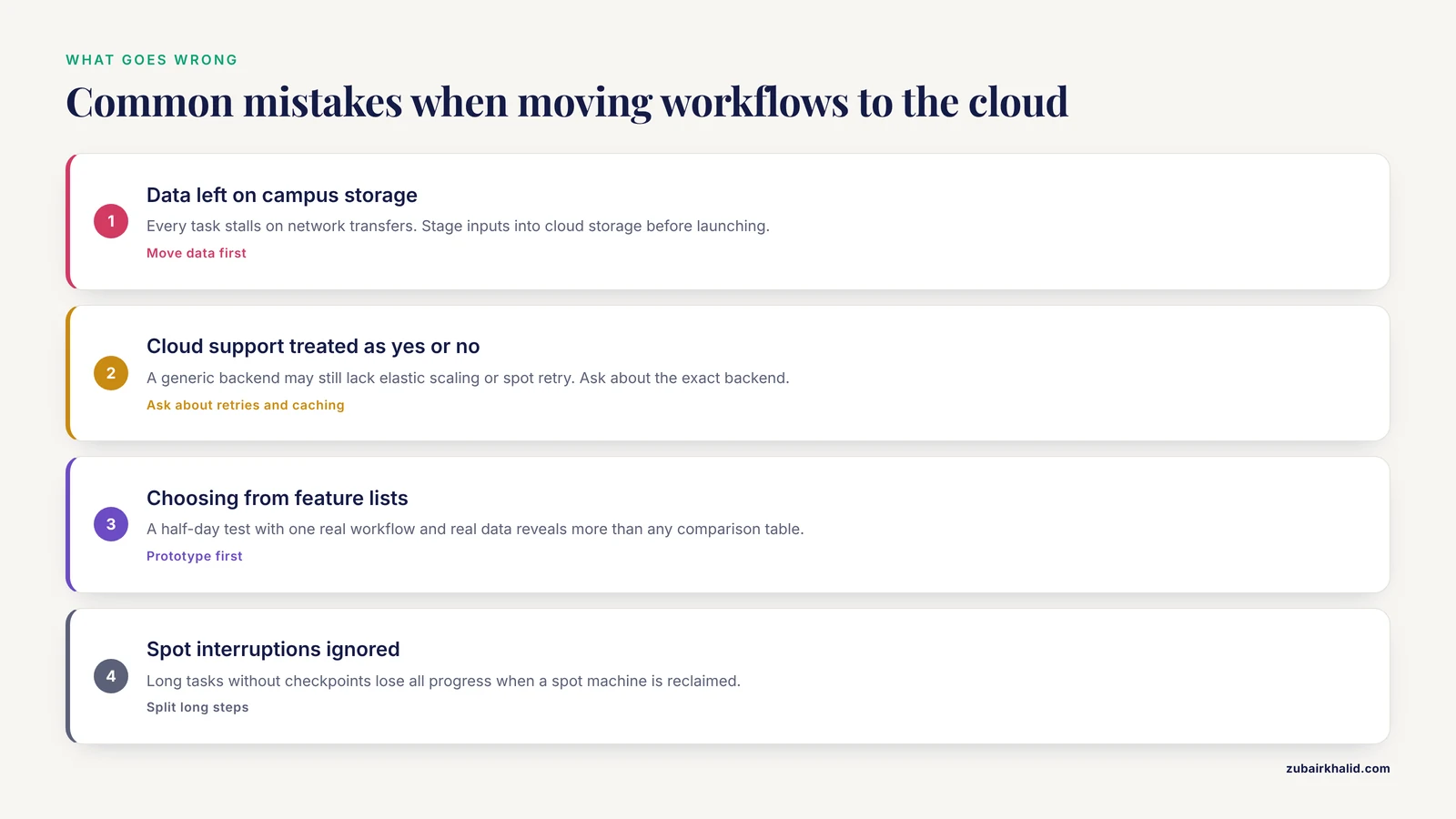
- Migrating to the cloud without moving the data first. Teams often configure a cloud executor while leaving inputs on a campus server. Every task then stalls on network transfers. Stage data into cloud storage before launching, and keep intermediates in the same region as your compute.
- Treating cloud support as a single yes-or-no feature. A manager that "supports cloud" through a generic backend may still lack elastic scaling or spot retry. Ask specifically about automatic retries, caching, and machine teardown for the exact backend you plan to use.
- Choosing on feature lists instead of a prototype. The RiboViz team used prototyping explicitly to choose their workflow management system, reimplementing a real workflow before committing [9]. A half-day test with one real workflow and real data reveals more than any comparison table, including the one in this article.
- Ignoring spot instance interruptions. Long tasks that cannot resume from checkpoints lose all progress when a spot machine is reclaimed. Split long steps into smaller tasks or accept on-demand pricing for those steps.
- Assuming container support equals reproducibility. Containers pin tool versions, but workflow results also depend on reference databases, parameters, and random seeds. Pin those in version control alongside the workflow, the standard practice recommended in workflow reproducibility guidance [1].
- Underestimating validation burden for regulated or diagnostic work. Clinical and reference laboratory workflows require documented fit-for-purpose validation with defined performance metrics, as demonstrated for whole-genome sequencing typing of Neisseria meningitidis in a national reference center [12]. Cloud environments complicate validation because the underlying software stack can change underneath you, so freeze and document the environment used for validated runs.
- Overbuilding for scale you do not have. A workflow processing 24 mock community amplicon samples runs fine on a workstation [13]. Adopting a cloud-first architecture for such workloads adds cost and complexity with no benefit. Match the architecture to the data volume, including mixed 16S and 18S amplicon data, which a merging and concatenation workflow handled with modest compute [14].
- Forgetting that the manager is not the science. Pipeline choice strongly affects results. A comparison of four shotgun metagenomics pipelines for bloodstream infection diagnosis found that workflow selection itself influenced diagnostic accuracy [15], and a proteomics study found that sample preparation method changed which protein subsets were detected [16]. Validate the biology of your pipeline, not just its infrastructure.
Frequently Asked Questions
Which workflow manager has the best cloud support?
Nextflow and Cromwell (for WDL) have the most mature native cloud batch support today, with CWL executors close behind for teams that need specification-level portability. The honest answer is that "best" depends on your data location, team skills, and scale, and a short prototype with your own workflow beats any general ranking [2].
Do I need cloud support if my lab already has an HPC cluster?
Often no, at least not as a daily driver. HPC clusters remain the most cost-effective option for steady, predictable workloads, and cloud capacity earns its keep during overflow, for very large one-off analyses, or when collaborators lack cluster access. A manager that treats cluster and cloud as interchangeable backends lets you use both without rewriting workflows [9].
What is the difference between cloud, HPC, and local execution?
Local execution runs tasks on your own desktop or server. HPC execution submits tasks to a shared cluster with a scheduler that queues jobs across many nodes. Cloud execution rents virtual machines on demand from a provider and tears them down afterward. The practical differences are cost model (owned versus rented), elasticity (fixed versus burstable), and who maintains the software environment [2].
How do workflow managers keep cloud costs down?
The main levers are caching completed task results so reruns are cheap, automatically retrying on discounted spot instances when they are reclaimed, scaling machine counts to match the current job queue, and shutting down idle machines promptly. Scheduling research shows meaningful cost and speed gains from smarter resource allocation, with one scheduler reducing cost by 4 percent while improving makespan by 35 percent [6].
Can I move a workflow from one manager to another, or from HPC to cloud?
Moving between execution environments is usually easy with all four major systems, because they abstract execution away from workflow logic. Moving between managers is real work, since the workflow must be rewritten in the new language, and it is a common reason labs hesitate to switch. Standard descriptions such as CWL lower this risk by design, and containers keep the tooling identical during the transition [9].
Do I need containers if I run my workflow in the cloud?
Yes. Cloud virtual machines are disposable and their base software changes without notice, so a workflow that installs tools directly on the machine will drift between runs. Containers capture exact tool versions and make results comparable across reruns, cloud providers, and collaborators, which is why container support is treated as a core portability feature in workflow manager evaluations [1].
Sources
- Reproducible, scalable, and shareable analysis pipelines with bioinformatics workflow managers
- Design considerations for workflow management systems use in production genomics research and the clinic.
- A scoping review of approaches to evaluating workflow management systems for bioinformatics users
- Combined Linkage Disequilibrium and Linkage Analysis (cLDLA): implementation of a powerful approach to identify the genetic basis of complex traits in a bioinformatics workflow
- Abstract 4956: A fast and efficient bioinformatics analysis workflow for processing reads from single-cell multiomics assays captured on a microwell-based platform
- MONWS: Multi-Objective Normalization Workflow Scheduling for Cloud Computing
- Knowledge-Engineered Multi-Cloud Resource Brokering for Application Workflow Optimization
- CellHeap: A scRNA-seq workflow for large-scale bioinformatics data analysis
- Using prototyping to choose a bioinformatics workflow management system.
- Experiential Learning in Bioinformatics - Learner Support for Complex Workflow Modelling and Analysis
- Bridging the gap between bioinformatics and the clinical and public health microbiology laboratory: An ISO-accredited genomics workflow for antimicrobial resistance
- Validation of a Bioinformatics Workflow for Routine Analysis of Whole-Genome Sequencing Data and Related Challenges for Pathogen Typing in a European National Reference Center: Neisseria meningitidis as a Proof-of-Concept
- Benchmarking and Validation of a Bioinformatics Workflow for Meat Species Identification Using 16S rDNA Metabarcoding
- Merging and concatenation of sequencing reads: a bioinformatics workflow for the comprehensive profiling of microbiome from amplicon data.
- Diagnostic Accuracy of Shotgun Metagenomics for Bloodstream Infections Is Influenced by Bioinformatics Workflow Selection
- Targeted Modulation of Abundant Proteins Enhances Proteomic Profiling of Ovarian Cancer Ascites: A Pilot Technical Workflow Comparison.