C1V1 = C2V2 Dilution Calculator: A Practical Guide
By Dr. Zubair Khalid, DVM, MS, PhD ·
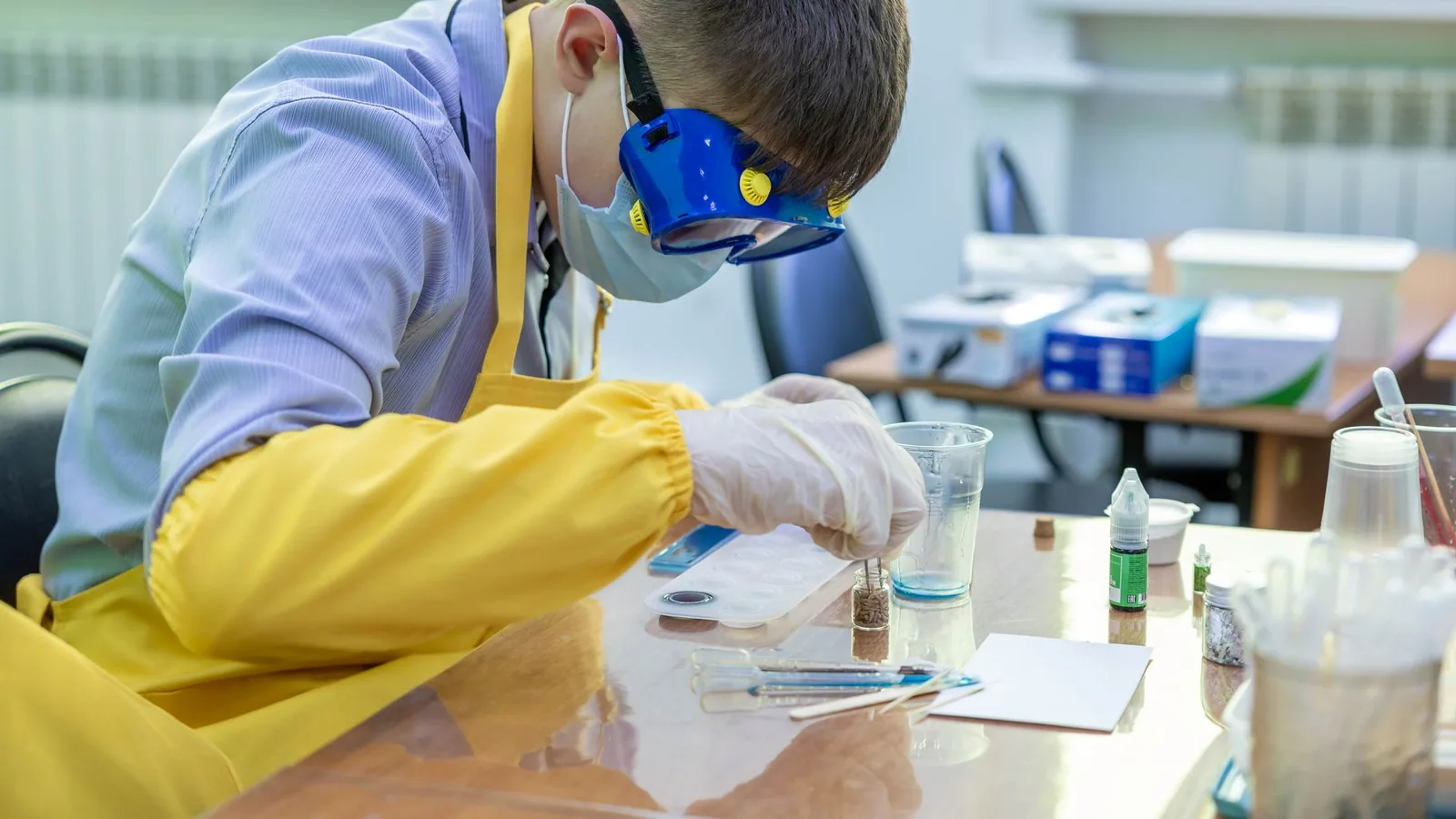
By the end of this guide you will be able to solve any dilution problem with the C1V1 = C2V2 equation, run a c1v1 c2v2 calculator you build yourself in Python or a spreadsheet, and verify every answer before it reaches a pipette. You need four numbers from your protocol (the stock concentration, the target concentration, the target final volume, and the units for each), plus a calculator. If you want a reusable tool, you also need Python 3 or any spreadsheet program.
A stock solution is a concentrated version of a reagent that you keep on the shelf. A working solution is the diluted version at the concentration your protocol asks for. The equation in this guide is the bridge between the two, and it works for buffers, media, stains, primers, antibodies, and anything else you dilute in a biology lab.
What the C1V1 = C2V2 Equation Means
Dilution changes two things at once, the concentration and the volume. The amount of solute, the dissolved substance, stays the same. Amount equals concentration times volume, so the amount before dilution equals the amount after:
C1 × V1 = C2 × V2C1 is the stock concentration, V1 is the volume of stock you use, C2 is the target concentration, and V2 is the final volume after dilution is complete. Because any three values determine the fourth, one equation answers four different questions.
| Solve for | Formula | Typical question |
|---|---|---|
| V1 | V1 = (C2 × V2) / C1 | How much stock do I need? |
| V2 | V2 = (C1 × V1) / C2 | What final volume does this much stock give? |
| C2 | C2 = (C1 × V1) / V2 | What concentration did I just make? |
| C1 | C1 = (C2 × V2) / V1 | How concentrated was the original stock? |
| DF | DF = C1 / C2 = V2 / V1 | What is the dilution factor? |
The last row defines the dilution factor (DF), the number that tells you how many times more dilute the final solution is than the stock. A 1:10 dilution has a dilution factor of 10.
The Four Variables and Their Units
Each variable carries a unit, and knowing the common options prevents most errors.
- C1, stock concentration. Common units include molarity (M, moles of solute per liter of solution), millimolar (mM, one thousandth of a molar), micromolar (µM, one millionth of a molar), mass per volume (mg/mL, µg/mL), percent (w/v is grams per 100 mL of solution, v/v is mL of solute per 100 mL of solution), and fold concentration (10X means ten times the concentration of the 1X working solution).
- C2, target concentration. Same unit options, chosen by your protocol.
- V1, stock volume. Usually mL or µL.
- V2, final volume. Usually mL or L.
A mole is a fixed count of molecules, about 6.02 × 10^23, and molarity expresses how many moles sit in each liter.
The single rule that prevents most errors: C1 and C2 must carry the same concentration units, and V1 and V2 must carry the same volume units. Concentration and volume do not need to match each other, so a calculation in mM and mL is perfectly valid.
Using a C1V1 C2V2 Calculator Step by Step
Work every dilution the same way, whether you do the arithmetic in your head, on a phone calculator, or in code.
- List the four values with their units. Identify the three you know and the one you want.
- Match the units. Convert so C1 and C2 share units and V1 and V2 share units. 1 M = 1,000 mM = 1,000,000 µM, and 1 mL = 1,000 µL.
- Rearrange for the unknown. Most bench questions solve for V1.
- Substitute and solve.
- Sanity check with the dilution factor before you pipette.
- Write the bench plan: what to pipette, into what container, and how you will bring the solution to its final volume.
Worked example: sodium chloride
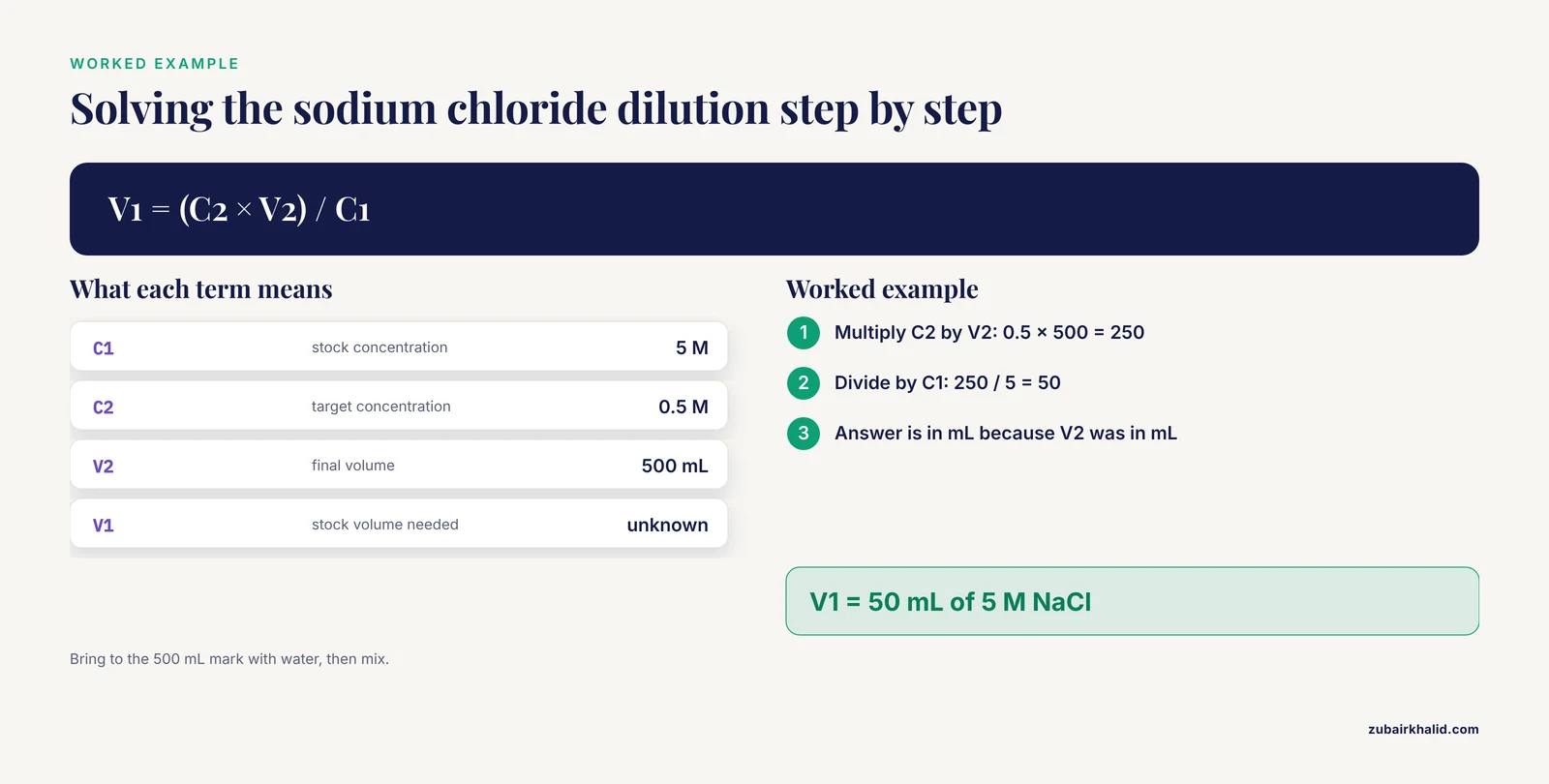
You have 5 M NaCl and need 500 mL of 0.5 M NaCl.
C1 = 5 M       (stock)
C2 = 0.5 M     (target)
V2 = 500 mL    (target final volume)

V1 = (C2 × V2) / C1
   = (0.5 × 500) / 5
   = 50 mL
Expected result: 50 mL of stock. Bench plan: measure 50 mL of 5 M NaCl into a graduated cylinder or volumetric flask, add water, and bring to the 500 mL mark, then mix.
Worked example: primer stock
You have a 100 µM primer stock and need 1 mL of a 10 µM working solution.
C1 = 100 µM
C2 = 10 µM
V2 = 1 mL = 1000 µL

V1 = (10 × 1000) / 100 = 100 µL
Expected result: 100 µL of stock plus 900 µL of nuclease-free water or your lab's standard primer diluent.
Worked example: 10X buffer
You have 10X TAE buffer and need 1 L of 1X.
C1 = 10X
C2 = 1X
V2 = 1000 mL

V1 = (1 × 1000) / 10 = 100 mL
Expected result: 100 mL of 10X buffer plus 900 mL of water. Notice the pattern across all three examples. Each is a 10-fold dilution, so V1 is one tenth of V2. When the dilution factor is obvious, use it as your first estimate and let the equation confirm it.
Build Your Own C1V1 = C2V2 Calculator
A five-line Python function covers the most common case, solving for V1, with guards against the two inputs that produce nonsense.
def dilute(c1, c2, v2):
    """Return V1, the stock volume needed, in the same units as v2."""
    if c1 <= 0 or c2 <= 0 or v2 <= 0:
        raise ValueError("All three inputs must be positive numbers.")
    if c2 > c1:
        raise ValueError("C2 is greater than C1. Dilution cannot raise concentration.")
    return (c2 * v2) / c1
Here is a session at the Python prompt, including what a bad input looks like:
>>> dilute(c1=5.0, c2=0.5, v2=500)
50.0
>>> dilute(c1=100.0, c2=10.0, v2=1000)
100.0
>>> dilute(c1=0.5, c2=5.0, v2=500)
Traceback (most recent call last):
  ...
ValueError: C2 is greater than C1. Dilution cannot raise concentration.
The first two calls return the answers from the worked examples above. The third call fails on purpose because you cannot dilute a dilute solution into a concentrated one.
The spreadsheet version takes four cells:
| Cell | Entry | Meaning |
|---|---|---|
| A2 | 5 | C1, stock concentration |
| B2 | 0.5 | C2, target concentration |
| C2 | 500 | V2, final volume |
| D2 | =IFERROR(B2*C2/A2, "Check inputs") | V1, stock volume needed |
The plain formula =B2*C2/A2 works too. The IFERROR wrapper replaces the error value with a readable message when a cell is blank or zero. Save the file as a template and you have a permanent biology calculator for prep days.
Common Errors and Their Exact Fixes
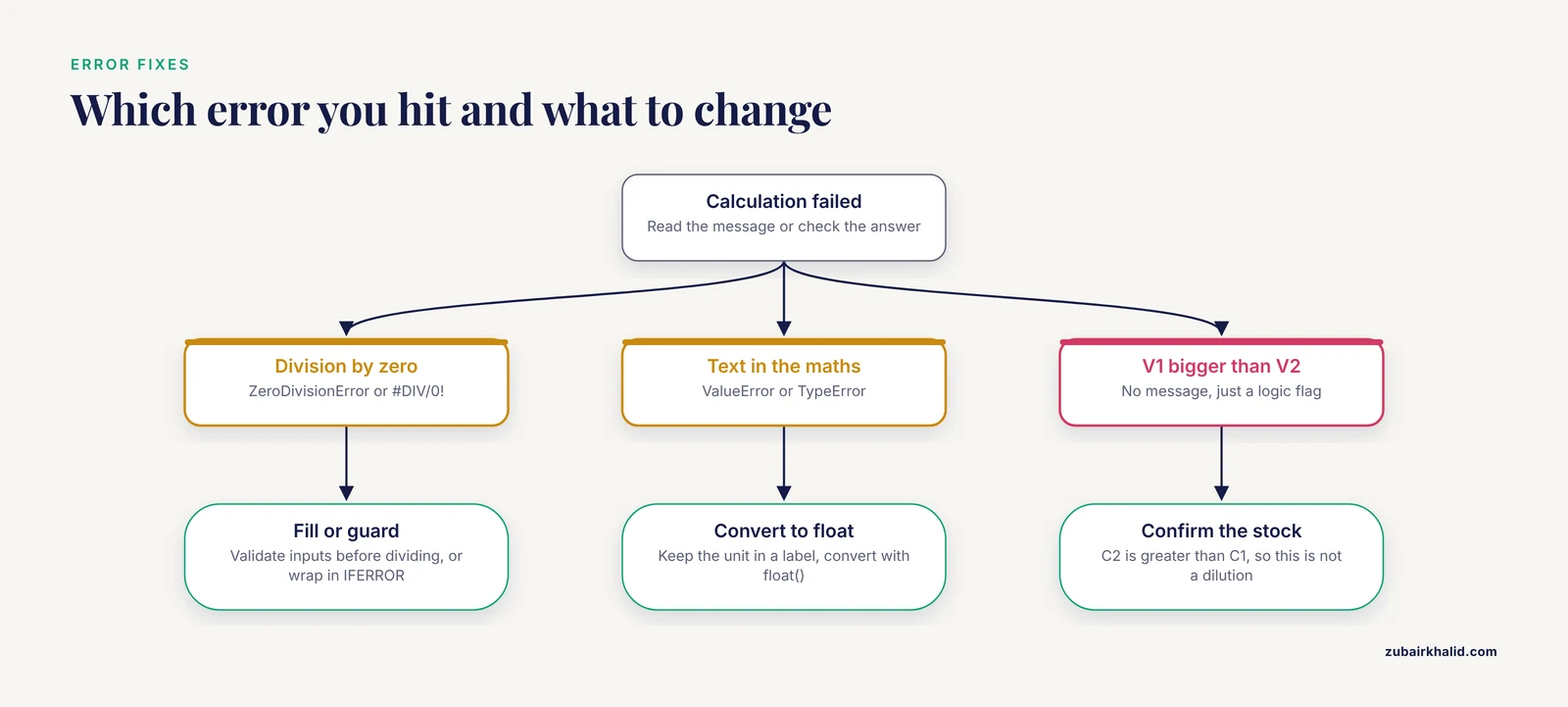
Calculators fail in predictable ways. Here are the messages you will actually see and what each one means.
ZeroDivisionError: division by zeroin Python. The denominator is zero, usually because an empty cell or blank input was read as 0. Fix: validate all three inputs before dividing, as the guard clause in the function above does.#DIV/0!in Excel or Google Sheets. The denominator cell is blank or zero. Fix: fill the cell, or wrap the formula in IFERROR so the sheet shows a readable message instead.ValueError: could not convert string to float: '500 mL'in Python. A script tried to convert text that includes a unit. Fix: keep the number in one variable and the unit in a label, then convert withfloat().TypeError: unsupported operand type(s) for /: 'str' and 'float'in Python. A string reached the arithmetic. Fix: convert inputs withfloat()before calculating.- A V1 larger than V2. This is not an error message, it is a logic flag. It means C2 is greater than C1, so the problem describes concentration, not dilution. Fix: confirm which solution is the stock.
- An answer off by exactly 10, 1,000, or 1,000,000. No software will warn you here. The cause is almost always a unit slip, such as mM entered where M was intended, or µL where mL was intended. Fix: write the unit next to every number and back-calculate before pipetting.
Serial Dilutions
A serial dilution is a sequence of dilutions in which each new dilution is made from the previous one. The same equation applies at every step, with C1 taken from the tube you are diluting, not from the original stock. Dilution factors multiply across the series.
A common setup uses 100 µL of stock transferred into 900 µL of diluent, repeated six times. Each step is a 1:10 dilution.
c = 1000.0   # starting concentration, ng per microliter
df = 10      # fold dilution at each step
for tube in range(1, 7):
    c = c / df
    print(f"Tube {tube}: {c:g} ng/µL")
Expected output:
Tube 1: 100 ng/µL
Tube 2: 10 ng/µL
Tube 3: 1 ng/µL
Tube 4: 0.1 ng/µL
Tube 5: 0.01 ng/µL
Tube 6: 0.001 ng/µL
To plan a series that must land on a specific value, work backward. After n steps of a 1:10 dilution, the concentration is the starting concentration divided by 10 to the power n. Starting at 1,000 ng/µL, three steps land at 1 ng/µL and four steps land at 0.1 ng/µL. A target between those values, such as 0.5 ng/µL, needs three fixed steps followed by one custom step sized with the standard equation.
How to Check Your Answer
Build the habit of verifying before pipetting. Four checks take under a minute.
- Back-calculate. Put your computed V1 back into the equation as C2 = (C1 × V1) / V2. For the NaCl example, (5 × 50) / 500 returns 0.5 M, which matches the target.
- Cross-check the dilution factor. V2 divided by V1 should equal C1 divided by C2. For the NaCl example, 500 / 50 = 10 and 5 / 0.5 = 10.
- Check the units cancel. In V1 = (C2 × V2) / C1, the concentration units cancel and the volume unit survives. If a length or mass unit survives, a substitution went wrong.
- Verify on the bench. For critical reagents, measure the diluted solution rather than trusting the plan. A spectrophotometer reading against a standard curve confirms concentration for many solutes, and conductivity or pH checks catch buffer dilution errors.
For training, dilute a drop of food coloring through a serial series in water. The color intensity tracks the concentration, so a mistake in your volumes shows up as a color jump between tubes.
C1V1 C2V2 Calculator Tips
These habits separate a calculator result from a prep that actually works.
- Keep units in labels, not in numbers. Enter 500, not "500 mL", into any calculator, and record the unit beside it in your notebook.
- Scale the problem to your pipettes. If V1 works out to 2 µL for a 500 mL prep, that volume is below the accurate range of most air displacement pipettes. Make an intermediate dilution or prepare a smaller batch.
- Bring to volume instead of adding volumes. Add the stock first, then add diluent until the total reaches the final mark in a graduated cylinder or volumetric flask. This matters most for ethanol and concentrated solutions, where mixed volumes are not exactly additive.
- Plan the whole series on paper first. Write every tube, every volume, and every expected concentration before picking up a pipette, and label the tubes before you start.
- Round only at the end. Carry extra digits through the calculation, then round the final volume to what your glassware and pipettes can actually deliver.
- Record the calculation, not just the result. A note that says "50 mL of 5 M stock to 500 mL" lets a colleague check your work later.
Common Mistakes and Limitations
These are the errors that show up again and again in teaching labs, along with the limits of what the equation can do.
- Unit mismatch. Entering 5 where 5,000 was meant, because the stock was in mM and the target in µM. This is the single most common cause of a 1,000-fold error.
- Percent ambiguity. "10%" can mean 10 g per 100 mL (w/v), 10 mL per 100 mL (v/v), or 10 g per 100 g (w/w). Confirm which one your protocol means before calculating.
- Misreading 1:10. A 1:10 dilution means one part stock plus nine parts diluent, giving one tenth of the starting concentration. Treating the ratio as the final concentration inverts the answer.
- Using the equation to weigh powder. C1V1 = C2V2 describes diluting an existing solution. To prepare a stock from a solid, use mass = concentration × volume × molecular weight. For 500 mL of 1 M NaCl, that is 1 mol/L × 0.5 L × 58.44 g/mol = 29.22 g.
- Adding stock to a pre-measured final volume. Pipetting 50 mL of stock into 450 mL of water gives approximately the right answer for dilute aqueous solutions but misses the mark for ethanol or concentrated acids. Combine, then bring to the mark.
- Stale numbers in a serial dilution. Every step after the first must use the previous tube as its stock. Using the original stock concentration for step four produces a tube that is far too concentrated.
- Pipetting outside the accurate range. Accuracy drops sharply at the low end of a pipette's range. A 2 µL delivery from a 1,000 µL pipette is a guess, not a measurement.
- Expecting the equation to cover everything. The arithmetic ignores pipette calibration, mixing quality, temperature, and the small volume changes that occur when ethanol and water combine.
On limitations: the equation assumes the solute is conserved, the solution mixes completely, and the concentration behaves ideally. It says nothing about whether the diluted reagent still performs in your assay, whether it needs a specific buffer or pH, or whether your instruments are calibrated. Those judgments come from your protocol, your instrument checks, and the supervision or training standards of your lab.
Next Steps
Save the Python function or the spreadsheet as a template, then extend it in three directions that cover most prep-day math: a serial dilution mode that outputs a tube table, a molarity-from-mass mode for preparing stocks from solids, and a unit converter for the M, mM, µM, mg/mL, and µg/mL ladder. Practice on three real dilutions from your own work and confirm each one by back-calculation. The same discipline of writing units, solving for one unknown, and checking the answer transfers directly to any other biology calculator you use, including bioinformatics calculators for sequence length, primer properties, and molecular weight conversions.
Frequently Asked Questions
What does C1V1 = C2V2 mean?
It is the dilution equation. C1 and V1 describe the stock solution, C2 and V2 describe the diluted working solution, and the product of concentration and volume gives the amount of solute, which does not change during dilution.
How do I calculate how much stock to use?
Solve for V1 with V1 = (C2 × V2) / C1. Multiply the target concentration by the target volume, then divide by the stock concentration, keeping C1 and C2 in matching units and V1 and V2 in matching units.
Do the units have to match in C1V1 = C2V2?
The two concentrations must share units with each other, and the two volumes must share units with each other. Concentration and volume units do not need to match each other, so a calculation in mM and mL is valid.
What is a dilution factor?
The dilution factor is how many times more dilute the final solution is than the stock. Calculate it as C1 divided by C2, which equals V2 divided by V1, so a 1:10 dilution has a dilution factor of 10.
Why is my calculated V1 bigger than V2?
A V1 larger than V2 means C2 is greater than C1, so the problem describes a concentration step rather than a dilution. Check which solution is the stock and which is the target.
Does C1V1 = C2V2 work for serial dilutions?
Yes, one step at a time. Each tube's dilution uses the previous tube as its stock, and the dilution factors multiply across the series.
How do I make a stock solution from powder?
Use mass = concentration × volume × molecular weight. To make 500 mL of 1 M NaCl, multiply 1 mol/L by 0.5 L by 58.44 g/mol to get 29.22 g. The dilution equation applies only after the stock exists.
How accurate is a C1V1 C2V2 calculator?
The arithmetic is exact, so the result is only as good as your inputs and your pipettes. Stay within your pipette's accurate range, mix thoroughly, and bring solutions to volume in calibrated glassware.